Attachments to orders and invoices
In the order window in Telaris you have the option to upload files. These files can be used as attachments in orders, quotes and invoices.
TABLE OF CONTENTS
Guide
Uploading
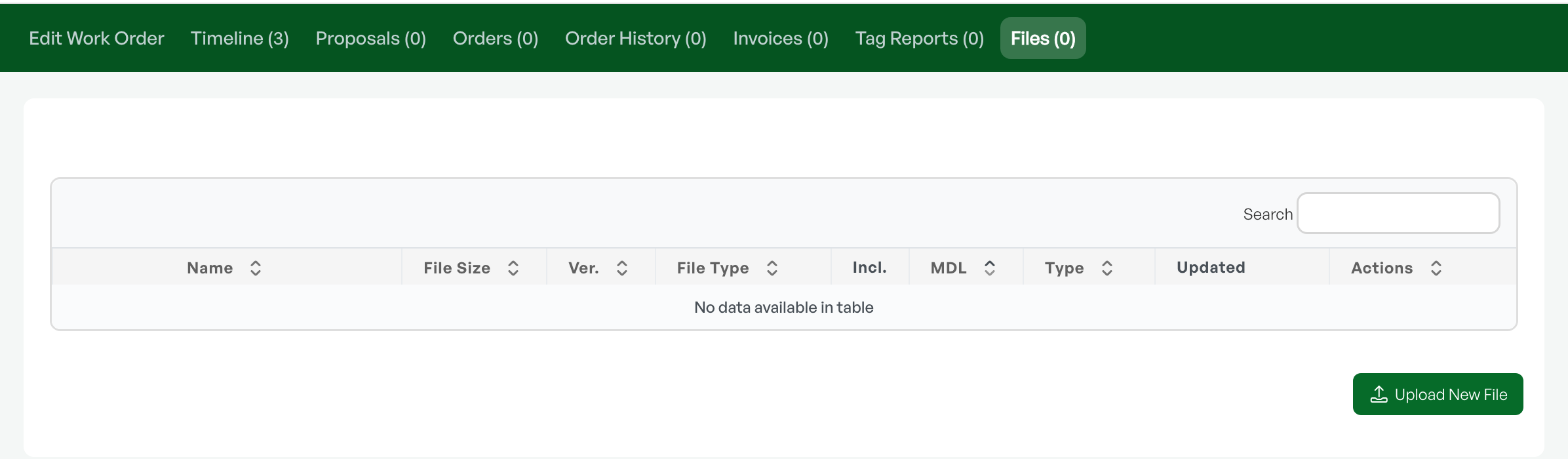
In the order window, or on a created quote, order confirmation or invoice, you will find a tab called "Files".

When you click here you can upload the desired attachment. Either "drag and drop" the file, or click the "Upload file" button.
Before you send a quote or invoice you can mark which attachments you want to send to the recipient.
Sending
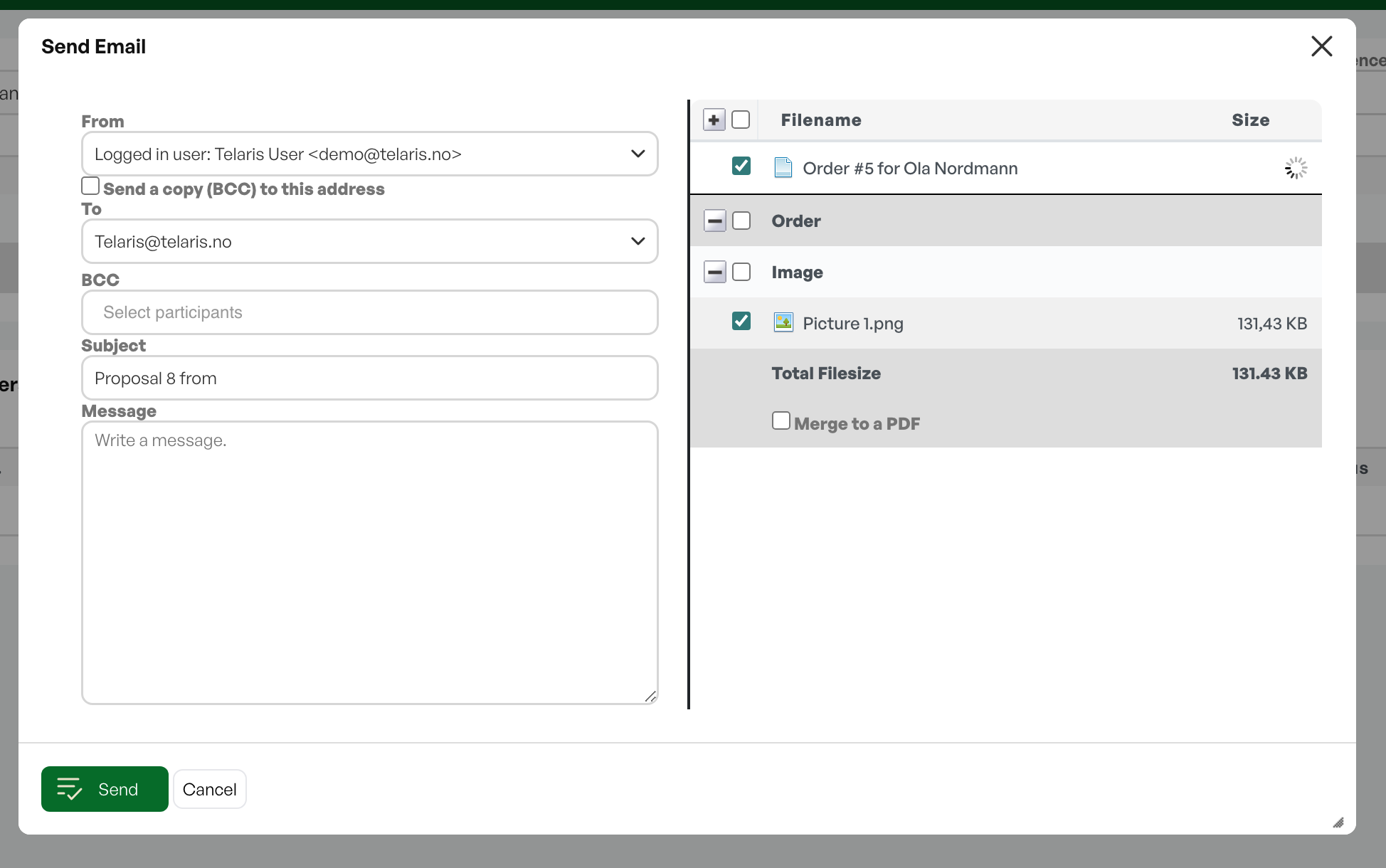
When sending quotes and invoices you get the option to add the files as attachments. There you have the choice to add the file(s) as attachments to the email. The files are sorted by where they come from in the order process, as well as under which document types have been uploaded.
Decide whether you want to merge the quote/invoice and attachments into one and the same PDF or send them as two files.
If you mark "Merge into one PDF" you can get all* attachments to become one PDF that goes to the customer in the email.
You can then click "Merge" which only creates a new PDF file, or "Merge & Send" which merges the files and sends out the email.
Timeline after sending
When you have sent the quote/invoice to the recipient, you can see on the timeline what has been sent, both the text and the attachment(s).


Was this article helpful?
That’s Great!
Thank you for your feedback
Sorry! We couldn't be helpful
Thank you for your feedback
Feedback sent
We appreciate your effort and will try to fix the article