How to create an invoice journal
Guide for downloading an invoice journal from Telaris.
Guide
To create an invoice journal, navigate to the invoice overview, via possible shortcuts:
'Side menu -> Invoice'
'Invoice shortcut' from the admin dashboard
'Invoice list' from the accounting dashboard
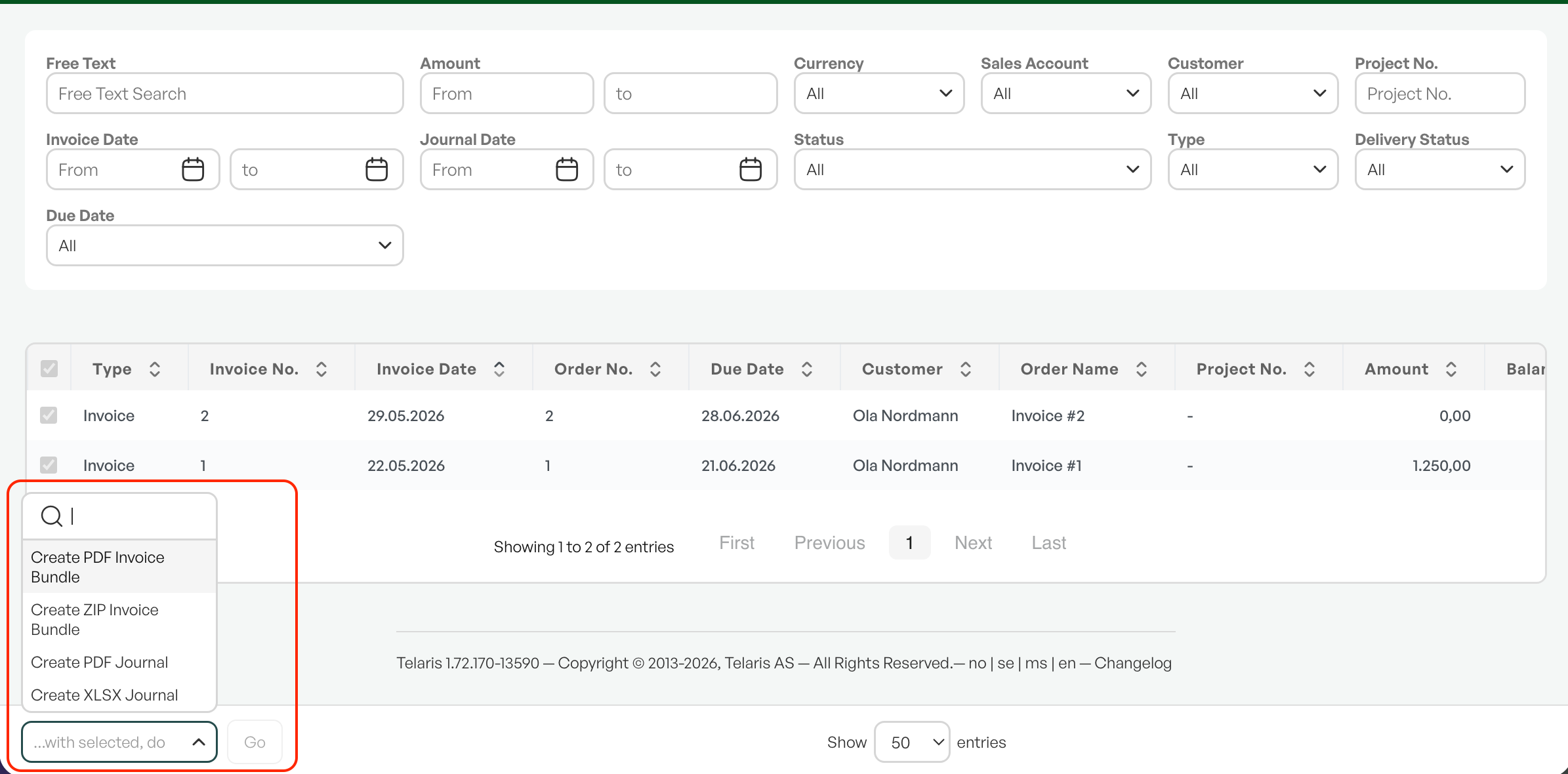
Here you have the option to filter by the desired criteria. After the desired filtering is done, go to the bottom of the page and the menu 'With selected, perform' and choose the desired format (XLSX or PDF) and click perform.
You will then download a journal in the desired format.

Was this article helpful?
That’s Great!
Thank you for your feedback
Sorry! We couldn't be helpful
Thank you for your feedback
Feedback sent
We appreciate your effort and will try to fix the article