VAT Code – Override Default Accounting
Guide on how to override the default accounting in Telaris by using invoice profiles for correct mapping to VAT codes in the accounting system.
TABLE OF CONTENTS
- VAT Code – Override Default Accounting
- Purpose
- 1. Create invoice profile
- 2. Register override accounts per product class
- 3. View or edit chart of accounts
- 4. Usage
Purpose
When there is a need to post to different accounts for the correct VAT code in the accounting system, invoice profiles can be activated in Telaris. Invoice profiles can also be used for factoring or stamping an alternative bank account on the invoice form (e.g. for separate currency accounts).
1. Create invoice profile
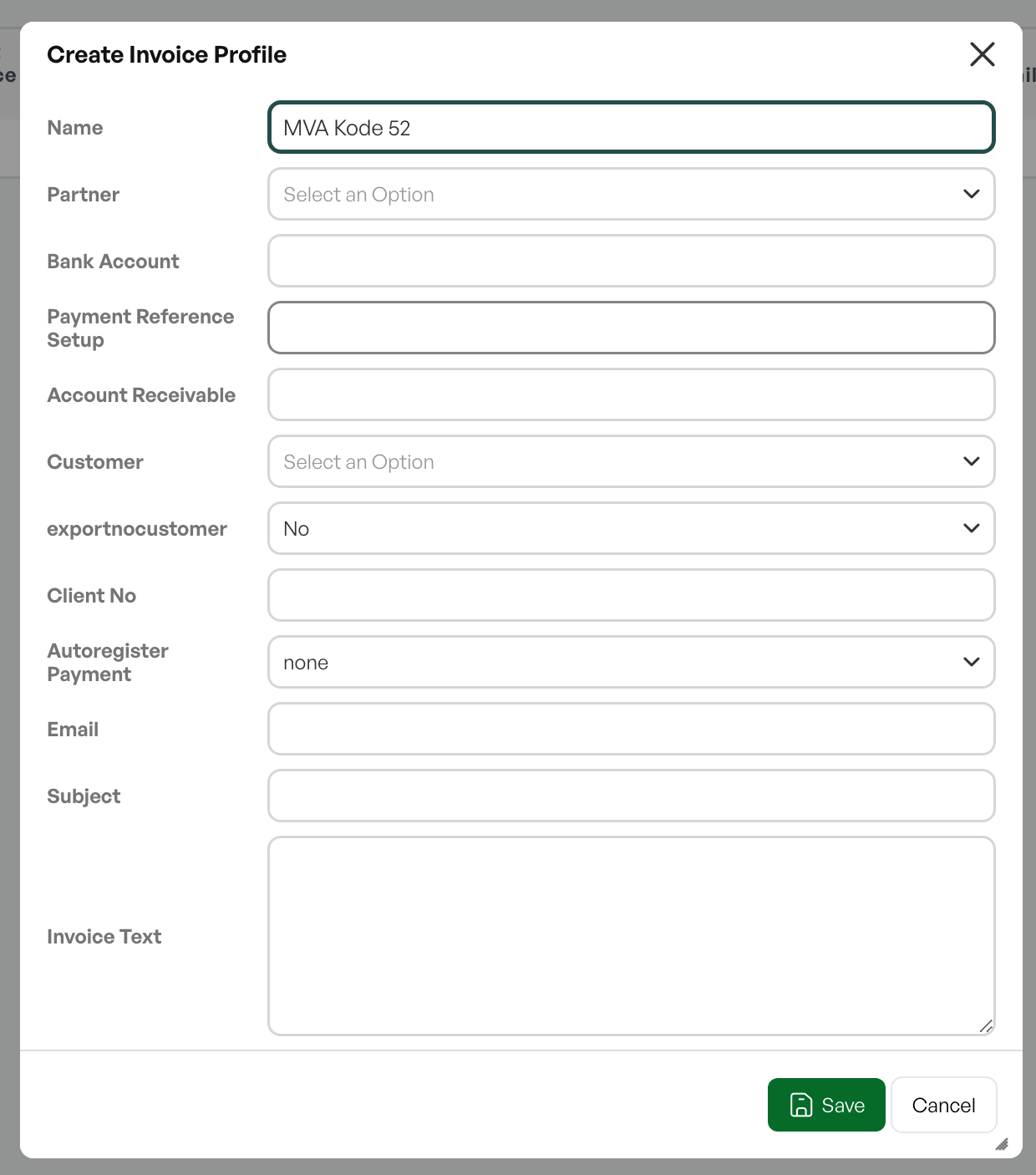
Create a new profile via /admin/invoiceprofiles -> Add new
For use as an invoice profile to override accounts, the profile only needs a name. The account overrides are configured on the product class.
2. Register override accounts per product class
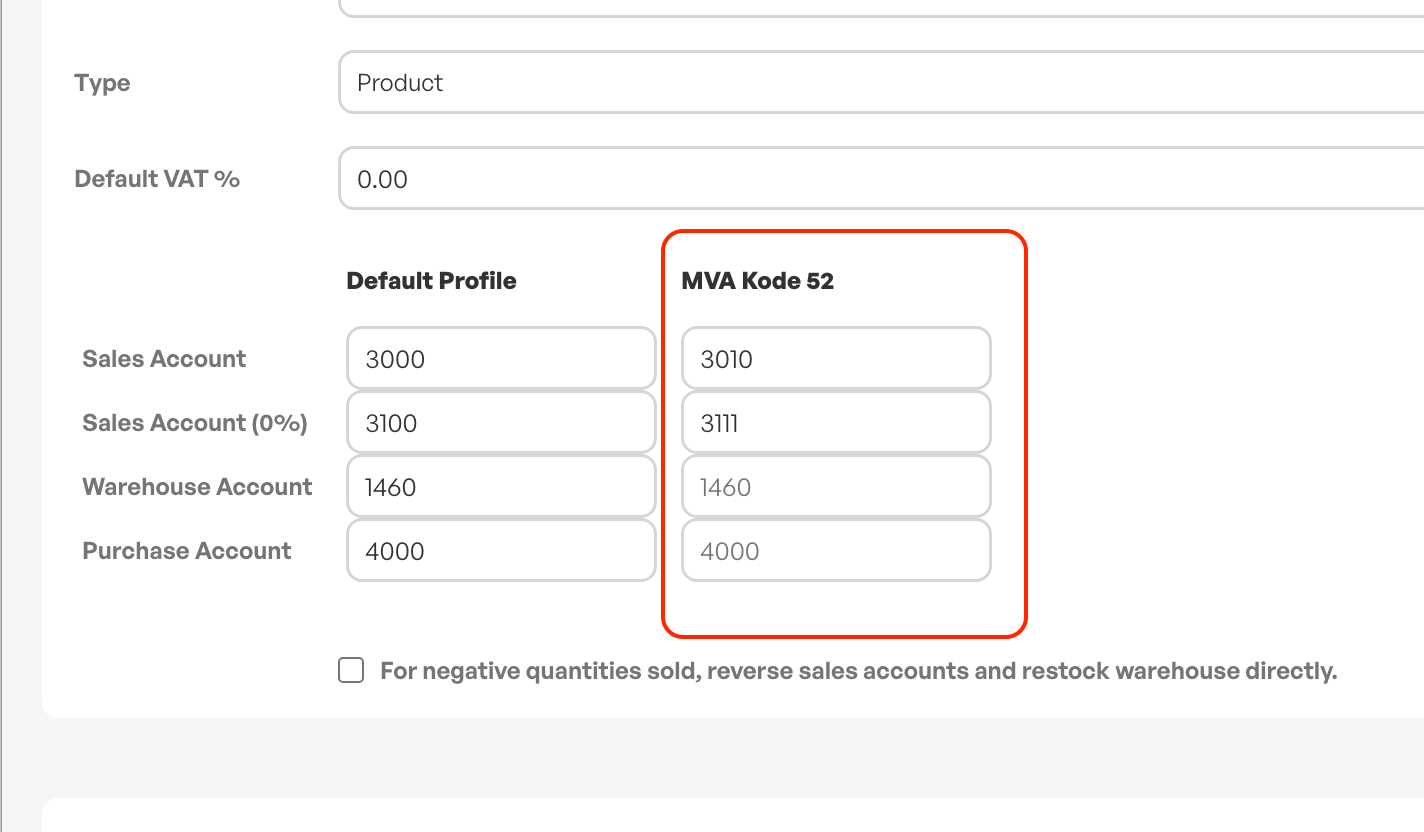
Once the invoice profile is created, it will be visible in the account setup in product classes.
Register accounts via /products/classes (Product classes) to define overrides per product class.
Each product class that should be overridden must have an override account entered.
3. View or edit chart of accounts
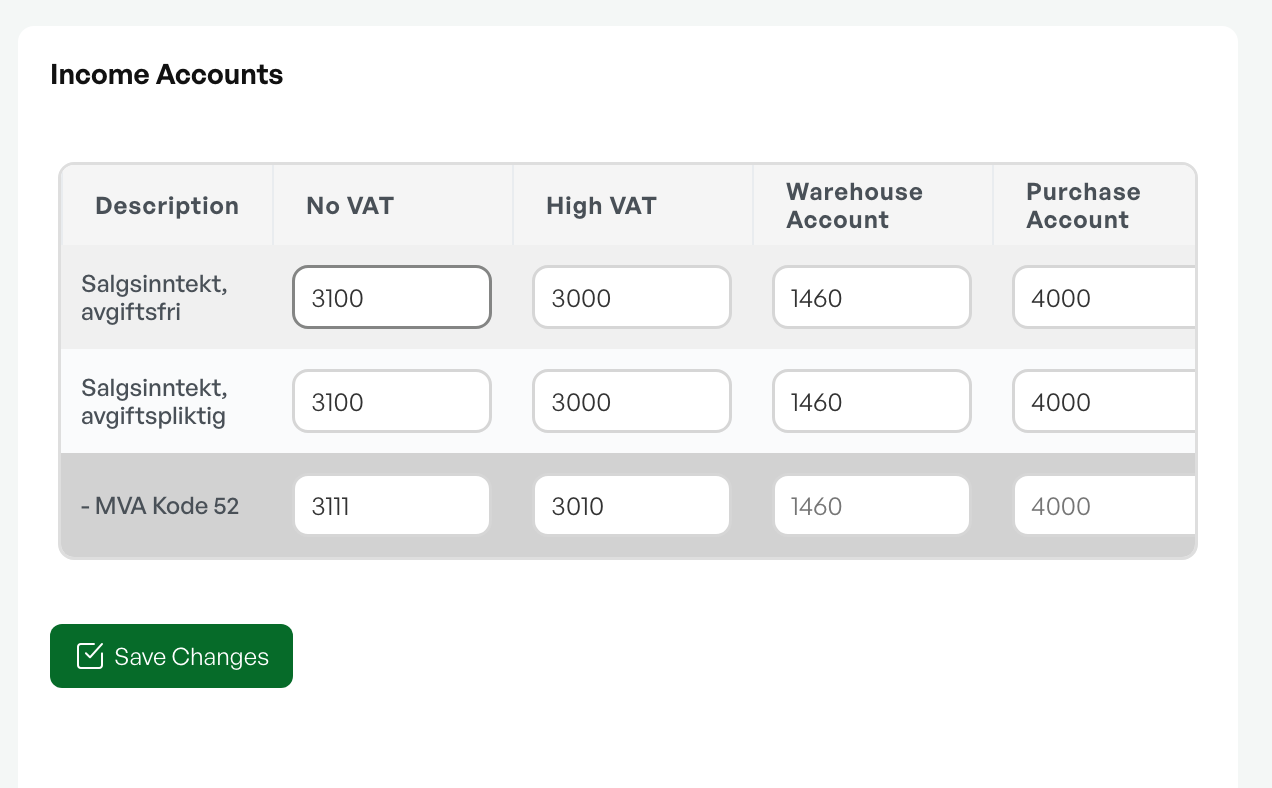
Open /admin/accountplan to view or edit the chart of accounts.
Under the product classes where an override account has been set up from the default accounting, the invoice profile name will appear under the product class.
4. Usage
4.1 Link invoice profile to customer
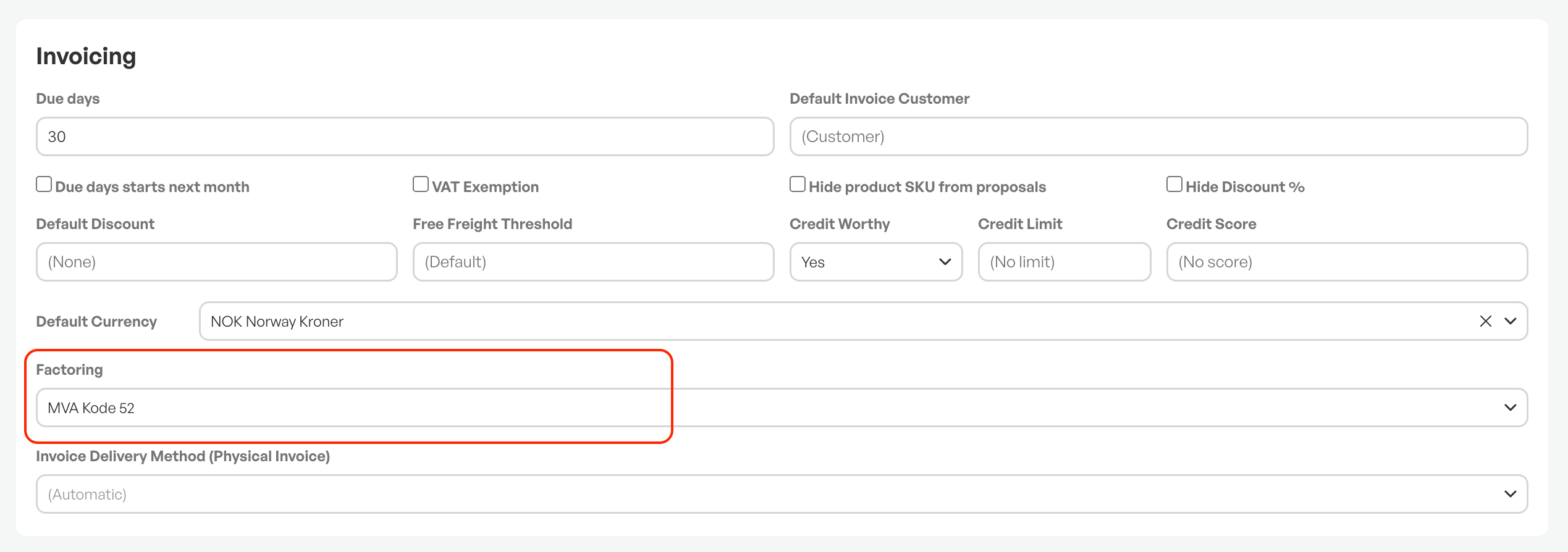
If a customer should always use the same invoice profile, it can be selected and set on the customer card.
The customer will then always have the selected invoice profile applied when invoicing.
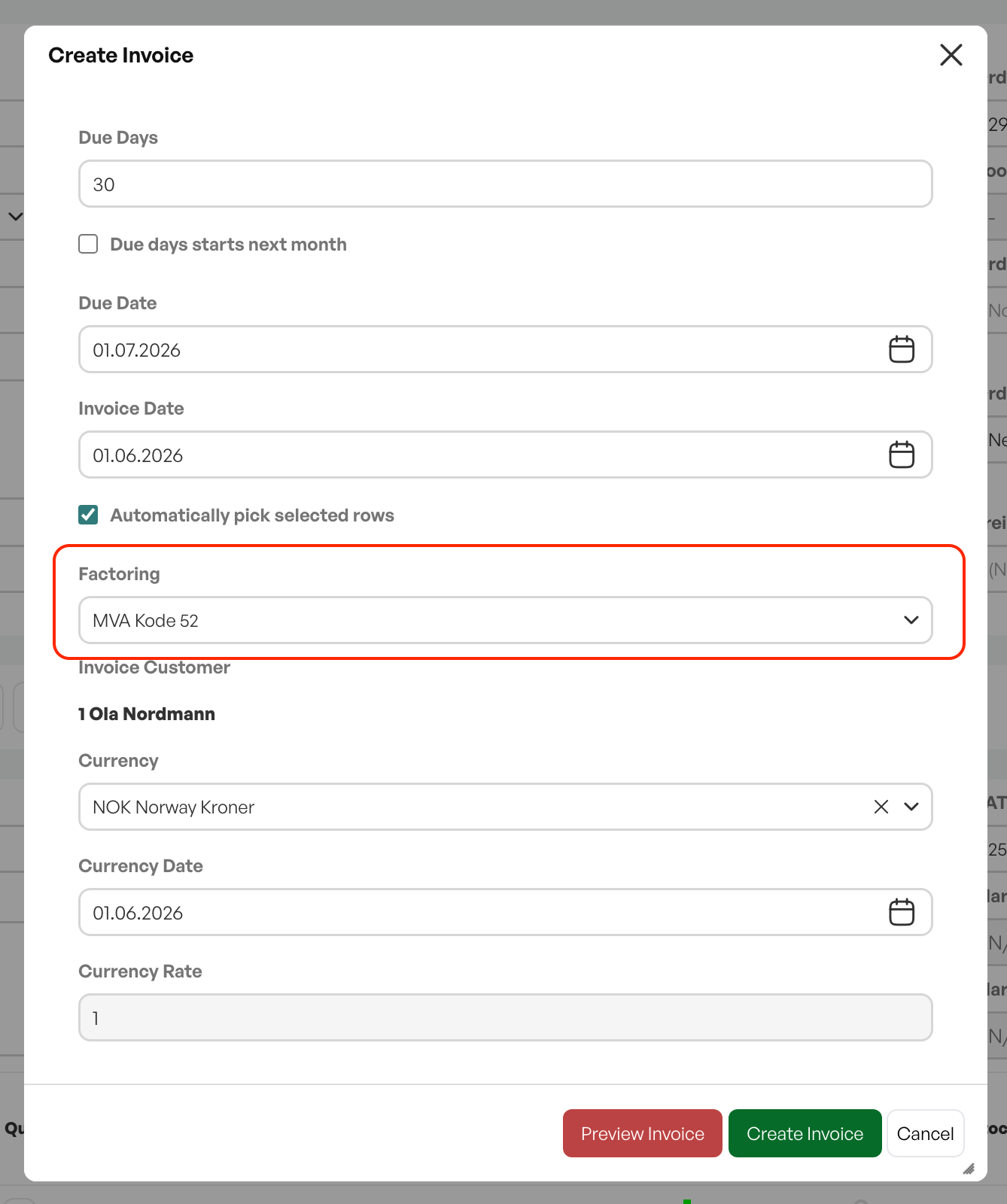
4.2 Select invoice profile when invoicing
If you want to use an invoice profile without first linking it to the customer card, an invoice profile can be selected as needed when invoicing.

Was this article helpful?
That’s Great!
Thank you for your feedback
Sorry! We couldn't be helpful
Thank you for your feedback
Feedback sent
We appreciate your effort and will try to fix the article