Finance Dashboard for Accountants
Guide to a dedicated dashboard that brings together functions and information tailored to an accountant or finance manager
TABLE OF CONTENTS
Purpose
A dedicated dashboard that gathers relevant information and functions for an accountant, giving a quick and easy overview of the company's figures.
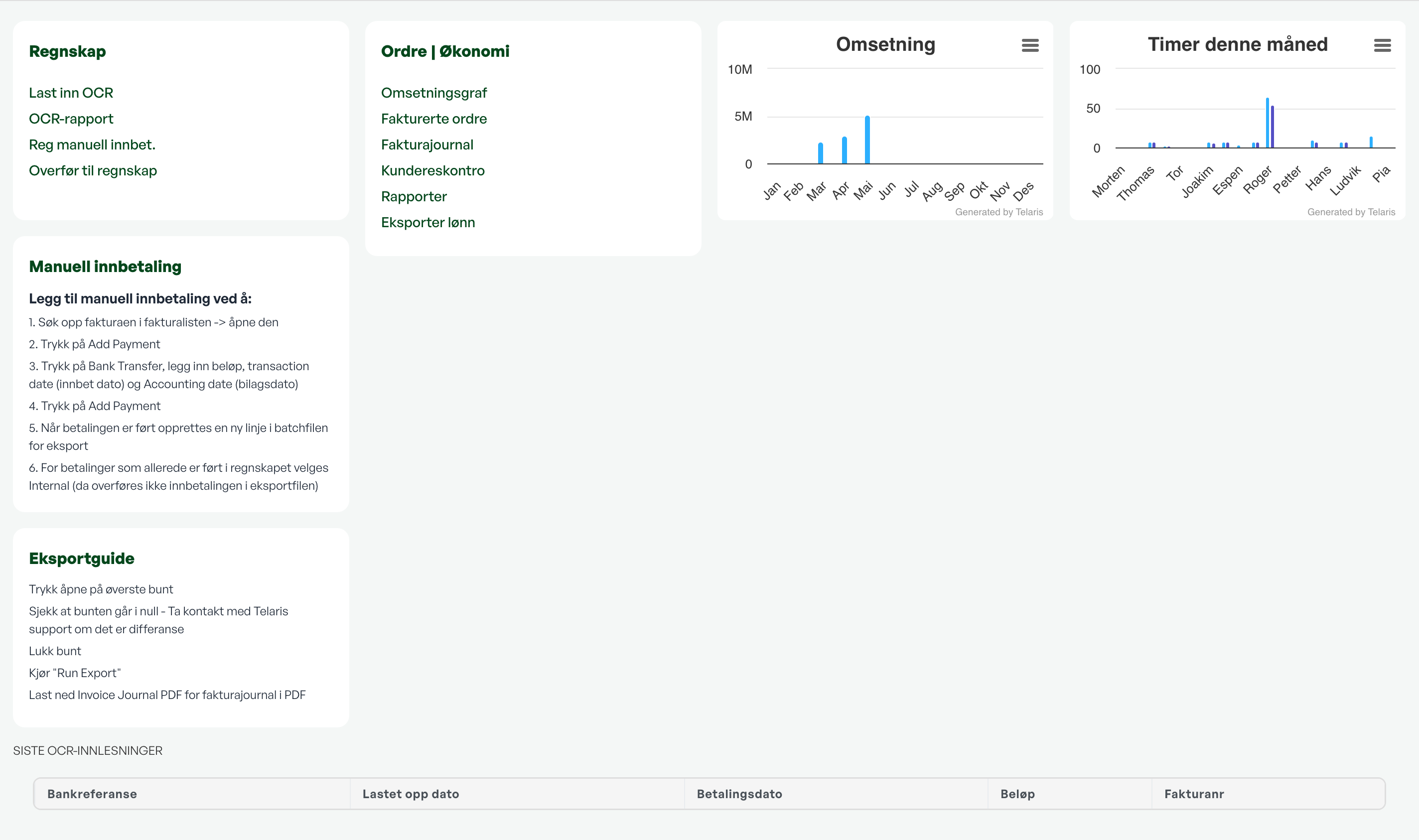
Note: The finance dashboard can be set up as needed, and is often linked to a dedicated access level for the accountant/finance manager.
Capabilities
From the finance dashboard you will find:
OCR Import Options
If you want to import payments against invoices in Telaris, an OCR file from the bank is used.
OCR Report
Report on imported OCR files.
Manual Payment Registration
For manually registering a payment against an invoice in Telaris.
Shortcut to Batch Transfer
Batch transfer for sending invoices and payments etc. to an integrated accounting program, or for downloading batch files for import.
Revenue Graphs
Figures per month + graph of revenue.
List of Invoiced and Partially Invoiced Orders
Shows the order list with order status of invoiced and partially invoiced orders.
Invoice Journal
Invoice list with export options.
Customer Ledger
Shortcut to the ledger view of invoices in Telaris.
Overview of Recent OCR Imports
List at the bottom of the dashboard showing all invoices that have been matched in OCR import.

Was this article helpful?
That’s Great!
Thank you for your feedback
Sorry! We couldn't be helpful
Thank you for your feedback
Feedback sent
We appreciate your effort and will try to fix the article