Which Batch Is the Invoice In?
Guide on how to find an invoice in an accounting batch in Telaris
Procedure
First find the invoice in Telaris, either via the order or invoice search.
On the invoice you will find the heading 'Konterte transaksjoner' (Posted transactions) - here the lines that are in the accounting batch are shown.
Click 'Åpen bunt' (Open batch) or 'lukket bunt' (closed batch) to the right of the posted lines.
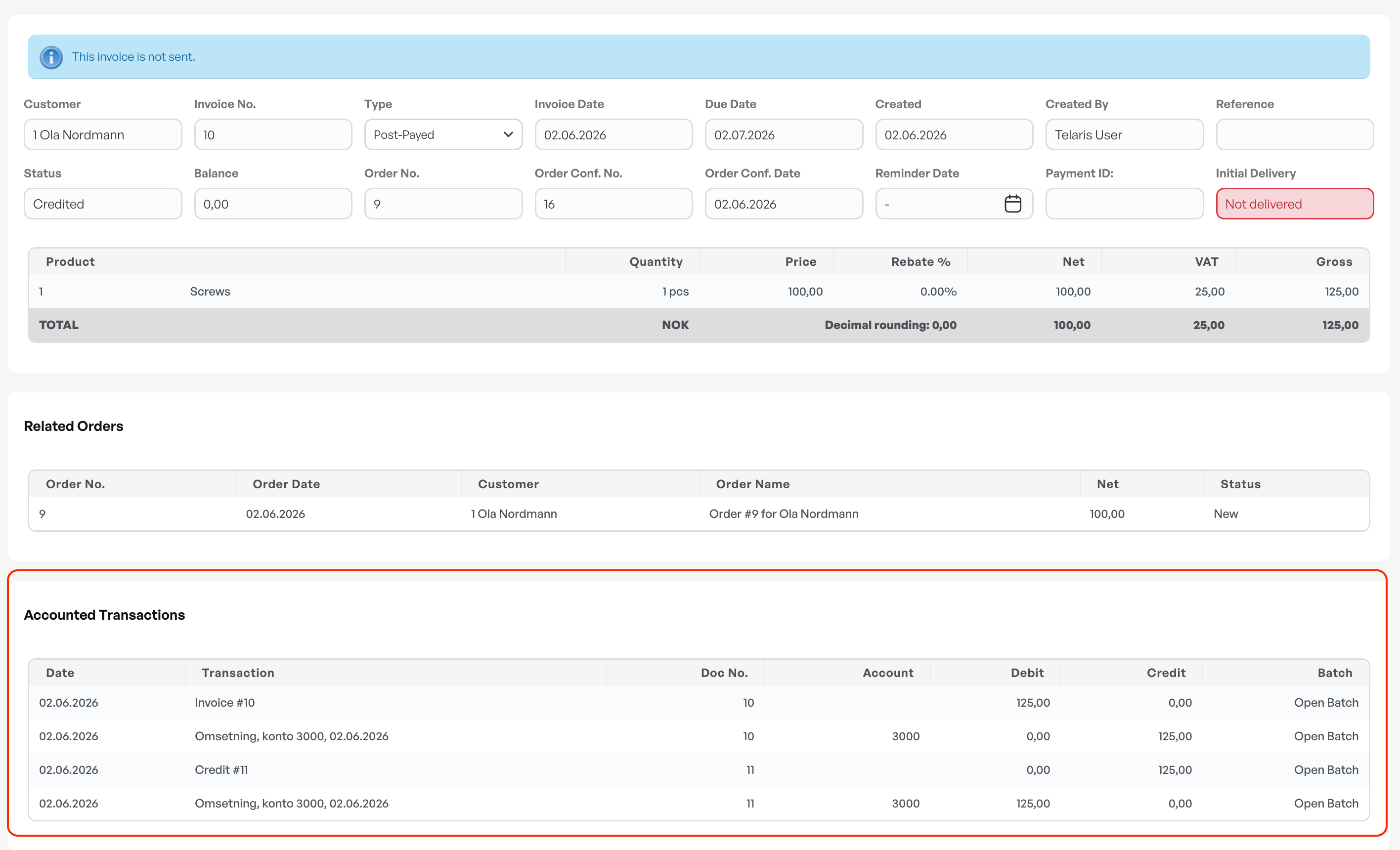
You are then taken to the batch that contains the invoice you are looking for, and you can see whether the batch has been exported to accounting, or failed, etc.


Was this article helpful?
That’s Great!
Thank you for your feedback
Sorry! We couldn't be helpful
Thank you for your feedback
Feedback sent
We appreciate your effort and will try to fix the article