Replacement products
Guide for replacement products in Telaris
TABLE OF CONTENTS
Product
A product can be replaced with another in Telaris, for products and parts that are replaced by the supplier.
Often the replacement can be imported from a price file, or it can be handled manually.
When a product is replaced, this is shown with a red notice with a link to the new product.
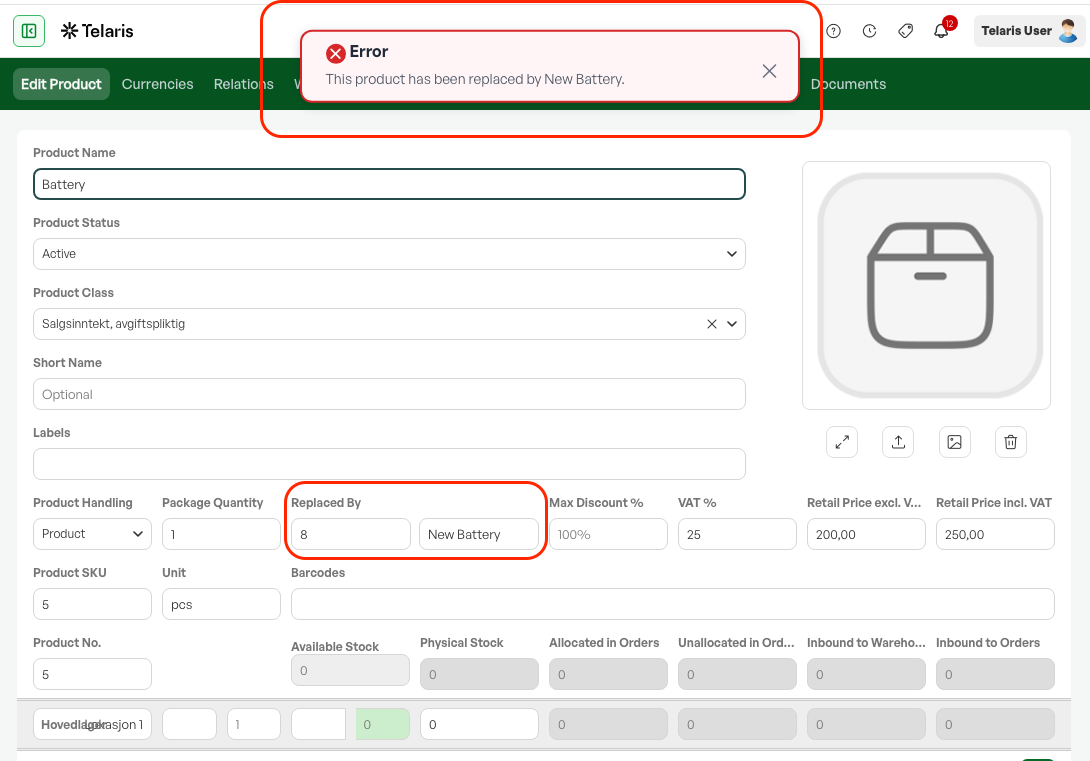
Replacement products are sold from stock until it is empty, then the new replacement product is used.
Order
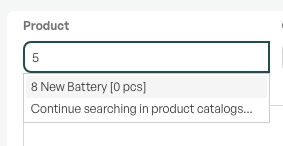
If you search for a replaced product in the order, and the old product is out of stock, the new product appears as a search hit.
Removing a replacement product
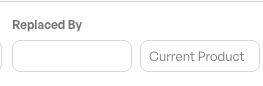
To remove a replacement product, delete the product number in the field on the replaced product.

Was this article helpful?
That’s Great!
Thank you for your feedback
Sorry! We couldn't be helpful
Thank you for your feedback
Feedback sent
We appreciate your effort and will try to fix the article