View stock movements on a product
Guide for where to view stock movements for a specific product from the product card
Guide
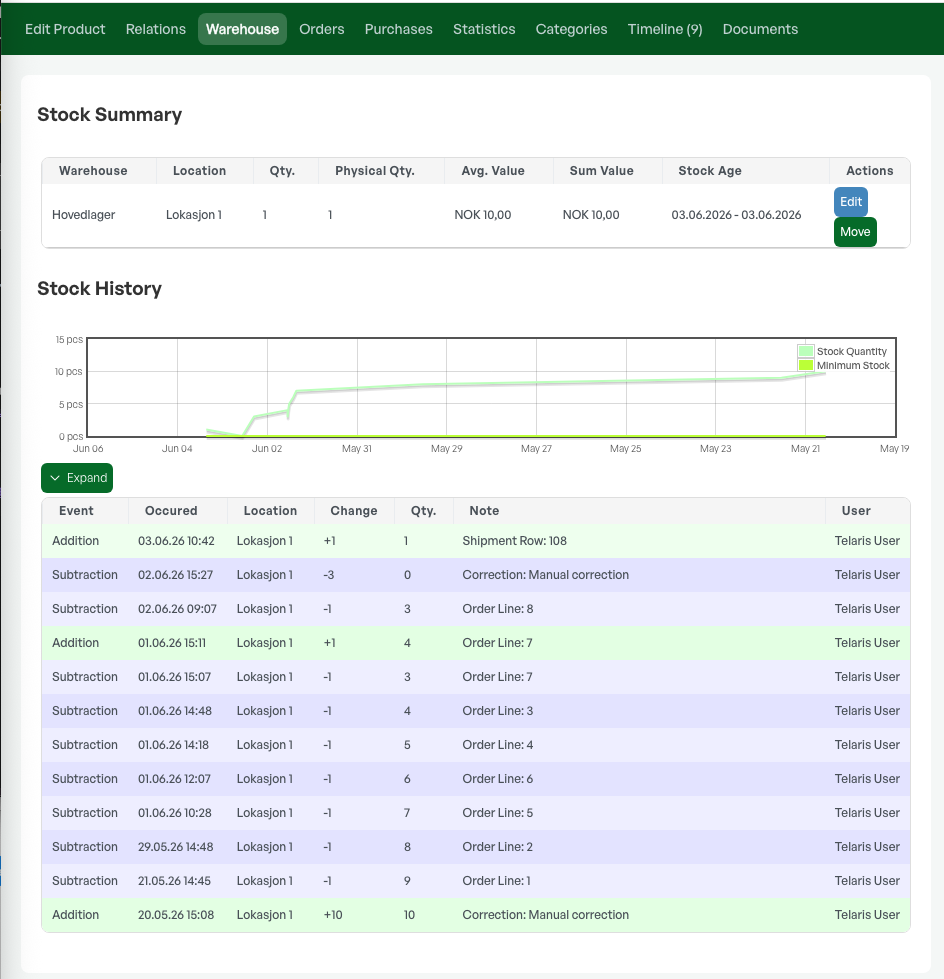
The product card has several tabs, and under the 'Lager' tab the product's status at locations is shown, as well as all registered stock movements for the product.
The overview below the locations shows dates with deductions and additions, the reason for this, as well as links to orders and purchases.
The list also shows which user made the choices.

Was this article helpful?
That’s Great!
Thank you for your feedback
Sorry! We couldn't be helpful
Thank you for your feedback
Feedback sent
We appreciate your effort and will try to fix the article