Change and select delivery address
Guide for changing or selecting a delivery address from the order view.
TABLE OF CONTENTS
Select delivery address
From the order view, it is possible to change the delivery address on an order — either by retrieving the customer's saved delivery addresses, or by adding a custom new address.
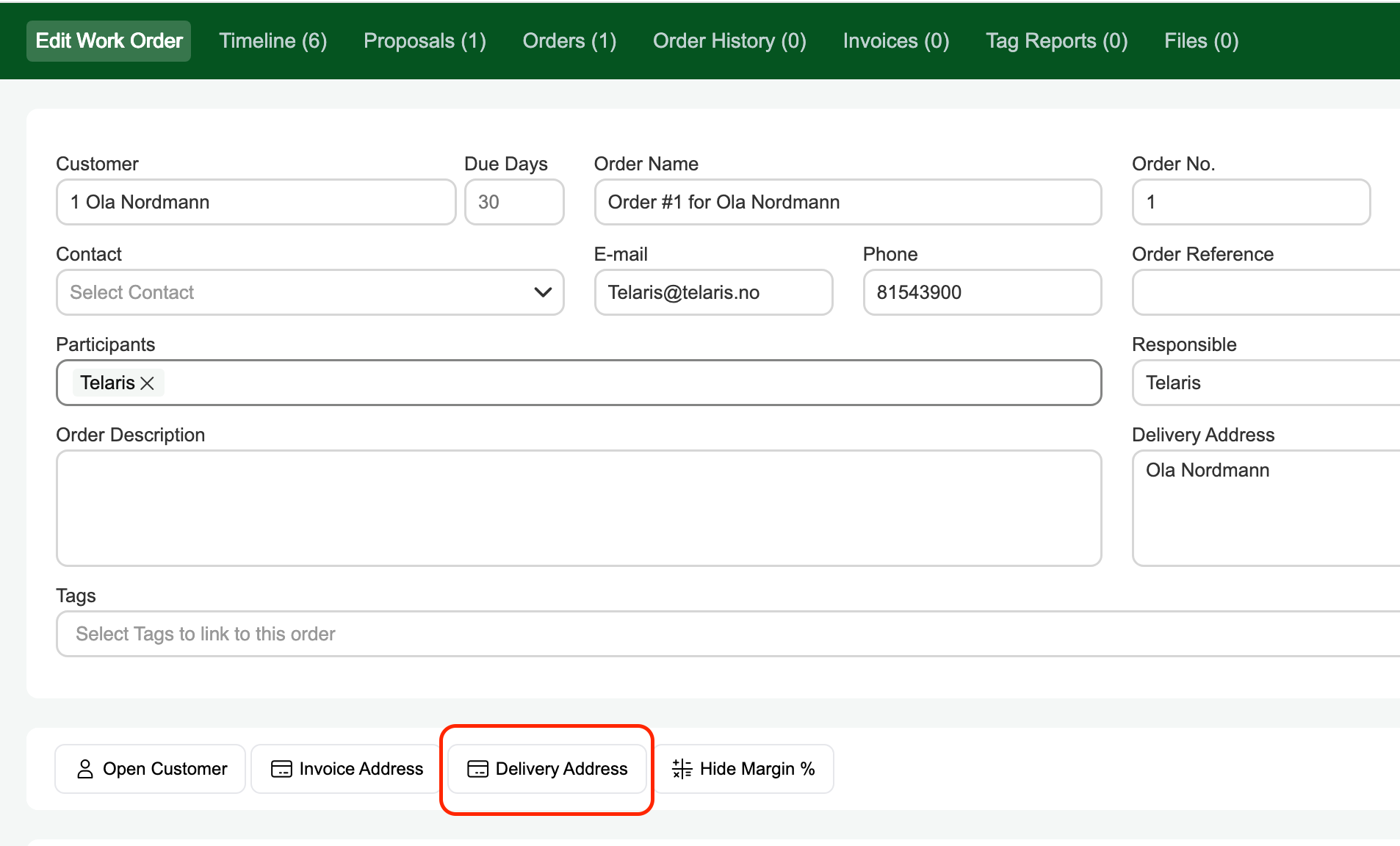
Retrieve delivery address from customer card
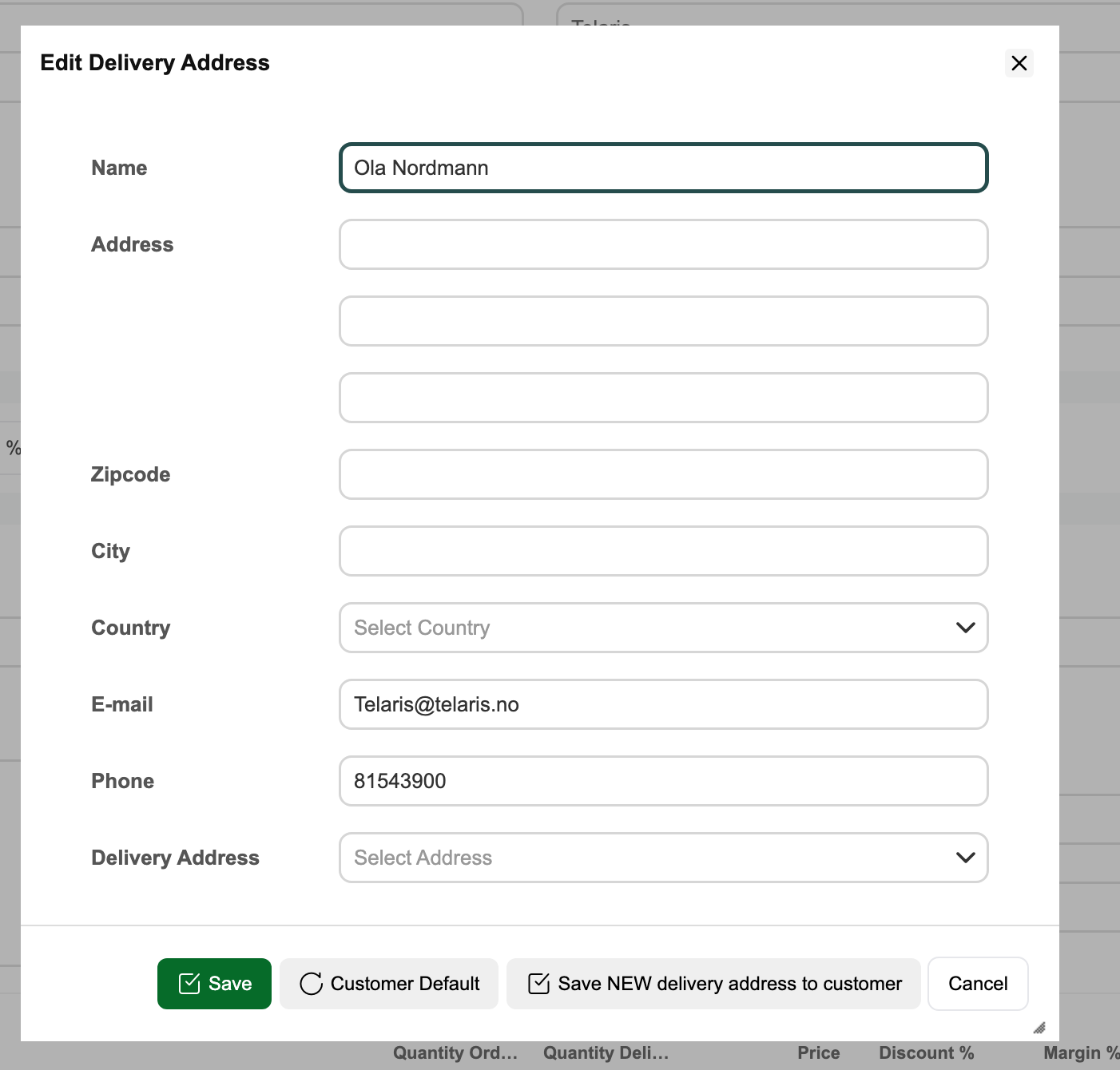
From the 'Delivery address' dropdown in the dialog box, you can retrieve predefined saved delivery addresses from the customer card.
Enter address manually
In the address field, you can set a custom delivery address.
Default for this customer
Retrieves the customer's default delivery address or postal address from the customer card.
Save new delivery address to customer
If you add a new custom delivery address, you can choose to save it to the customer's list of delivery addresses.
Guide: Delivery addresses on customerGuide: Postal address and delivery address
Was this article helpful?
That’s Great!
Thank you for your feedback
Sorry! We couldn't be helpful
Thank you for your feedback
Feedback sent
We appreciate your effort and will try to fix the article