Order confirmation
Guide for creating an order confirmation
TABLE OF CONTENTS
Guide
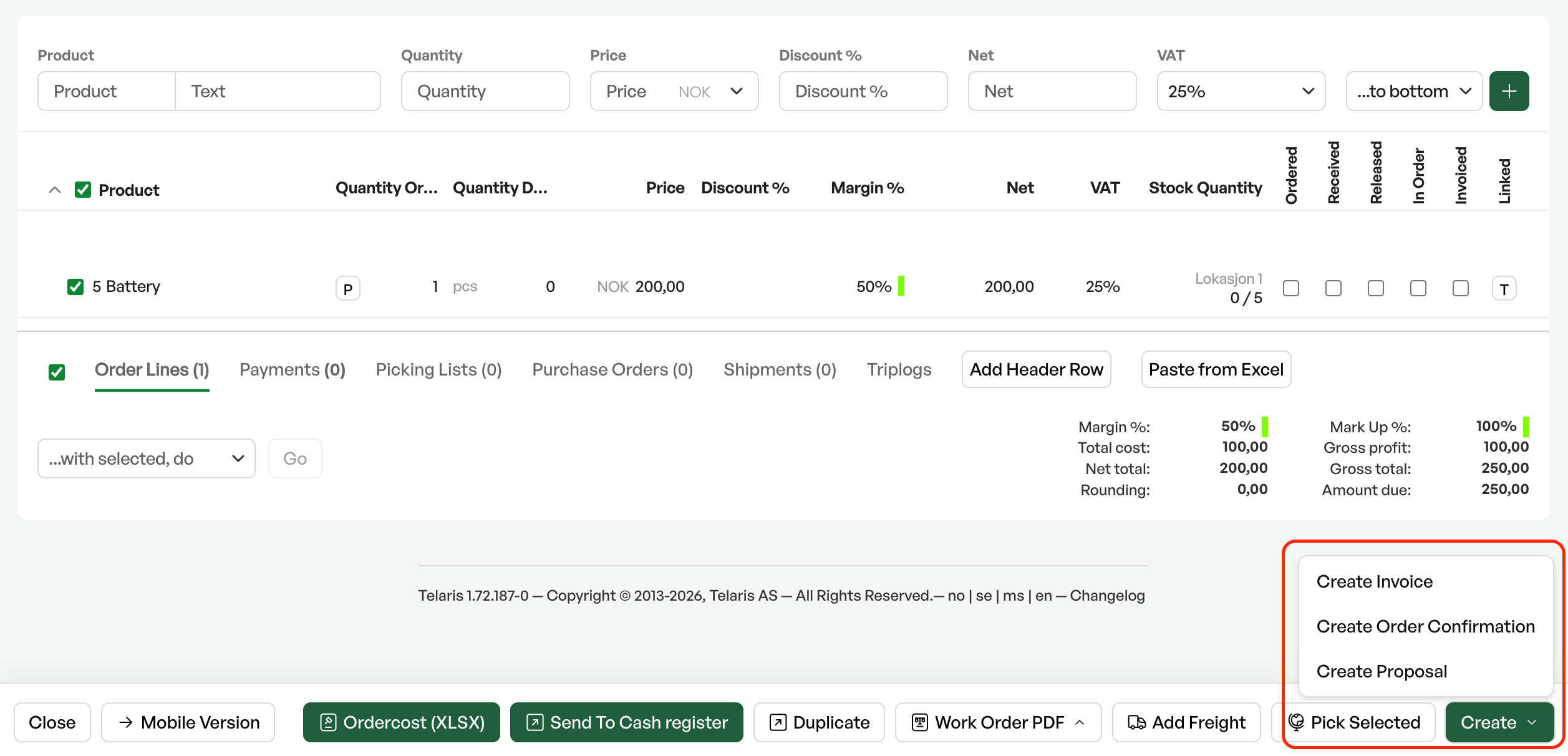
To create an order confirmation, select the desired order lines and click 'Create' and choose 'Order confirmation'
View PDF
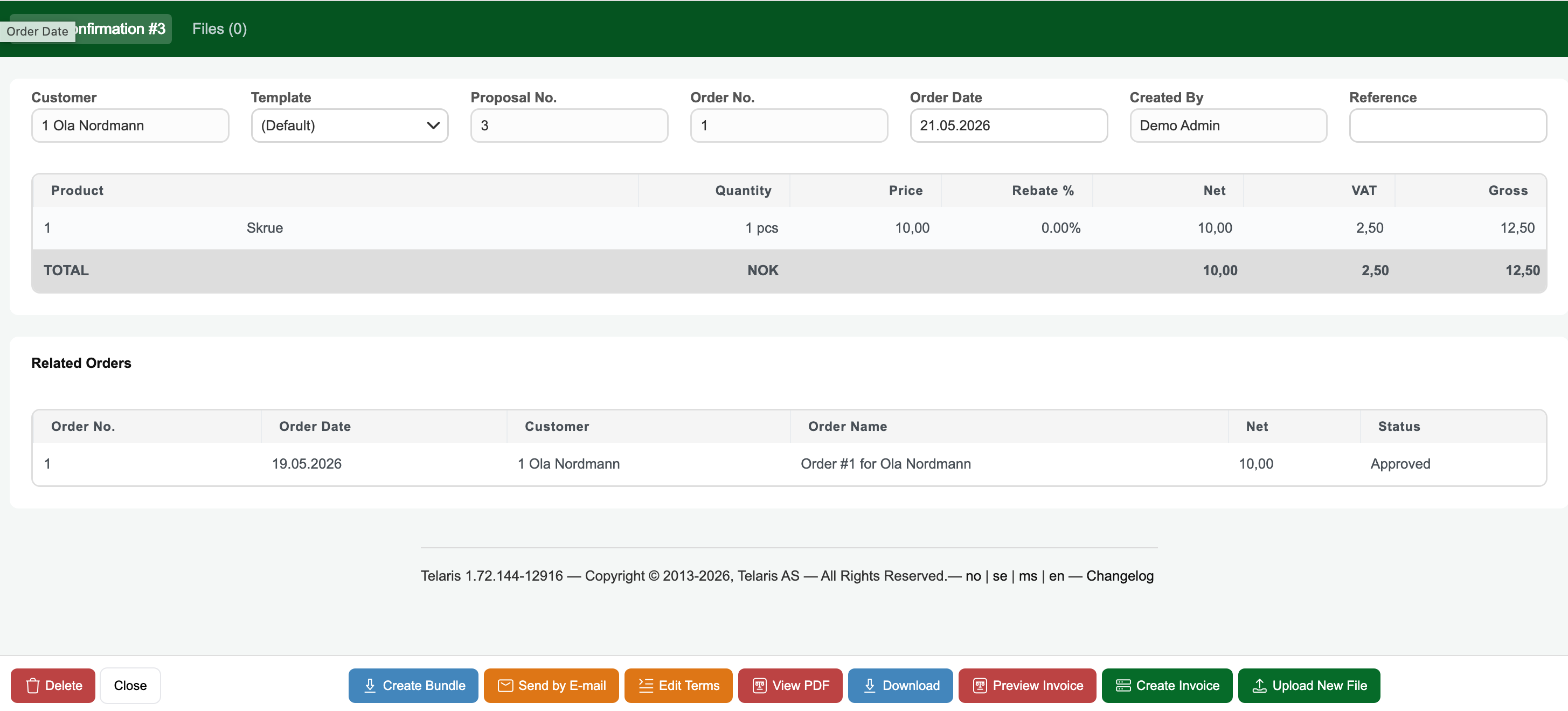
After the order confirmation is created, you are taken to the order confirmation page. From here you can see the lines on the order confirmation, and choose to view and download the PDF.
Send by email
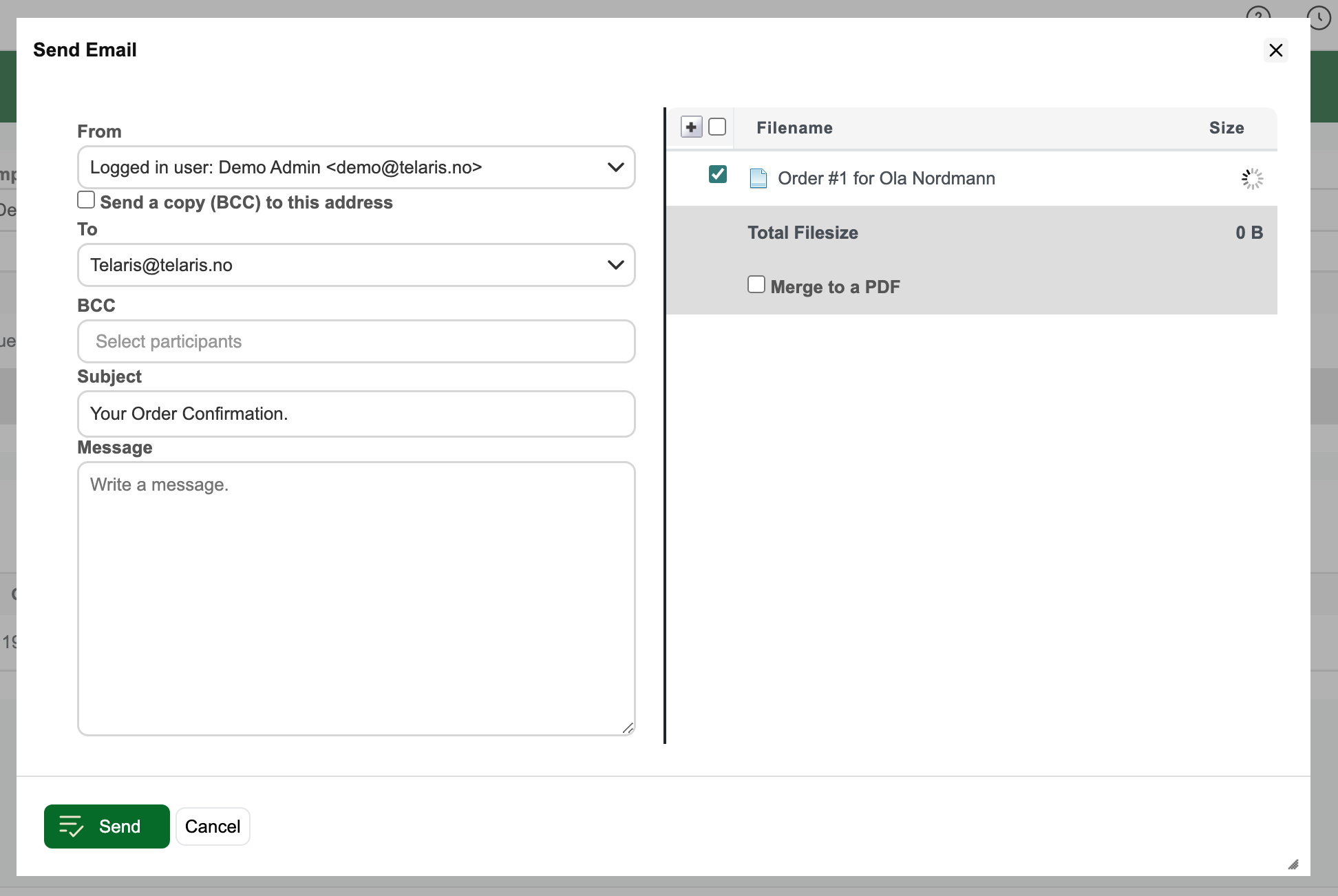
To send the order confirmation by email as an attachment, click 'Send by email', choose which attachments to include and click send to send the email to the recipient

Was this article helpful?
That’s Great!
Thank you for your feedback
Sorry! We couldn't be helpful
Thank you for your feedback
Feedback sent
We appreciate your effort and will try to fix the article