Change responsible on order
Guide for changing the order responsible in Telaris.
How to
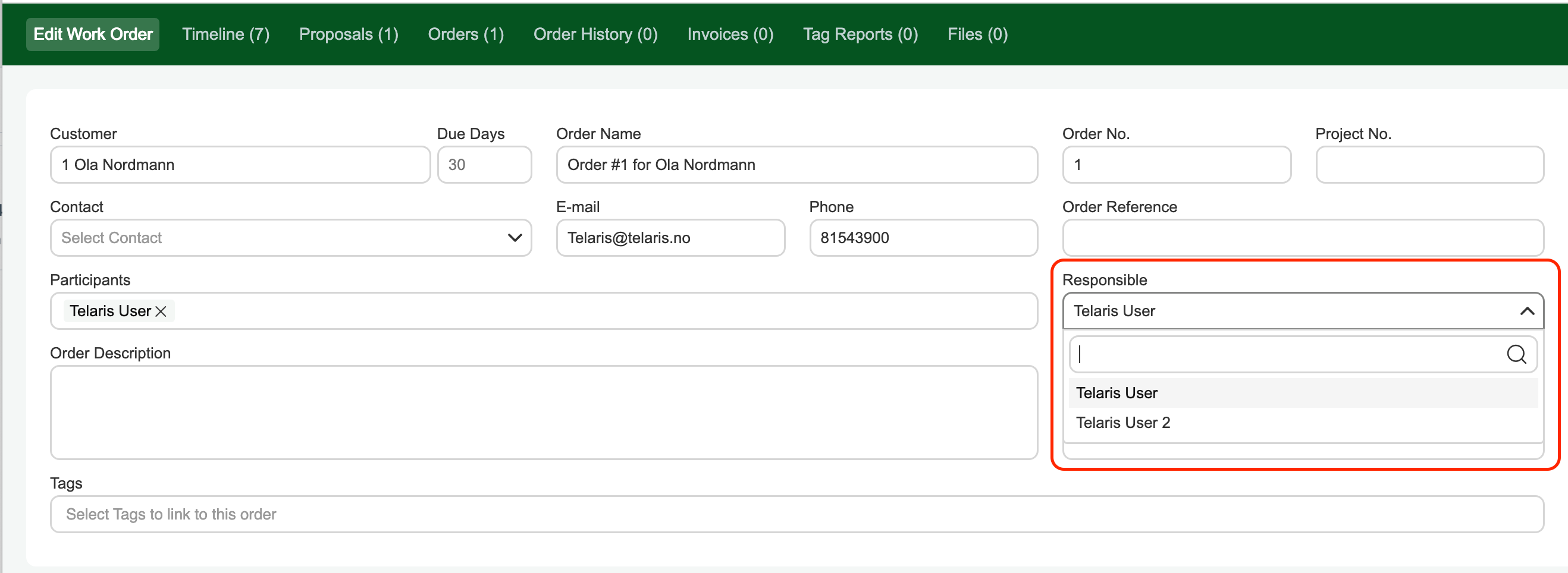
Click in the 'Responsible' field and select a person from the staff/user list. The responsible person on the order will appear as the company's contact person on order confirmations, quotes and invoices.
Remember to save.
Tip: The order responsible is often used in connection with order planning and sales statistics.

Was this article helpful?
That’s Great!
Thank you for your feedback
Sorry! We couldn't be helpful
Thank you for your feedback
Feedback sent
We appreciate your effort and will try to fix the article