Return items to stock from order
Changes often occur in orders, and sometimes you need to reverse or return products to stock.
This guide shows how to return items picked in an order back to stock.
TABLE OF CONTENTS
Guide
Method 1
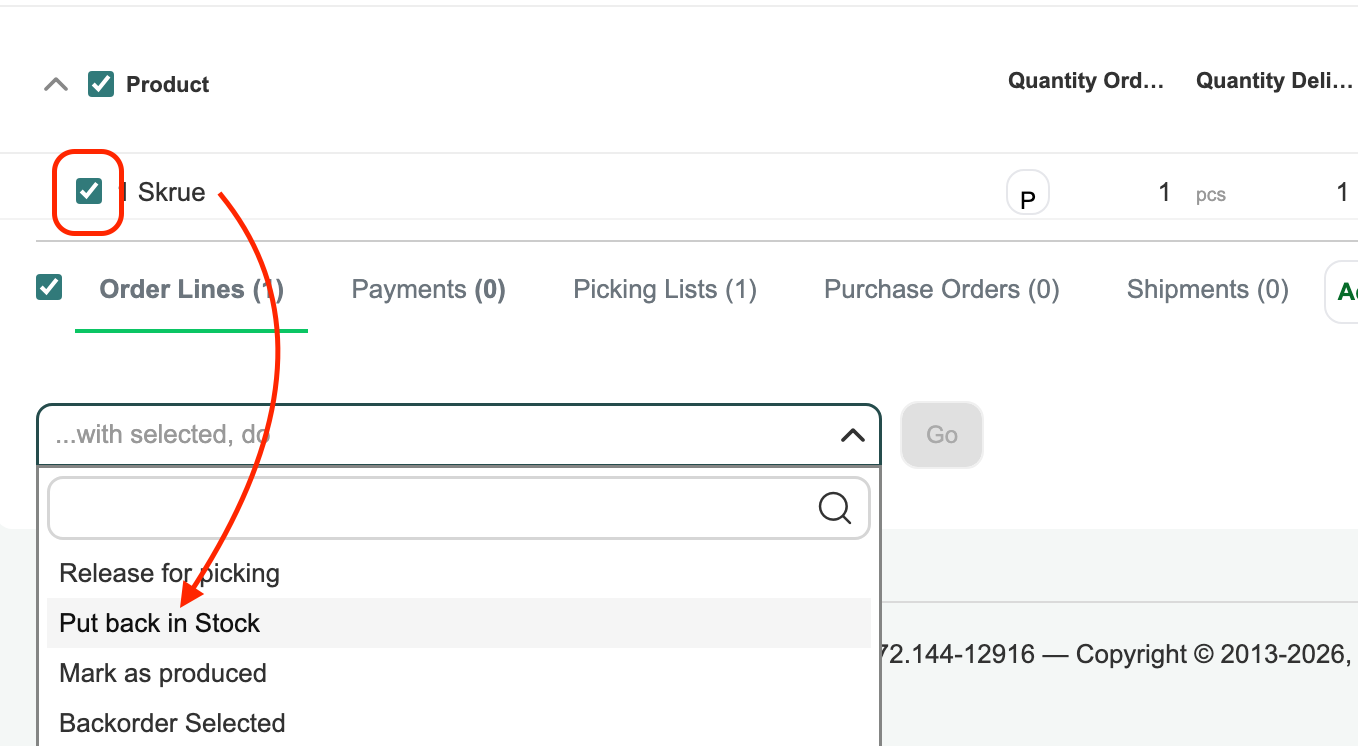
Select the product(s) you want to return to stock: ...with selected, perform → Return to stock → Perform → OK
Method 2
Open the order line for the product you want to return to stock.
Click the warehouse icon to return the item to stock.

Was this article helpful?
That’s Great!
Thank you for your feedback
Sorry! We couldn't be helpful
Thank you for your feedback
Feedback sent
We appreciate your effort and will try to fix the article