Order import from WooCommerce to Telaris
How orders are imported automatically from WooCommerce to Telaris for further processing.
TABLE OF CONTENTS
- Order import from WooCommerce to Telaris
- Introduction to order import
- Walkthrough of order import from A to Z
- Common problems with order import
Introduction to order import
Order import makes orders from WooCommerce be created automatically in Telaris.
This means you avoid manual order registration and can process all orders directly in Telaris.
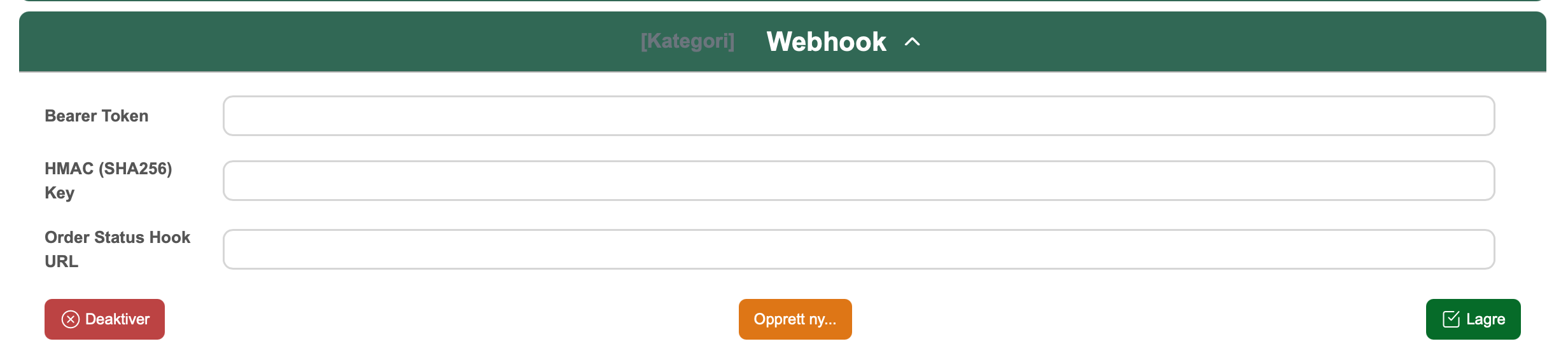
The import happens via the Order Drop API in the background and is handled automatically by the WooCommerce integration.
Tips: Use a webhook to get orders into Telaris immediately when they are created in the web shop.
Walkthrough of order import
Order import happens automatically when the integration is set up correctly.
Guide: How to set up the WooCommerce integration in Telaris
How orders are imported
Orders are imported in two ways:
- Webhook (real-time) – orders are sent directly from WooCommerce to Telaris
- Background import – orders are fetched at regular intervals
Only orders with status Processing or On-hold are imported.
NOTE: Orders that have already been imported are not imported again.
What is imported
The following data is imported from WooCommerce:
- Order lines (product, quantity, price)
- Shipping lines
- Customer data (name, email, phone, address)
- Payment information
- Order number
- Customer note
Shipping is added as a separate order line based on the selected shipping product in Telaris.
Customer creation
If the customer does not already exist in Telaris:
- The customer is created automatically
Existing customers are reused based on information from the order.
Product matching
Order lines are matched to products in Telaris based on:
- SKU (default)
- Or product number
This is controlled by the setting Product Identifier.
NOTE: If the product does not exist in Telaris, the order line will not be matched correctly.
Common problems with order import
If orders are not imported, check:
- Webhook not set up or misconfigured
- Order has the wrong status in WooCommerce
- API connection not working
- Product not found in Telaris (wrong SKU/product number)
NOTE: VAT on order lines is set to 25% on import, regardless of the WooCommerce setup.

Was this article helpful?
That’s Great!
Thank you for your feedback
Sorry! We couldn't be helpful
Thank you for your feedback
Feedback sent
We appreciate your effort and will try to fix the article