Product sync to WooCommerce - products, price and stock
How to synchronise products, prices and stock from Telaris to WooCommerce.
TABLE OF CONTENTS
- Product sync to WooCommerce - products, price and stock
- Introduction to product sync
- Walkthrough of product sync
- Common problems with product sync
Introduction to product sync
Product sync makes products in Telaris export automatically to WooCommerce.
This includes, among other things, name, price, stock level, images and variants. Telaris acts as the master for this data and updates WooCommerce when changes occur.
Product sync must be activated manually in the integration to work.
Tips: Product sync is the foundation for the whole integration. Without it, products will not appear in WooCommerce.
Walkthrough of product sync
Product sync is configured in the WooCommerce integration in Telaris.
Guide: How to set up the WooCommerce integration in Telaris
Activate product sync
Go to Administration → Integrations.
Open the WooCommerce integration and activate:
- Module: Product Sync
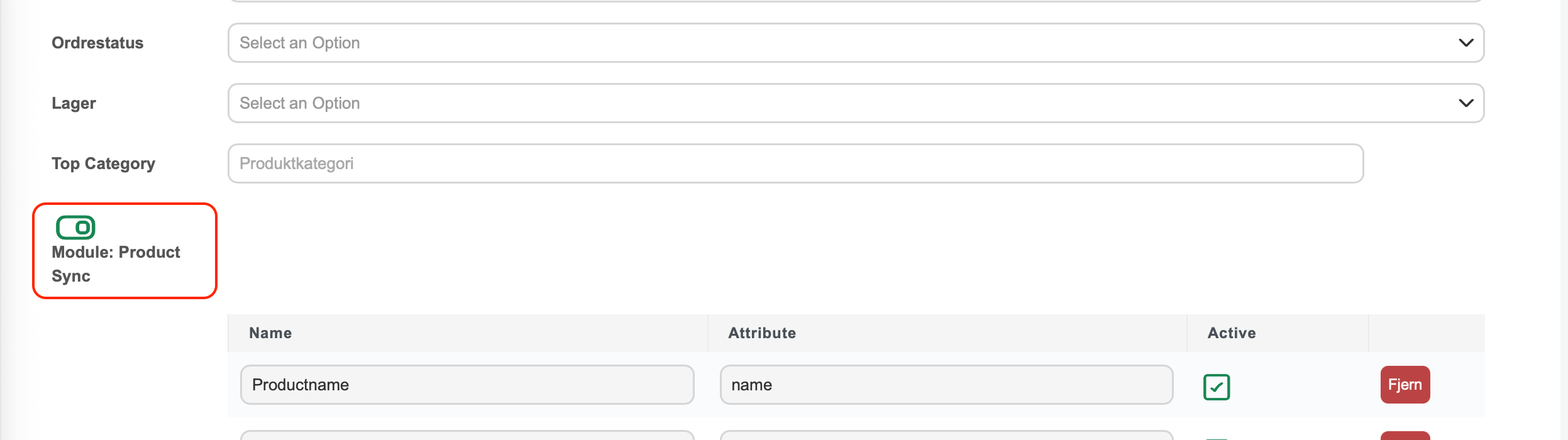
NOTE: If this is not activated, no products will be exported or updated.
Select top category
Select a Top Category in Telaris.
Only products under this category will be exported to WooCommerce.
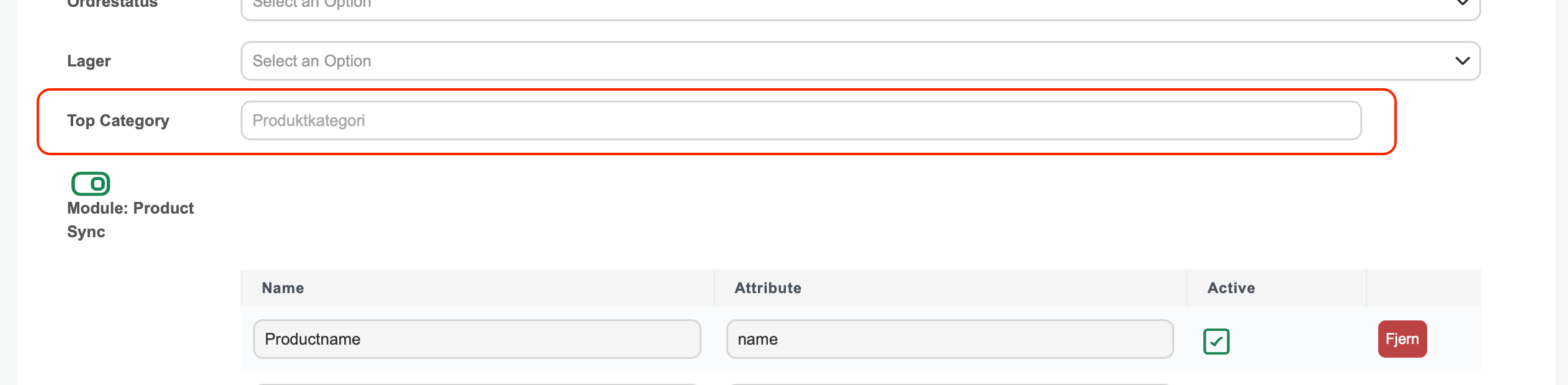
NOTE: Products outside the top category are ignored entirely by the integration.
What is synchronised
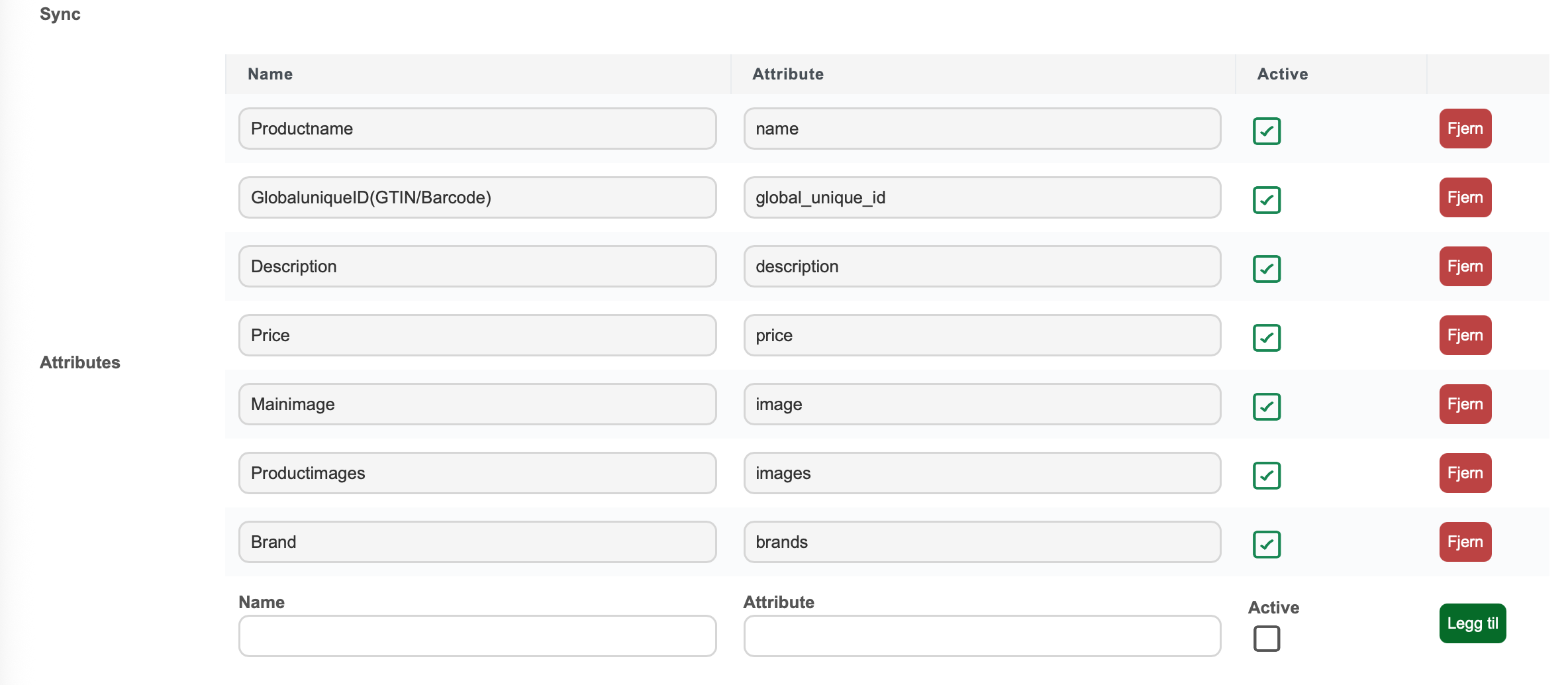
The following data can be synchronised from Telaris to WooCommerce:
- Product name
- Description
- Price and sale price
- Stock level
- Images
- Brand (manufacturer)
- Categories
- Variants (e.g. size and colour)
Which fields are synchronised is controlled in the attribute table.
Automatic update
Product sync happens automatically in two ways:
- When a product is updated in Telaris
- Via quick update every hour (price and stock)
The quick update acts as a safety net to ensure that data is always up to date in WooCommerce.
Tips: The quick update sends only price and stock, not the entire product.
Common problems with product sync
If products do not appear or update in WooCommerce, check:
- Product sync not activated
- Top category not set
- Product is outside the top category
- API connection not working
NOTE: Changes made directly in WooCommerce are overwritten at the next sync if the field is active in Telaris.

Was this article helpful?
That’s Great!
Thank you for your feedback
Sorry! We couldn't be helpful
Thank you for your feedback
Feedback sent
We appreciate your effort and will try to fix the article