Tripletex - Batch transfer
Guide for transferring an accounting batch from Telaris to Tripletex
TABLE OF CONTENTS
Send batch
Batches are sent from 'Økonomi - Bunter for eksport'

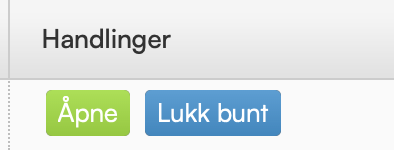
To send the batch, it must first be closed. Click "Lukk bunt" to close the batch.
Then send the batch by clicking "Run export".

A transferred batch gets "Exported" status at 100% transferred.

Troubleshooting - common causes of error messages
The first step in troubleshooting is to check Tripletex via the overview under settings. This gives a detailed error message about which batch has an error and what the error is.
The error messages shown come from Tripletex with the reason why the batch cannot be transferred.
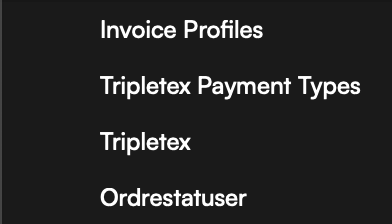
The overview is located under'Innstillinger - Tripletex'
Note that this overview shows all interactions between Telaris and Tripletex.


Error message in the batch transfer view in Telaris

The accounting period is locked
If the accounting period is locked for new VAT postings, you get an error message in the 'Details' field.
The solution is to contact the accountant, open the period for postings, and resend the new VAT postings.

After the accounting period is opened in Tripletex, click 'Reset' in the batch and try the transfer again.
The product is missing a name
A product in the product list in Telaris that is missing a name will fail to Tripletex, because the integration requires a name at the product level. Giving the product a name at the order line level is not enough.

To solve this error, go to the product card and give the product a name.
Then click 'Reset' in the batch and try the transfer again.
Customer synchronisation
If the error message says the customer number is in use.
Check that there are no identical customer numbers in Telaris and Tripletex that do not match. If there are identical numbers on different names, an error has been made in creating customers, created in Tripletex instead of in Telaris.
In such cases, you should update the customer number in Telaris.

If the customer number in Telaris and Tripletex is identical on both name and number, contact Telaris Support.
Customer has an error in the email address
If a customer's email address is set to an invalid address (Example: 1234gmail.com, missing @), Telaris gives an error message, because this cannot be transferred to Tripletex.
The solution is then to go to the customer number the error message points to, adjust the email address so it becomes valid, and then send the batch again.

Account setup
In product classes in Telaris, accounts are set up for postings. The error message shows which account it concerns. Check the chart of accounts in Tripletex against the product classes in Telaris for correct posting.
If an account set up in Telaris does not exist in Tripletex, the transfer will fail.

Was this article helpful?
That’s Great!
Thank you for your feedback
Sorry! We couldn't be helpful
Thank you for your feedback
Feedback sent
We appreciate your effort and will try to fix the article