Update order lines with latest sales price
Guide for fetching the latest sales price from products to order lines.
TABLE OF CONTENTS
Purpose
Fetching the latest product price from the product card to the order is useful in cases where prices have been updated since the last time the order was processed, or where prices have been manually changed and you want to restore the original price.
Fetch price
To update prices on order lines to the latest sales price: select the order lines you want to update, go to the 'with selected, do' dropdown and choose 'Update prices'. A dialog will appear asking whether to cancel or click 'OK'. Clicking 'OK' will update the prices.
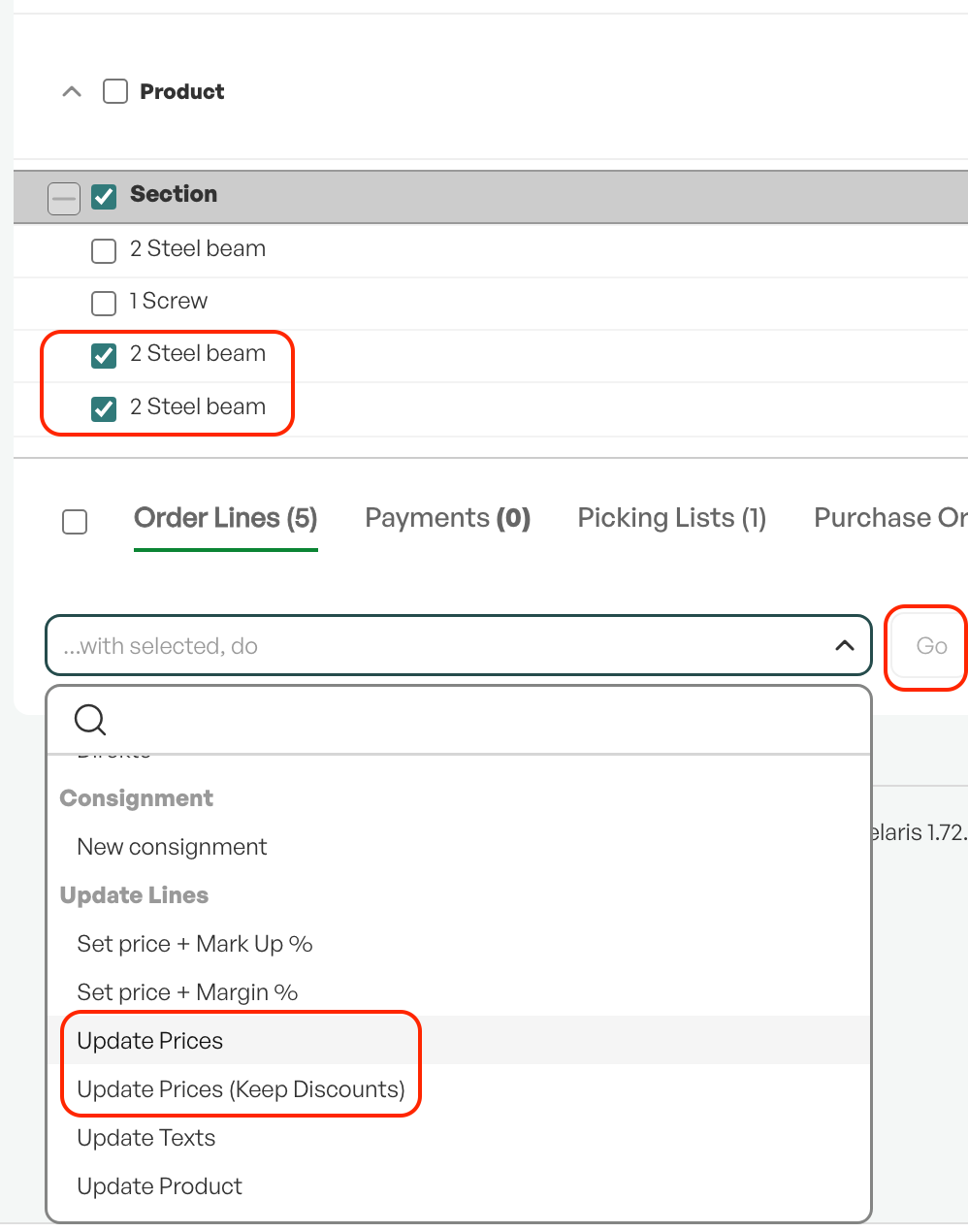
Tip: If the discounts on the order lines should be retained, choose 'Update prices (keep discount)'.

Was this article helpful?
That’s Great!
Thank you for your feedback
Sorry! We couldn't be helpful
Thank you for your feedback
Feedback sent
We appreciate your effort and will try to fix the article