Shipping method and freight terms
Guide for how to set shipping method and freight terms on an order.
TABLE OF CONTENTS
Purpose
Shipping method and freight terms are used in orders to clearly define how delivery and transport of goods should be handled between seller and buyer.
This provides better overview in orders and ensures that the correct information follows the order through to logistics, invoicing and any export or customs documentation.
Shipping method and freight terms can be used to express standardised conditions such as Incoterms (e.g. EXW, FOB, CIF), as well as internal delivery agreements or custom values.
Usage
Shipping method and freight terms are set up under Settings → Orders → Shipping methods (and freight terms respectively). Once the values are set up and saved in the admin section, they will be available as dropdown menus in the order view. Here the user can select the desired shipping method and freight terms directly on the order.
The values selected on the order are saved and can also be shown on standard forms if this is included in the standard templates used in the system.
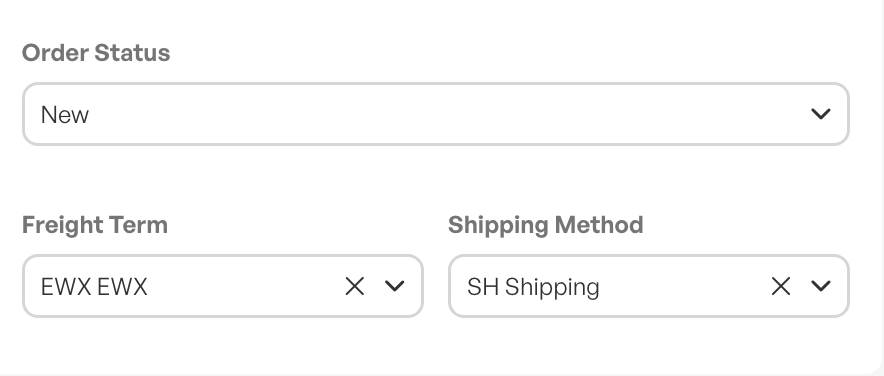
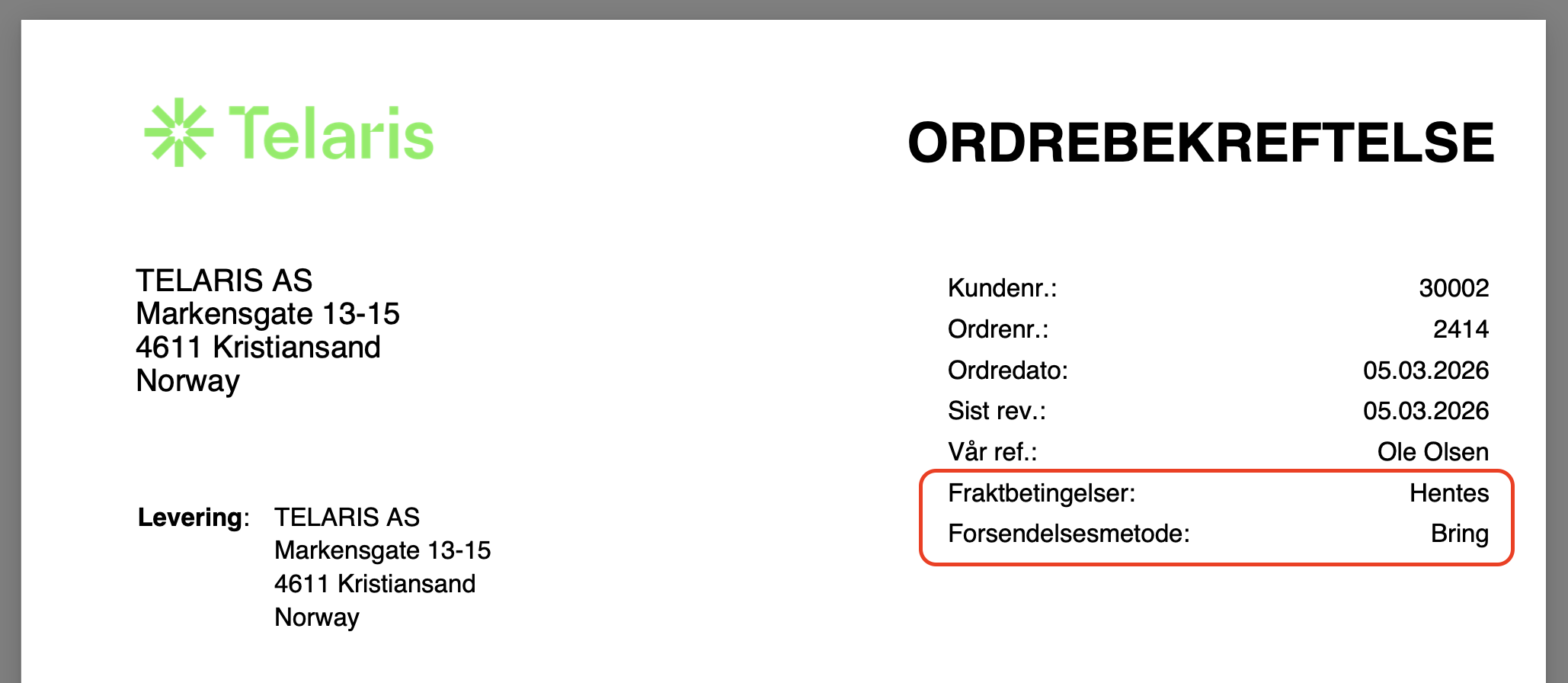
If the fields do not appear on forms when used, a customised template is in use and the fields must be made visible.

Contact Telaris Support to order this.
Special cases
If no values have been set up in the admin section, the field will appear as a free text field in the order view. This makes it possible to register delivery terms manually.
If values have been set up, the field will appear as a dropdown menu. It is still possible to select the option "custom", which allows entering a custom free text value.
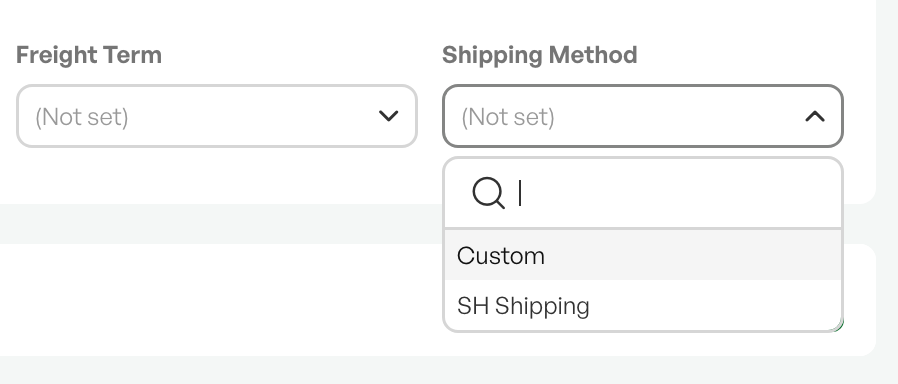
Tip: One use case for this function could be Incoterms.
Guide: Set up shipping method and freight terms

Was this article helpful?
That’s Great!
Thank you for your feedback
Sorry! We couldn't be helpful
Thank you for your feedback
Feedback sent
We appreciate your effort and will try to fix the article