Add hours as order lines
Guide for how hours logged against an order can be added to the order lines.
Note: Use of time tracking requires time tracking to be set up in Telaris.
How to
When logging hours against an order, the hours will appear at the bottom of the order view. The hours will have an 'Add' button which allows you to add the hours as a product in the order lines.
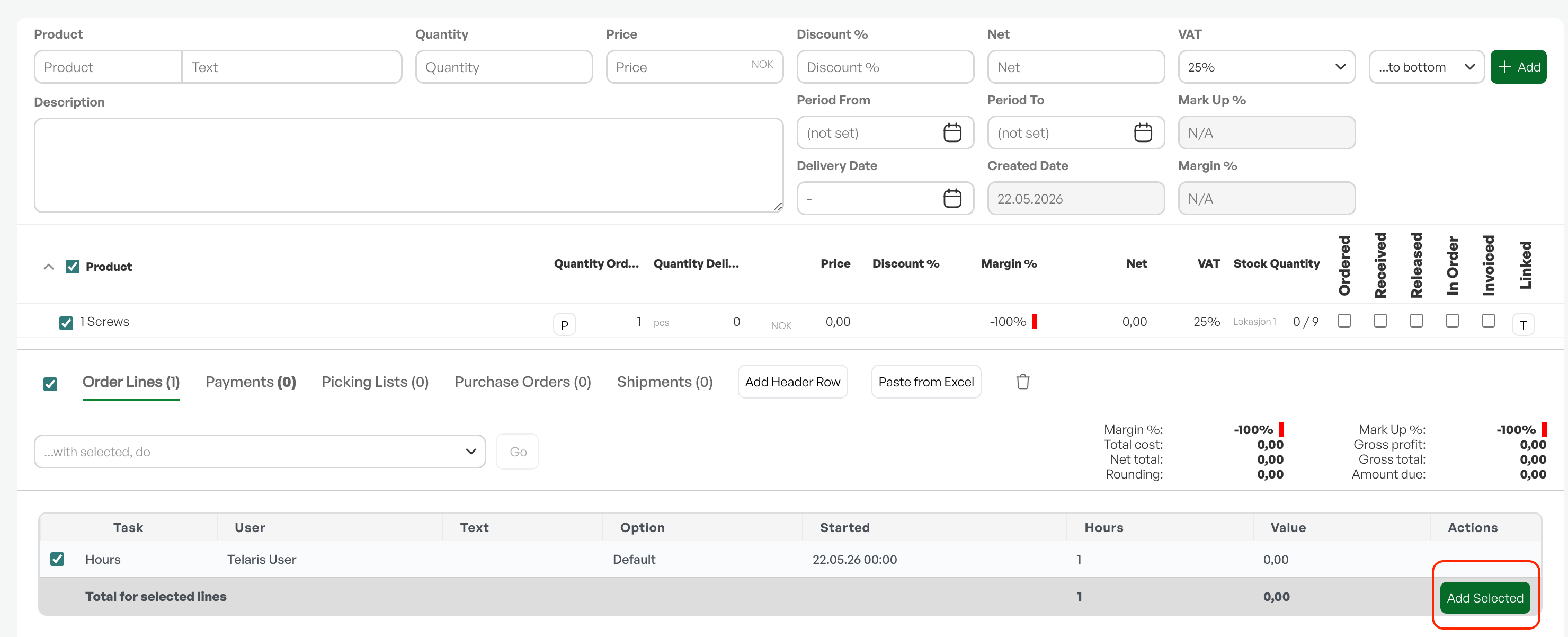
Products on order lines
If a time product is already in the order lines, new time entries logged against the time product will be matched with the order line and shown as a clock icon under 'Quantity delivered' in the order lines. The time entry is then linked to the order line.


Was this article helpful?
That’s Great!
Thank you for your feedback
Sorry! We couldn't be helpful
Thank you for your feedback
Feedback sent
We appreciate your effort and will try to fix the article