Update order lines with the latest sales price
Guide for how to fetch the latest sales price from products to order lines
TABLE OF CONTENTS
Purpose
Fetching the latest product price from the product card to the order is useful in cases where prices have been updated since the order was last processed, or where prices have been changed manually and you want to restore the original price.
Fetch price
To update the price on order lines to the latest sales price; select the order lines you want to update, go to the drop-down menu 'With selected, perform' and click 'Update prices'.
This gives a warning where you can cancel or click 'OK'. On 'OK', the prices are updated
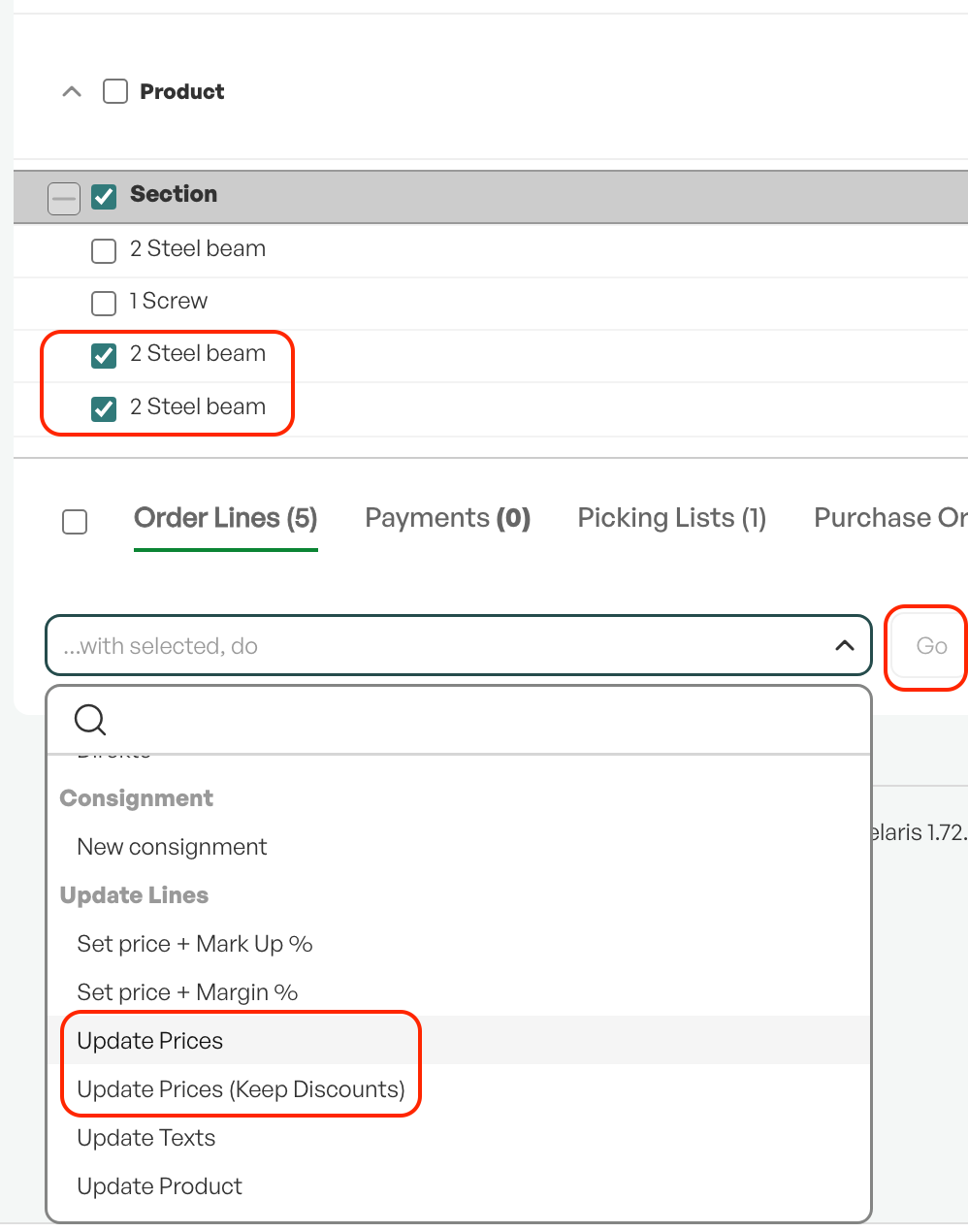
Tip: If the order line discount should be kept, use "Keep discounts"

Was this article helpful?
That’s Great!
Thank you for your feedback
Sorry! We couldn't be helpful
Thank you for your feedback
Feedback sent
We appreciate your effort and will try to fix the article