Adding products to an order
The foundation of an order, quote, and invoicing starts with adding the products to be sold.
This guide covers how to add products to an order, as well as the options available on order lines.
Product search
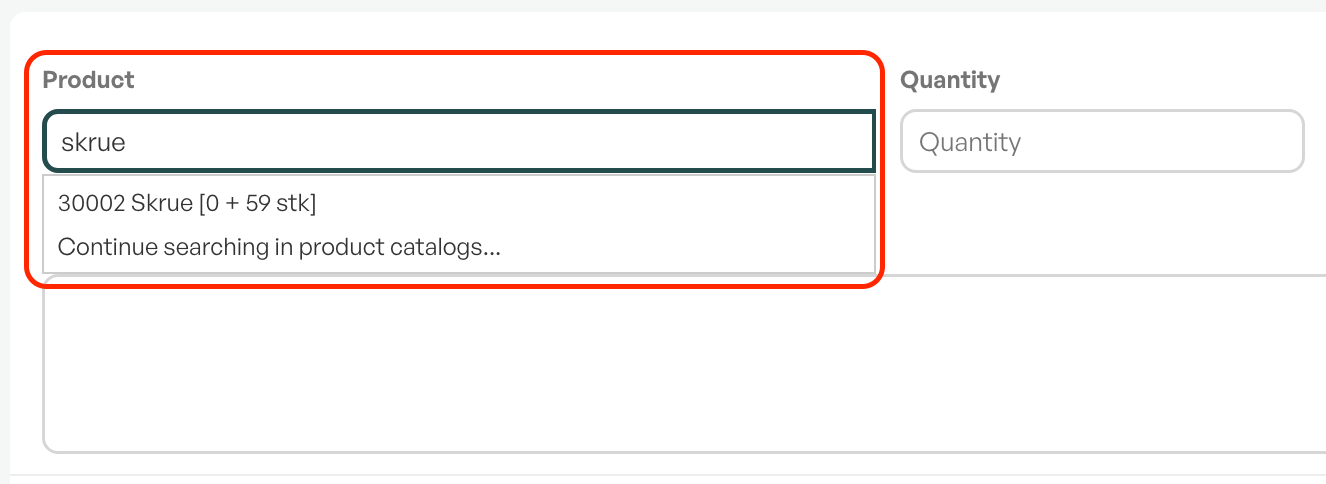
The "Product" field in an order is a lookup against the product list. You can search by product number and name. Telaris will then display a dropdown list of matching results.
You can also select the quantity of the product you wish to add to the order line.
Click on the product and, if applicable, select the quantity. Confirm with the "Add" button.
Tip: "Enter" is a shortcut for adding the product to the order lines

When the product is added to the order, information about the product will be displayed on the line. This includes quantity, price, margin (in percent), net price, and VAT rate. If the product is stock-managed, stock status will also be shown.
For more information on order lines and products, see the links below:
URL advanced order lines
URL to products, product list, creating products
Was this article helpful?
That’s Great!
Thank you for your feedback
Sorry! We couldn't be helpful
Thank you for your feedback
Feedback sent
We appreciate your effort and will try to fix the article