Collection product - guide
A collection of products sold for a fixed sum, or the sum of the child products.
TABLE OF CONTENTS
Collection product
Default name: Product Collection
A collection of products sold at a fixed price, or by combining the price of the child products.
Child products in a collection productareby defaultnot shownin the PDF on quotes, order confirmation, or invoice.
Used in cases where you want to combine a number of products into, for example, service work or package products.
Pricing
A collection product can be priced using two methods:
1. The parent product has a fixed price that overrides the child products.
- When the parent product has set a price, as in the example below, this becomes the sales price on the order.
Parent product 500,-
Child product 1 100,-
Child product 2 100,-

TOTAL sales price = 500,-
2. The child products are summed to one price.
-If you set 0,- as the price on the parentthe sales price of the collection product becomesthe sum of the child products
Parent product 0,-
Child product 1 100,-
Child product 2 100,-

TOTAL sales price = 200,-
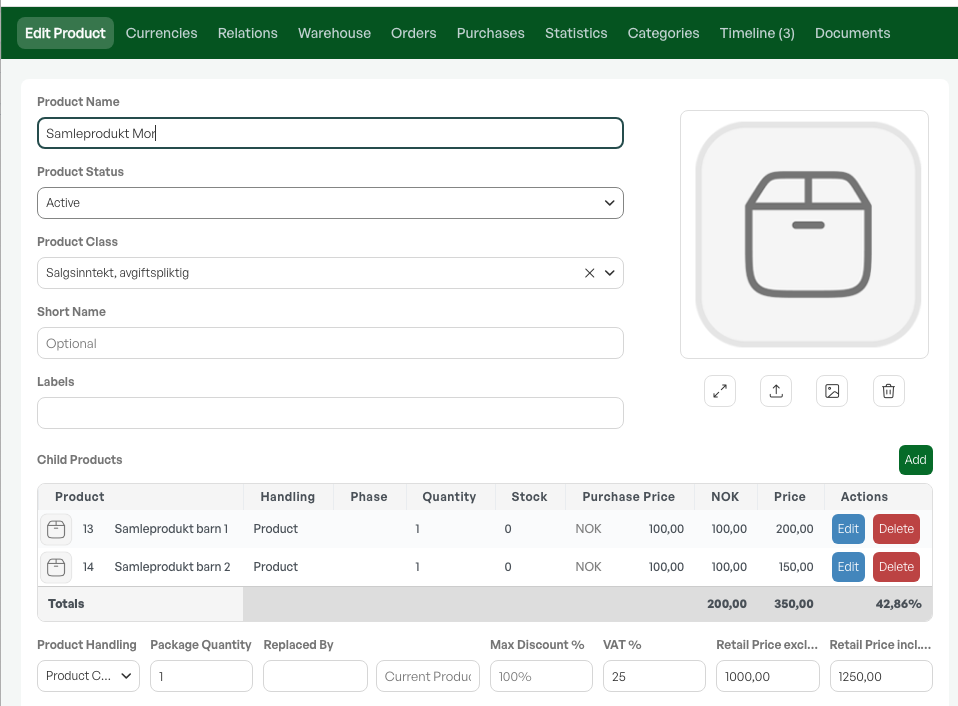
Collection product in an order:

NOTE: Child products in a collection product are not shown on quotes, order confirmation, or invoice.
Adding child products
In collection products, line expansion, and sub-selection products, the same method is used to add child products.
You start by choosing one of the product structures on the parent product. The 'Add' option then appears on the product card.
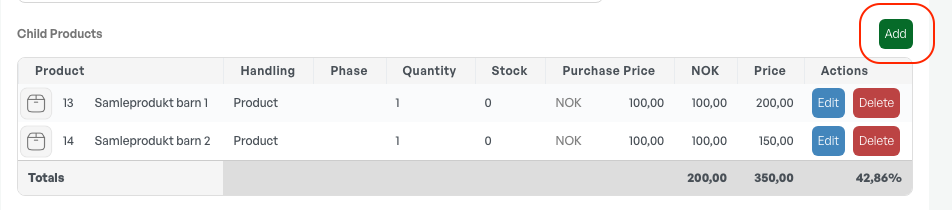
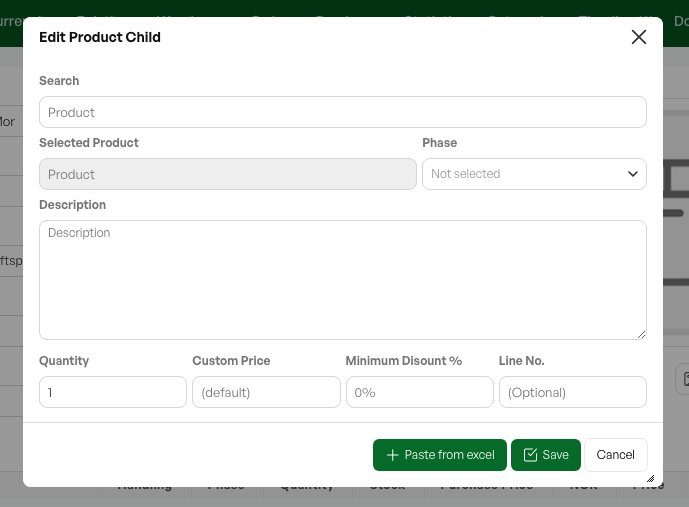
Product search
This opens a dialog box where you can search for the desired child product. The search field is a lookup against the product list.
Quantity
You then have the option to add the desired quantity. For example, in a service where you need 3 litres of oil on a product sold in 1 litre, you choose quantity 3.
Custom price
In a product structure you can override the child product's price by entering a custom price in the setup.
Minimum Discount %
Child products can also get a discount in a product structure. If you set a discount in percent in this field, the product in the structure gets that discount visible on the order line and sets the unit price accordingly.
Paste from Excel
It is also possible to paste a number of products from Excel, if the setup of the collection product requires many product lines to build and you want to avoid manual handling of each line.
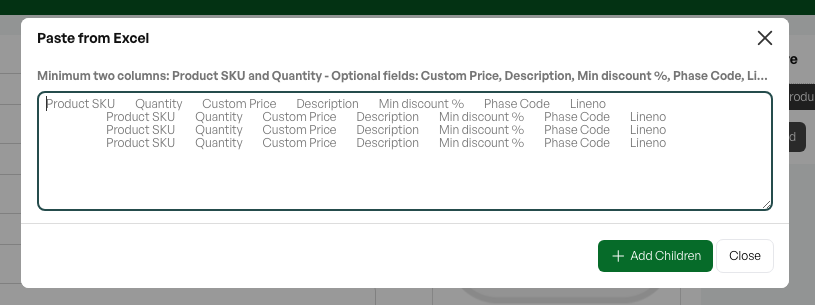
Editing child products
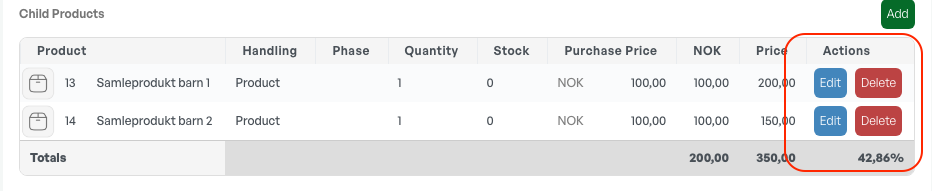
After child products have been added, you can edit or delete the products from the product structure.

Was this article helpful?
That’s Great!
Thank you for your feedback
Sorry! We couldn't be helpful
Thank you for your feedback
Feedback sent
We appreciate your effort and will try to fix the article