Production products
A product structure for producing a product from several products, to an order line or to stock.
TABLE OF CONTENTS
Introduction
The purpose of production products is to be able to combine other products into one product that you either sell on an order or add to stock.
This guide covers production to stock.
Setting up a production product
The parent product for the production must be set to the 'produksjonsprodukt' product structure.
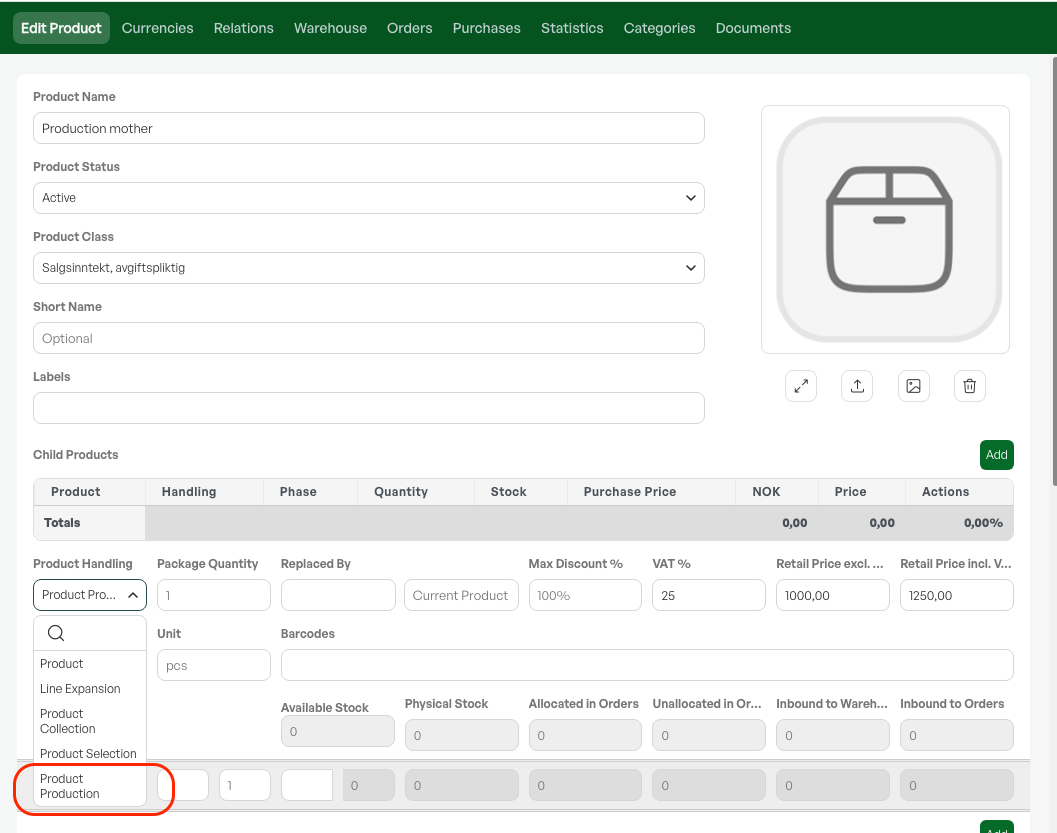
Add the products as child products to the parent, so that all child products = parent product.
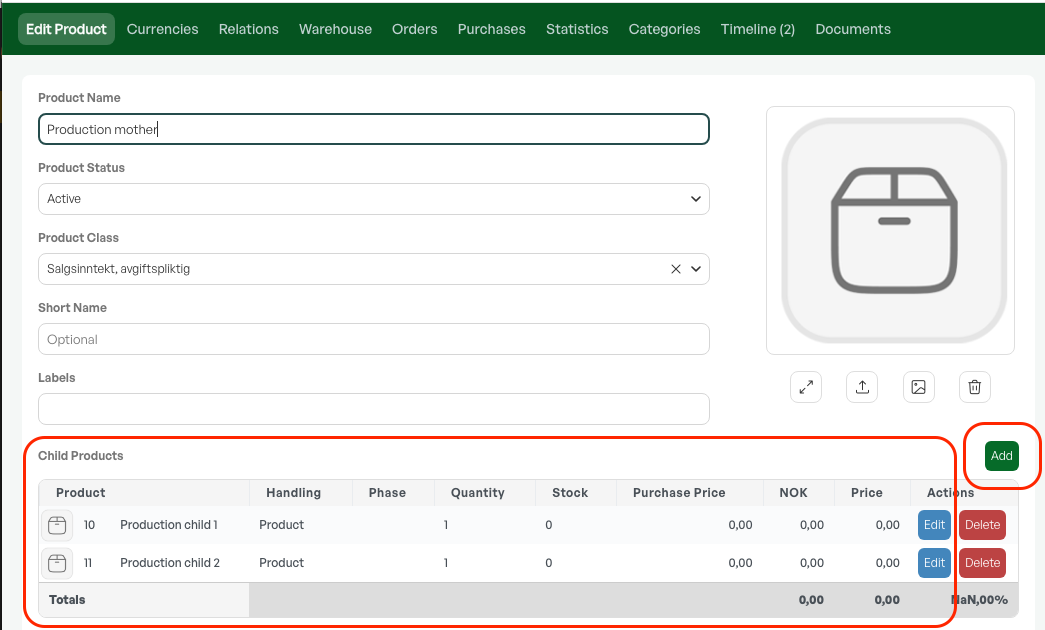
Production to stock
Setup
To produce to stock, the following setup is required:
A separate order type for production, with the 'Production' marking switched on.
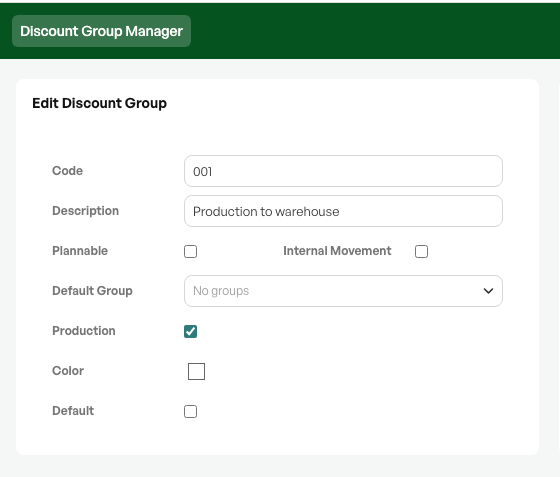
Carrying out production
After the product is fully set up on the product card, you create an order where the order type has the "Production" marking switched on. This marking removes the invoicing button from the order view, since it should not be invoiced.
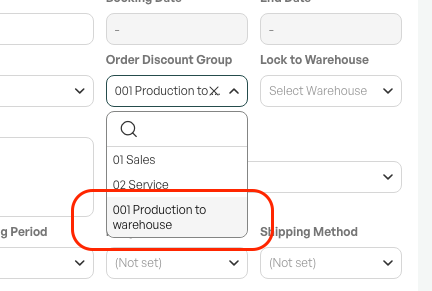
The customer on the order can be blank or the company itself.
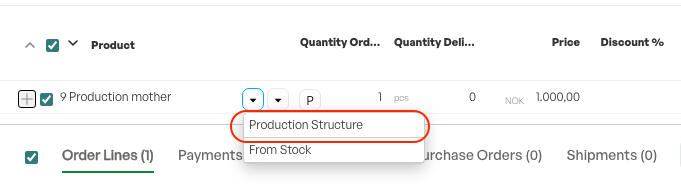
Add the production product to the order line, and choose 'Production Structure'.
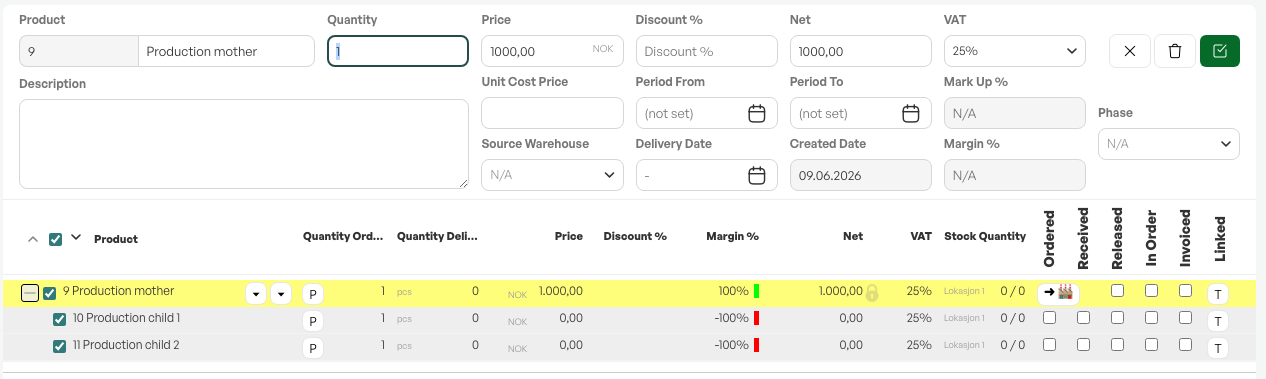
The item then has its child products made visible, and the cost price of the parent product is shown as the sum of the child products.
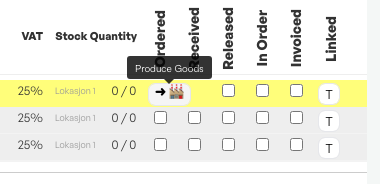
A production button becomes visible on the order line.
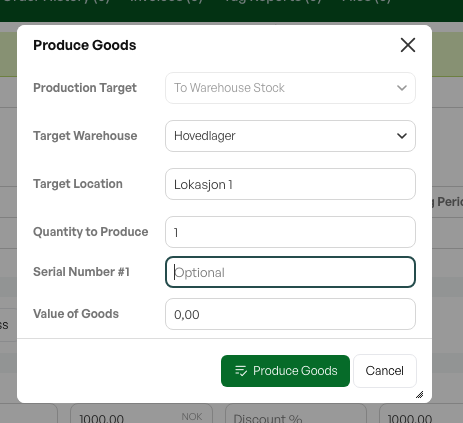
The production target is automatically to stock inventory, based on the «production» order type.
Choose the desired warehouse, location. The quantity is taken from the order line.
Option - serial number
The stock value is taken from order lines but can be overwritten in the dialog if desired.
Bokfør kost is only relevant if you use the cost module (transfer of cost to accounting).
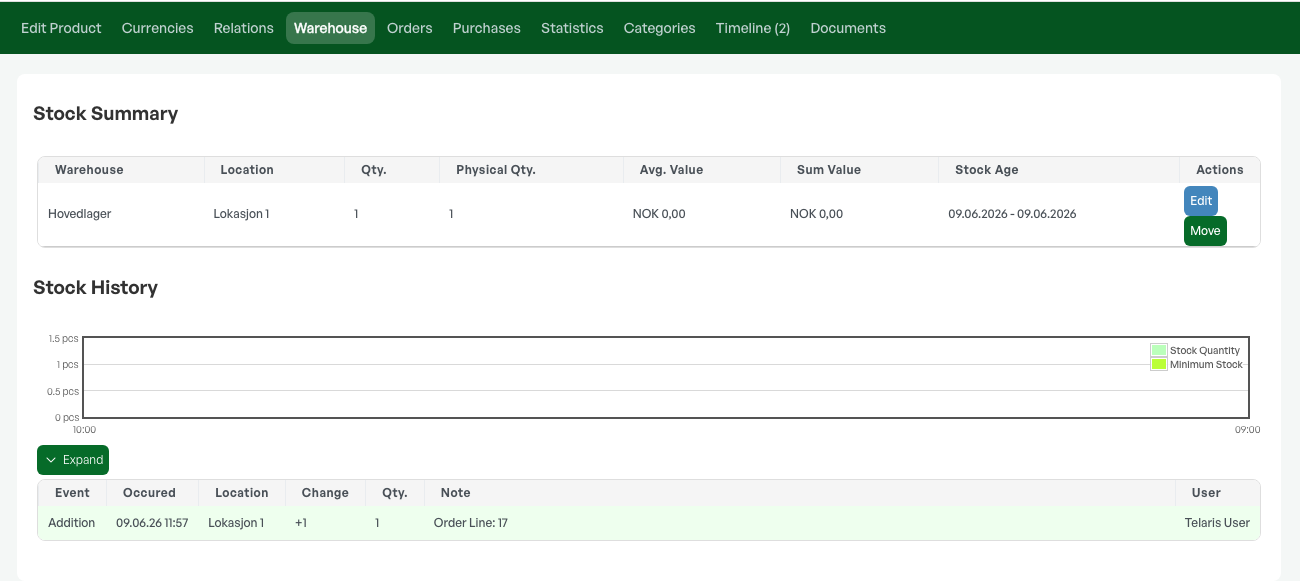
After production, the production product is added to stock with the specified cost, the child products are deducted from stock, and products are marked as "produsert" and completed equivalent to invoiced.

NOTE: After production, you cannot correct the production product by changing "production structure" or "From Stock" on the order. This gives the option to start production again. Do not use the "put back in stock" function after production of the production product.
Correcting production: Put child products back in stock separately, and adjust the production product by manual correction.

Was this article helpful?
That’s Great!
Thank you for your feedback
Sorry! We couldn't be helpful
Thank you for your feedback
Feedback sent
We appreciate your effort and will try to fix the article