Order types
It can often be very useful to have several order types to choose from. This can give a better overview when it comes to departments, user groups and revenue streams.
INNHOLDSFORTEGNELSE
Guide
Usually sales orders and work orders are already created in the system, but some need more types. The need here will naturally vary depending on the business.
Order types can, for example, be defined based on revenue streams or internal processes. Examples can be sales order, service order, work order, web shop order, return order and correction order.
It is very easy to create new order types in the system. You find it here: side menu - settings - discount groups.
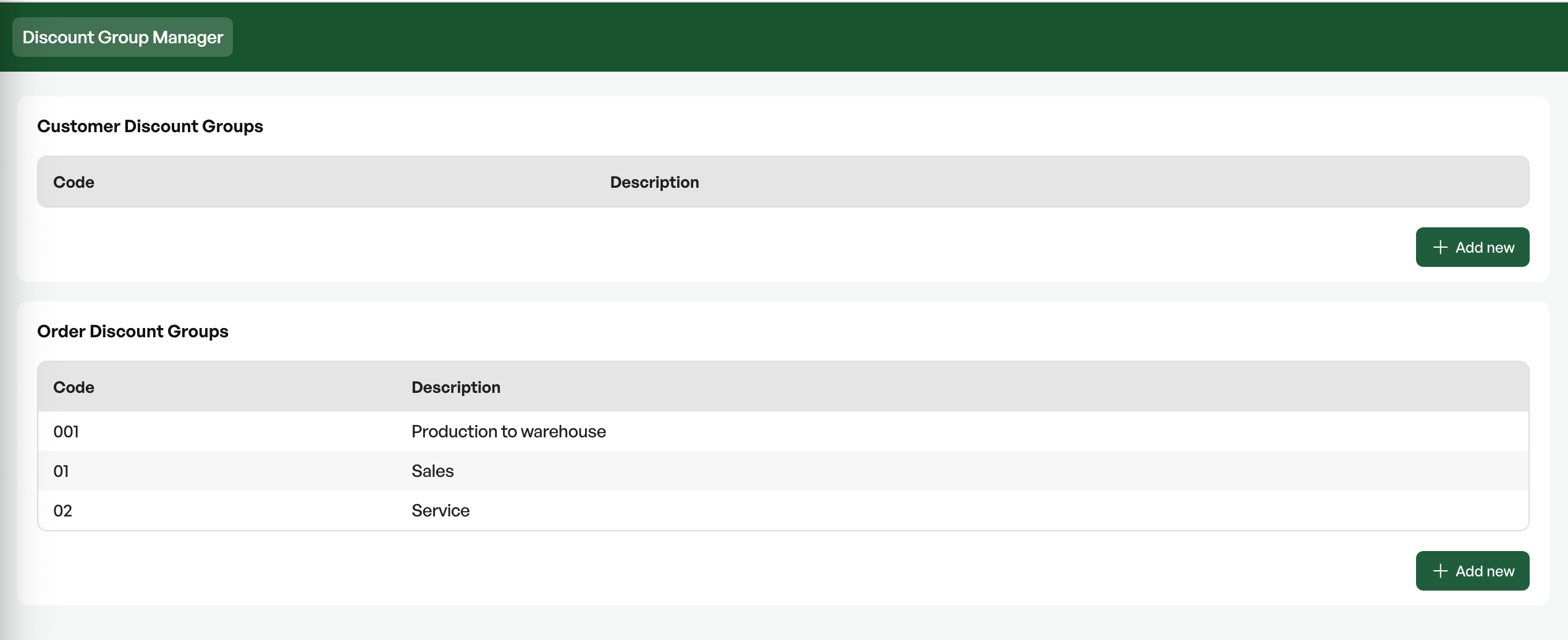
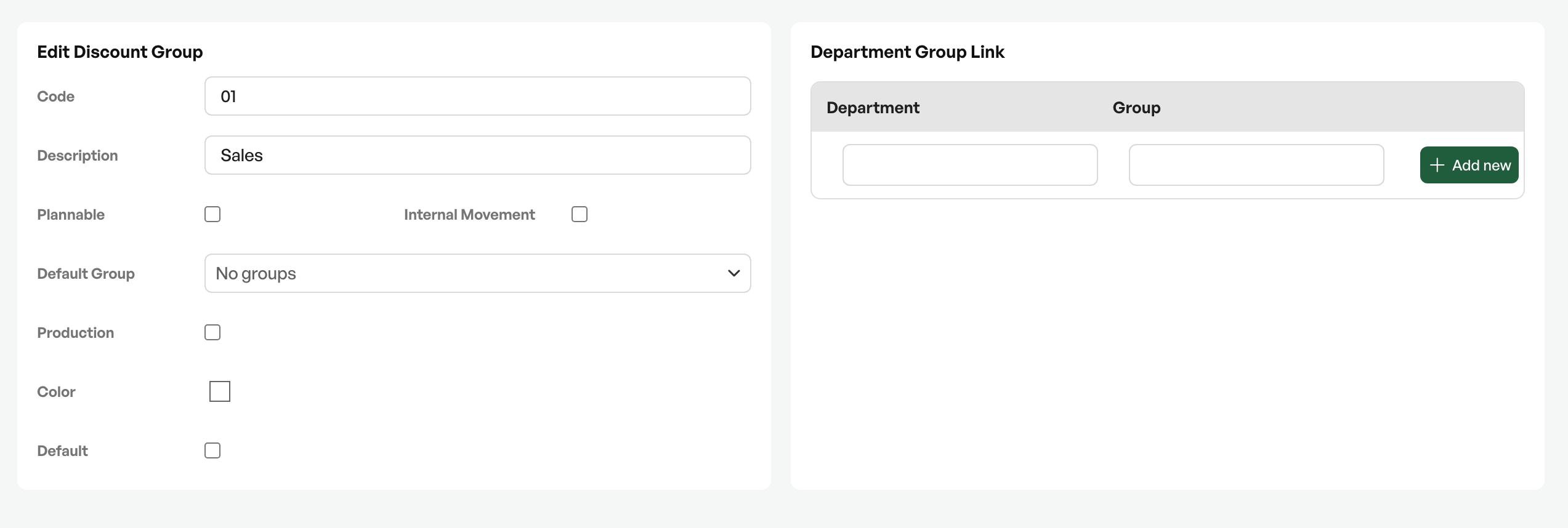
Explanations for the dialog box:
- Code: Desired number or abbreviation
- Description: The order name
- Plannable: Whether the order should be possible to plan in the order planner
- Internal movement: Order for moving/transfer
- Default group: In the system you can define different user groups. Here you can specify that an order type should be the default for a particular user group in the system.
- Production: Whether the order is a production order to stock. User guide: Production products - production to stock. A production order type removes the invoice button in order to only produce orders to stock
- Department: Here you can specify that an order type should be the default for a particular department.
- Colour: The colour you define here will be shown in the order overview.
- Default: What should be the default order type in the system before any filtering.

Was this article helpful?
That’s Great!
Thank you for your feedback
Sorry! We couldn't be helpful
Thank you for your feedback
Feedback sent
We appreciate your effort and will try to fix the article