Daily use: the list and the work package card
This guide covers the daily use of work packages: how you find packages in the list, create a new package, and work in the work package card – with tags, tasks, progress, deviations, signing and progress views.
TABLE OF CONTENTS
- The work package list
- Creating a work package
- The work package card
- Phase and priority
- Tags, tasks and progress
- Deviation points in the package
- Signing
- Com and MC packages
- Gantt
- Order linking
The work package list
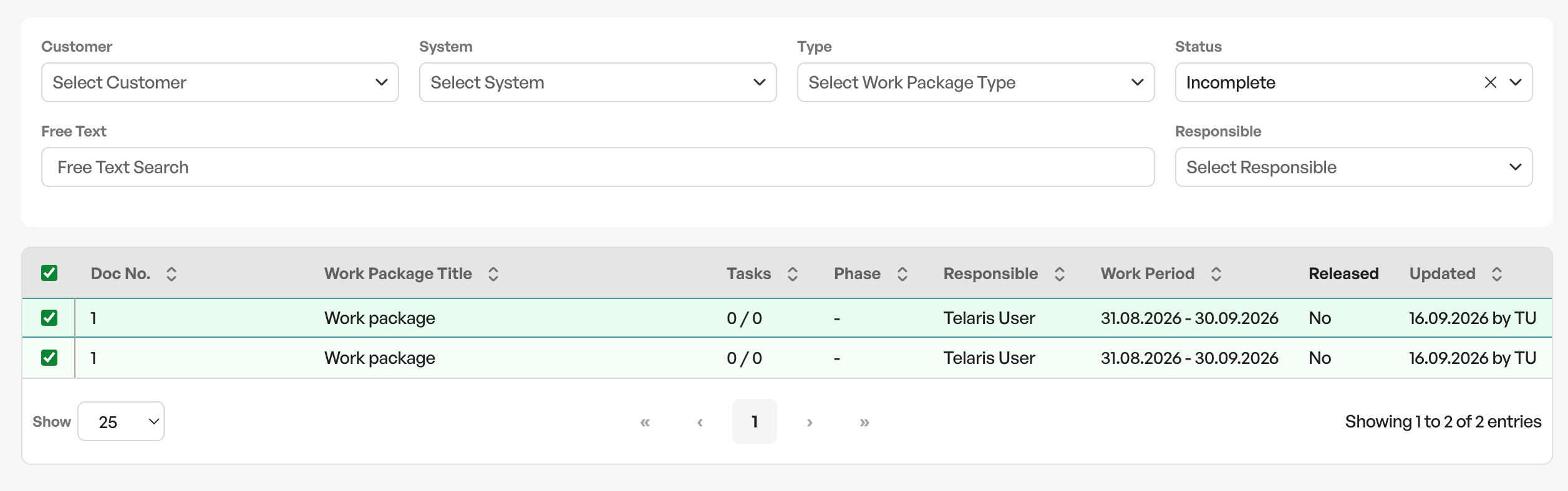
The list shows the work packages in the project area, with sorting, pagination and free-text search. The filters follow the same structure as the tag list:
| Filter | Description |
|---|---|
| System | The system the package belongs to |
| Tag area | The area the package covers |
| Discipline | The discipline the package belongs to |
| Phase and process | The completion stage |
| Module and section | The structural placement |
| Com and MC package | Package affiliation for businesses that follow NORSOK Z-007 |
| Responsible | The person or group that owns the package |
| Status | Where the package stands |
| Work area | The area with its own responsible person |
Creating a work package
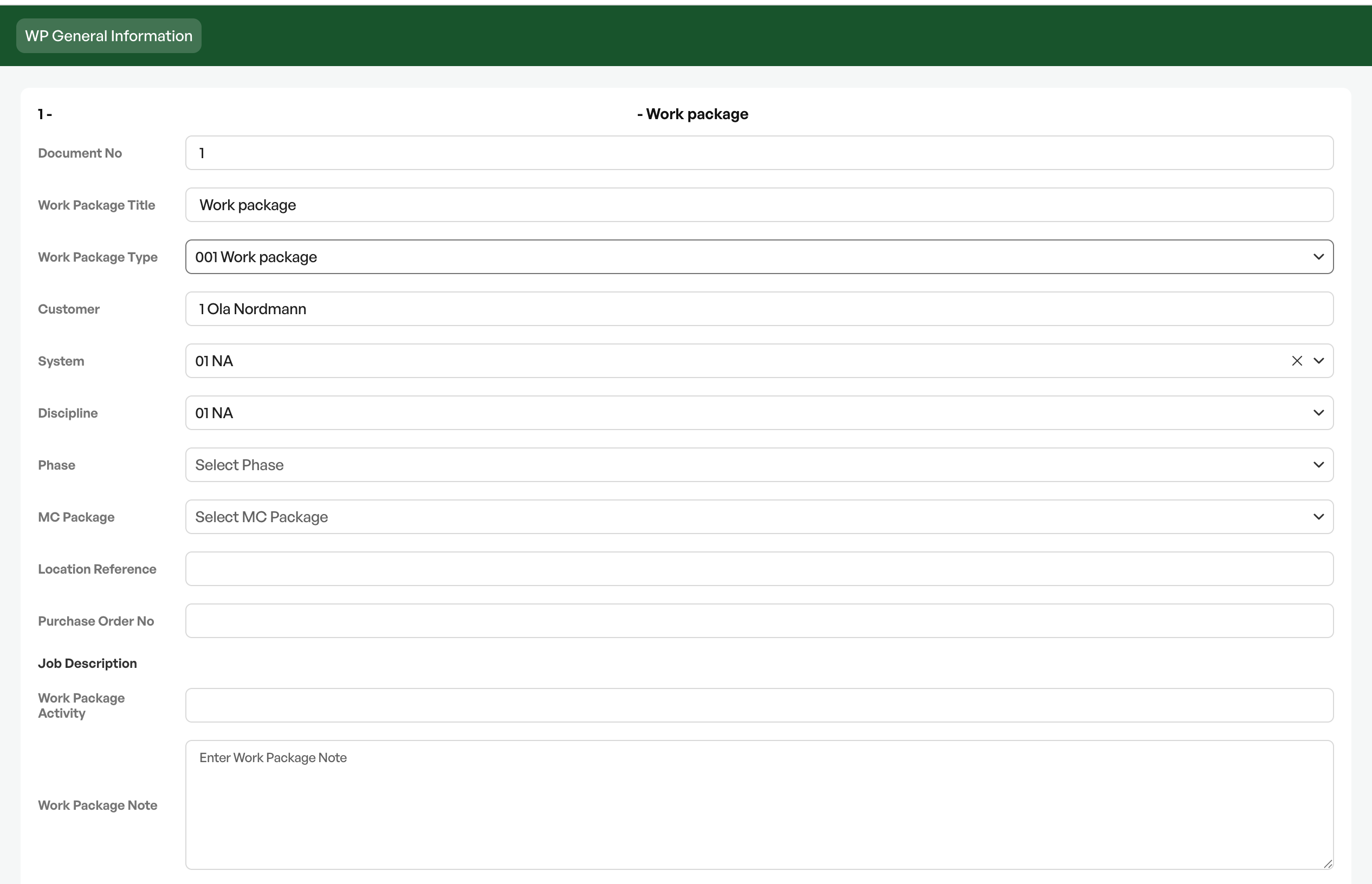
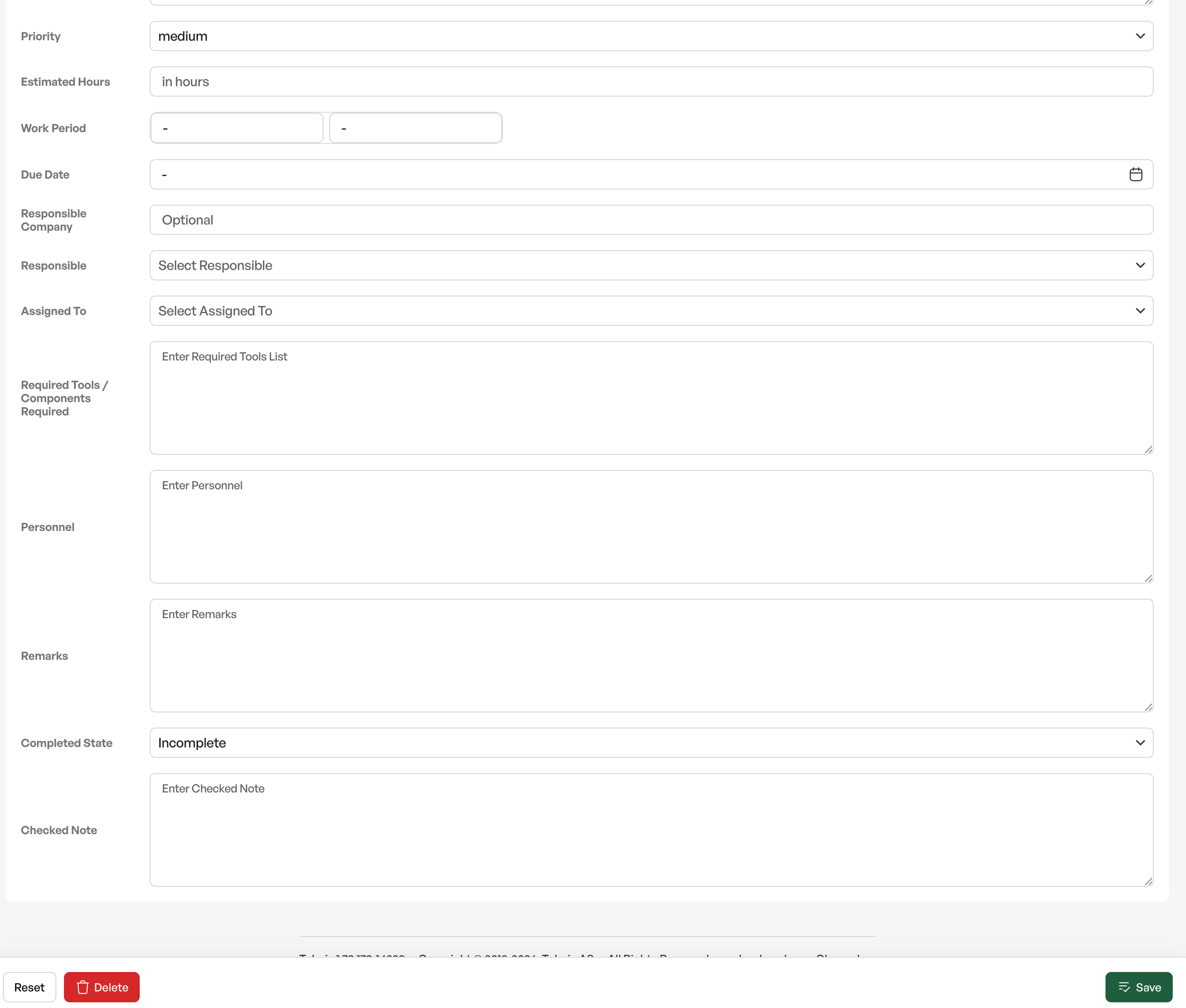
The work package is created with type, customer and system. It automatically gets a sequential number from a number series that is specific to each project area, so that the numbering is continuous within the area.
The work package type determines how the package behaves – among other things how tags and documentation are pulled in, and which transmittal type is used when transmitting.
Click "Create new work package" and fill in the information.
The work package card
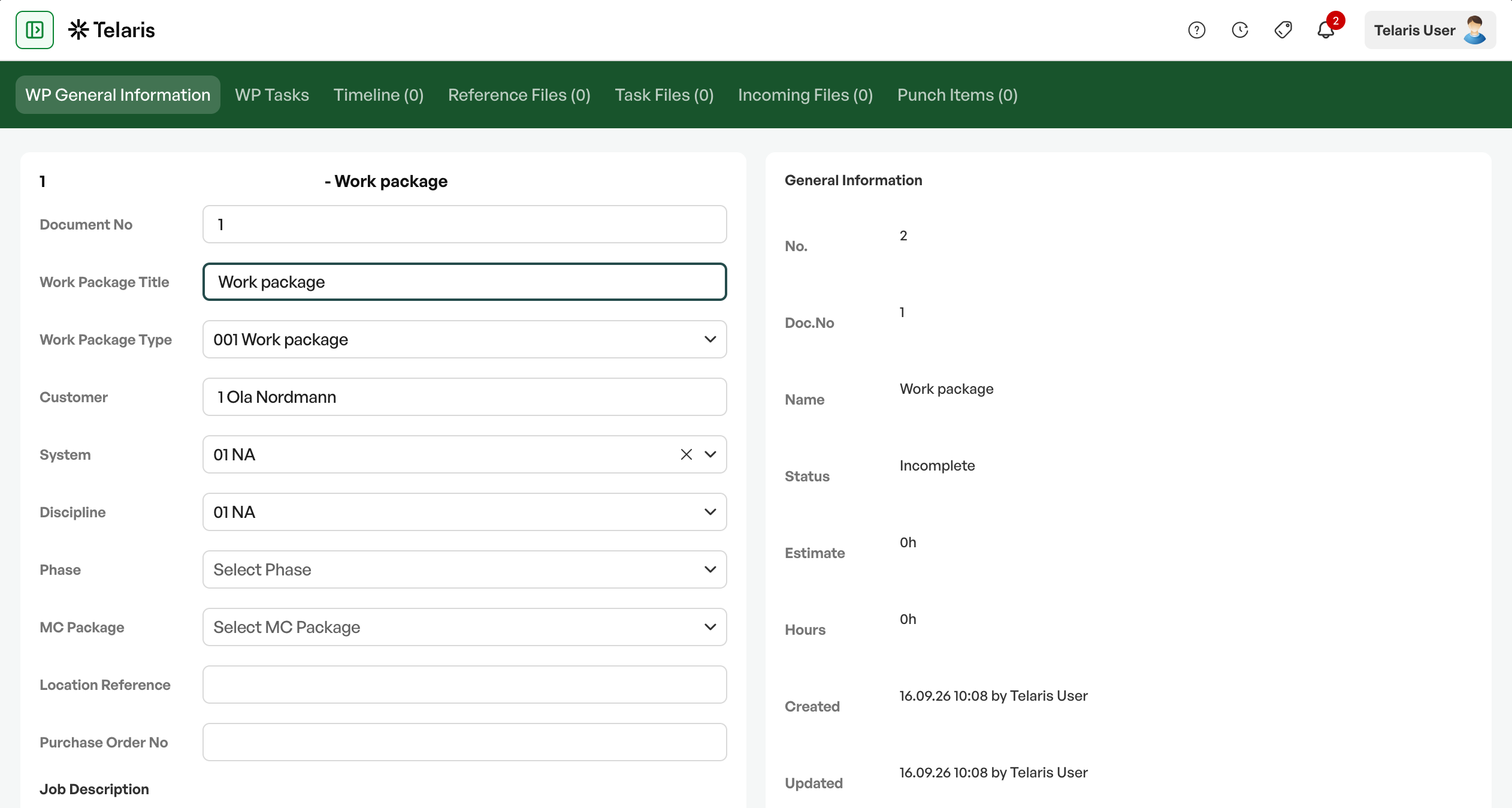
The card is divided into tabs:
| Tab | Content |
|---|---|
| Work package | The main details: type, responsible, customer, system, phase, priority and deadline |
| Details | Supplementary details about the package |
| Tags | The tags the package comprises |
| Tasks | The tasks to be carried out |
| Files | Documentation uploaded directly onto the package |
| Task files | Files that originate from the tasks and checklists |
| Incoming files | Documentation received from outside |
| Deviation points | The punch items in the package |
| Images | Image documentation |
| References | Links to other packages and resources |
| Timeline | Events and comments |
The distinction between the three file types is worth noting: own files are uploaded directly onto the package, task files come from the work done on the tags and are pulled in automatically, and incoming files are documentation received from others – typically from a subcontractor or from the client.
Phase and priority
The work package is placed in a completion stage:
| Phase | Meaning |
|---|---|
| Construction | The work is ongoing, physical assembly and installation |
| Mechanical completion | The plant is fully assembled and checked against specification |
| Commissioning | The plant is put into operation and function-tested |
In addition, a priority is set – low, normal, high or critical – which governs the order when there is more work than capacity.
NOTE: The phases are the classic division in industrial and construction projects. Businesses that do not work this way usually use only the first stage.
Tags, tasks and progress
The tags are added to the package, and their tasks and checklists thereby become the package's work. The progress is calculated from the requirements on the tag types, with the weighting the requirements were given in the setup. A heavy final inspection thus counts for more than a simple self-inspection, at package level too.
This means a package number can answer «how far have we got with room 214» without anyone having to count forms manually.
Deviation points in the package
The deviation points registered on the tags in the package are shown on the package card. This is where you see what actually stands in the way of handover – especially the A deviations, which must be rectified before further progress.
Signing
The work package can be signed digitally, with the same signature roles used on checklists. Who can sign in which role is governed by user groups.
Com and MC packages
Businesses that follow NORSOK Z-007 organise the delivery into MC packages for mechanical completion and Com packages for commissioning. The work packages are linked to these, and the list, the Gantt view and the status reports can all be grouped at package level.
Gantt
The Gantt view shows the packages on a timeline. It comes in three variants – by phase, by MC package and by the tasks in the packages – so that the progress can be read from whichever angle is relevant.
Order linking
Where the business links orders to work packages, the package can be tied to the order so that the delivery and the invoicing are connected.

Was this article helpful?
That’s Great!
Thank you for your feedback
Sorry! We couldn't be helpful
Thank you for your feedback
Feedback sent
We appreciate your effort and will try to fix the article