Document bundles and transmittals
When the work in a package is finished, the documentation is gathered and sent formally to the recipient. This guide covers document bundles (combined PDF) and transmittals (the formal transmittal with tracking).
TABLE OF CONTENTS
- Document bundles
- What is a transmittal?
- Details on the transmittal
- The status flow
- The recipient's access
- The content of the transmittal
Document bundles
The documentation in a work package can be assembled into a single combined PDF. The assembly runs as a background job, because a package can contain a great many forms and files. You start the job and receive the document when it is ready, instead of waiting for the page to finish loading.
There are corresponding bundles for tags, deviation points, transmittals and for the status reports MCSI and CSRI. Which bundles are available depends on the work package type and the setup.
NOTE: For large packages, the bundle is not immediately available. You can follow the status of the background job while it is being built.
What is a transmittal?
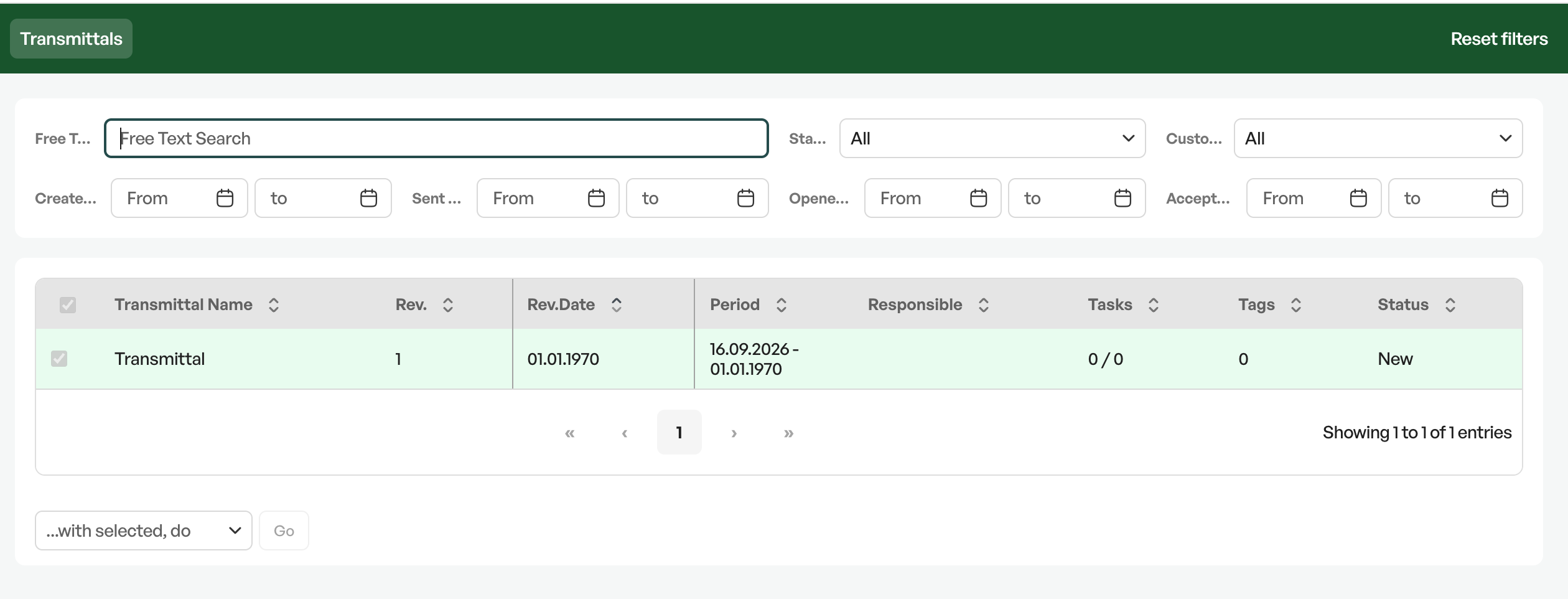
A transmittal is the formal sending of documentation to a recipient. It is created from the work package and is the document that states what was sent, by whom, when and in which revision.
NOTE: Transmittals require a separate additional licence that must be activated by Telaris.
Details on the transmittal
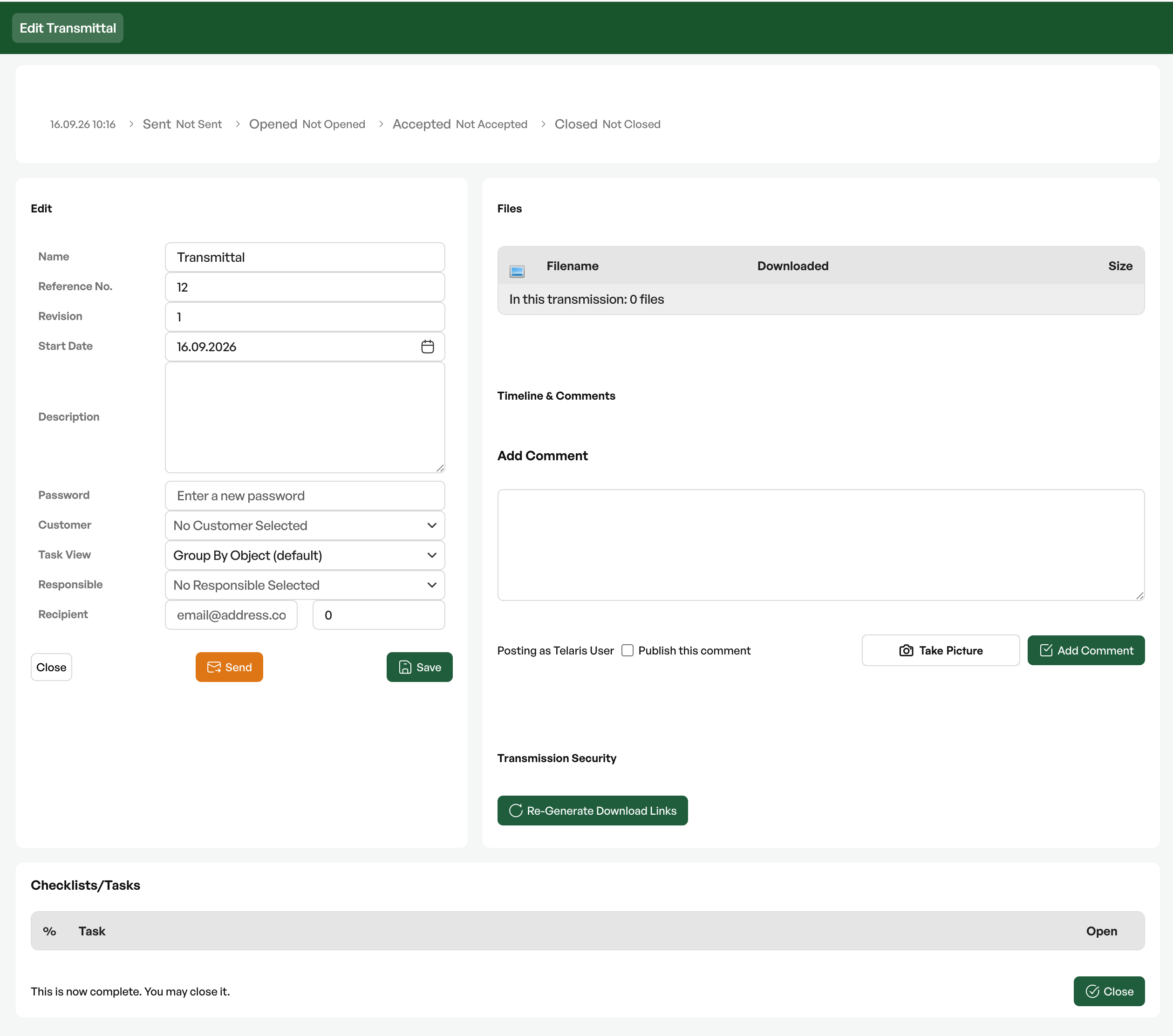
| Field | Description |
|---|---|
| Reference number | The transmittal's own number, which the parties refer to |
| Revision and revision date | Which edition of the transmittal this is |
| Reason for issue | Why the transmittal is sent – for approval, for information, as a change |
| Recipient | Customer, contact person and email address, with the option of a copy recipient |
| Reply address | Whom the recipient should reply to |
| Prepared, checked and approved by | The three roles behind the transmittal |
| Responsible | The person who owns the transmittal internally |
| Deadline | When the recipient is expected to have replied |
| Description | What the transmittal concerns |
The status flow
| Status | Meaning |
|---|---|
| New | In progress, not ready to be sent |
| Ready | Completed and ready for dispatch |
| Sent | Sent to the recipient |
| Opened | The recipient has opened the transmittal |
| Accepted | The recipient has confirmed receipt |
| Closed | The case is closed |
Each step is time-stamped, and the system also records the IP address at opening and acceptance. This gives a traceability that holds up in a discussion about what was actually sent and received.
NOTE: A closed transmittal cannot be set back to an earlier status. If something is to be changed after the transmittal has been sent or closed, you create a new revision.
The recipient's access
The recipient does not need a user account in Telaris. The transmittal is opened through a dedicated link, protected with a password, and the recipient sees only the documentation that belongs to it – not the rest of the system. The opening is recorded automatically, and the acceptance is done by the recipient themselves.
The content of the transmittal
The tasks and checklists in the transmittal can be grouped, either per tag or by task name, depending on what gives the best overview for the recipient. The progress is shown weighted, in the same way as elsewhere.

Was this article helpful?
That’s Great!
Thank you for your feedback
Sorry! We couldn't be helpful
Thank you for your feedback
Feedback sent
We appreciate your effort and will try to fix the article