Setting up a work process
Guide for setting up a complete work process on a tag (object, individual or project etc.).
Each step of the setup has a link to more details on how to set up the building blocks of the work process
INNHOLDSFORTEGNELSE
Setting up the process
How to set up a complete work process on tags, with all the steps involved, with links explaining each step in more detail
1. Tag types
Set up tag types as needed; you can have as many types as you need.
From each tag type you can set up phases and checklists as you wish so that they are automatically created on a new individual.
Depending on what the tag is to be used as, whether it is a project to be transferred to accounting or a boat that should keep its history, the procedure is the same, while the working methodology changes as needed.
Guide: Tag types
2. Phases
Used to set up the process applied to the tag; the phases let you keep an overview of the progress of the process.
Guide: Phases
3. Checklists and tasks
Checklists are set up as needed, as well as tasks. See the guide below for more detailed setup
Guide: Checklists and tasks
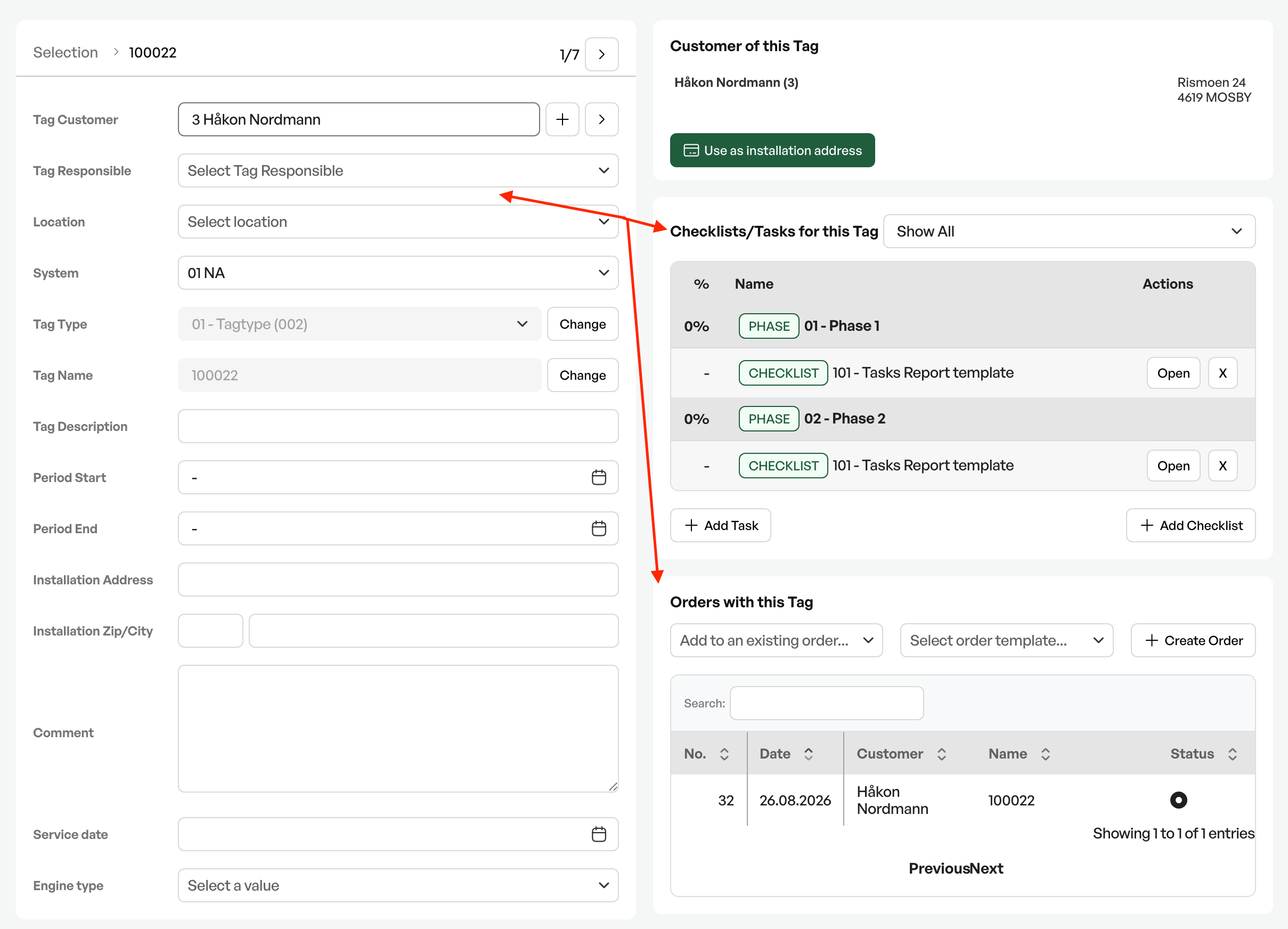
Example of a work process in use
When tag types, phases, checklists and tasks are set up, the work process is automatically created when you make a new individual of a tag type that has a setup behind it.
Then you can link orders to the tag, either by linking the number to an order, or by creating an order from the individual.
Tip: Remember to save often when setting up processes. If newly saved changes do not appear, refresh the page

Was this article helpful?
That’s Great!
Thank you for your feedback
Sorry! We couldn't be helpful
Thank you for your feedback
Feedback sent
We appreciate your effort and will try to fix the article