Creating children on an object
'Create Children' is a function on objects (Tags) in Telaris that lets you create one or more subordinate objects (children) under a parent object in a single operation.
TABLE OF CONTENTS
- Creating children on an object
- What is Create Children?
- Procedure
- Fields in the dialog
- Requirements for object types
- Result and hierarchy
What is Create Children?
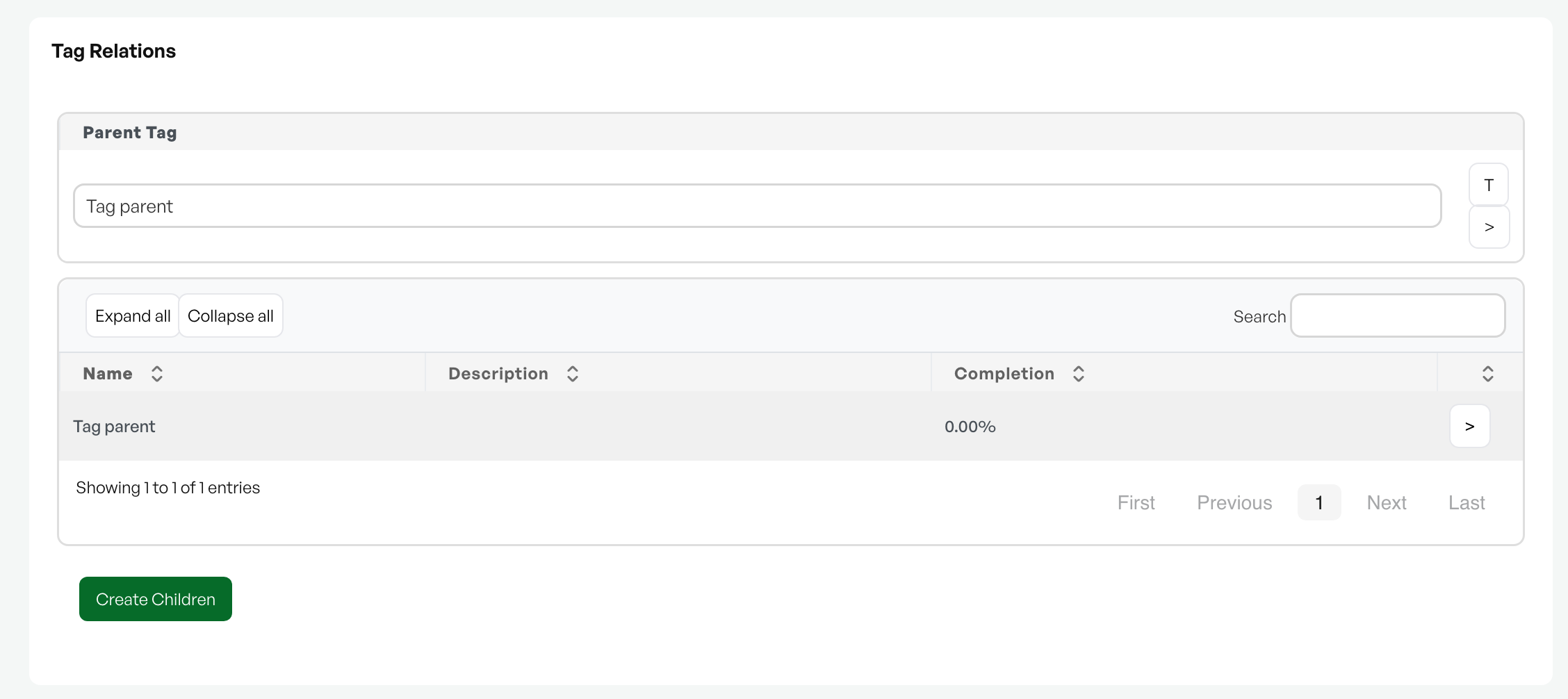
The 'Create Children' button is located in the 'Tag Relations' section of the object card. An object can have a parent object ('Parent Tag') and several subordinate objects (children). The function is used when you want to quickly create several children of the same type under an object, for example components or units belonging to a main object.
Procedure
- Open the object you want to create children on, and go to the 'Tag Relations' section.
- Click the green 'Create Children' button. A dialog opens.
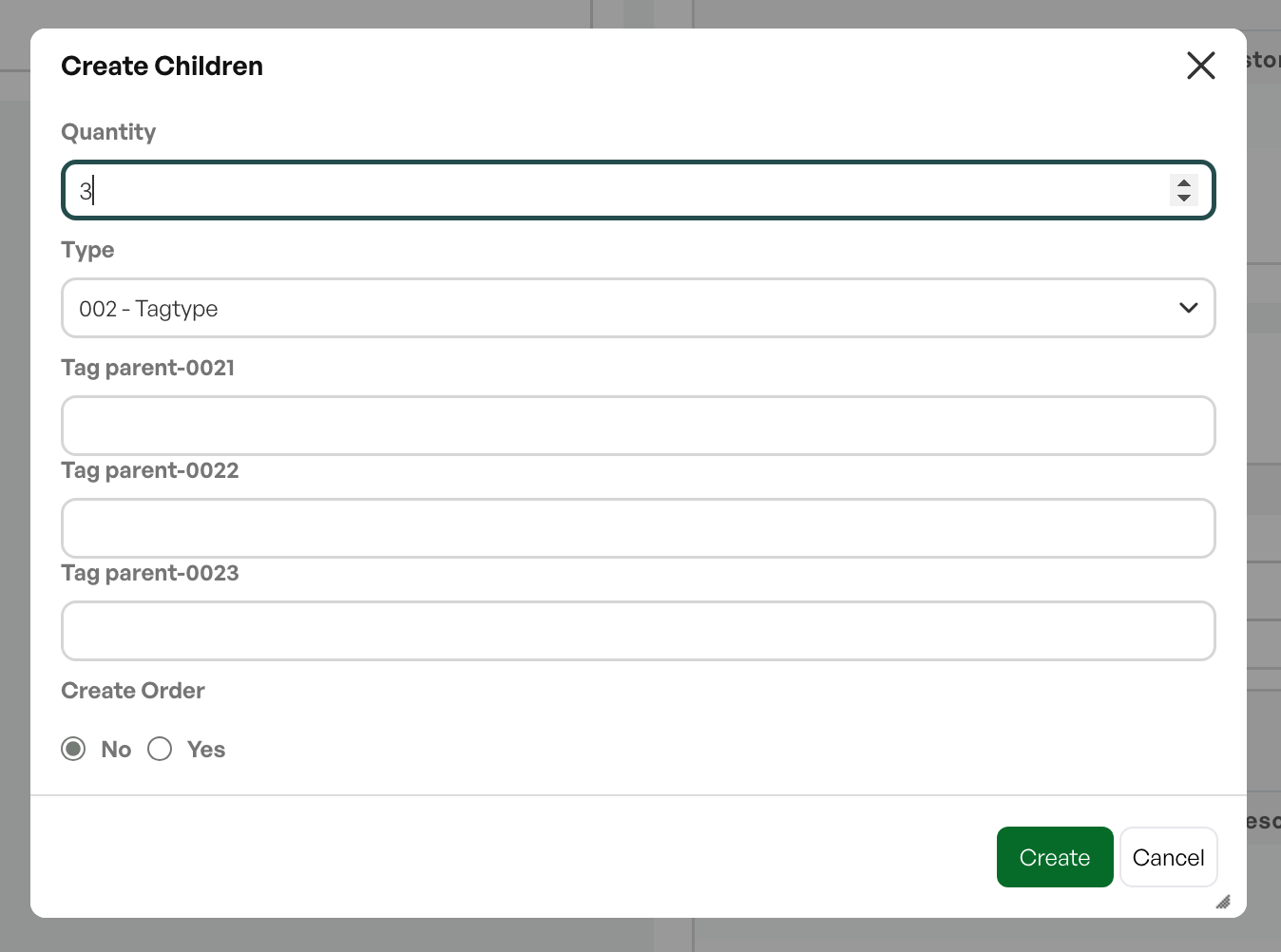
- Fill in the fields in the dialog and click 'Create'.
Fields in the dialog
- Quantity:The number of children to create.
- Type:The object type (tag type) the new children will get.
- Create Order:Choose 'Yes' if an order should be created for the new children, or 'No' if not.
- Order Template:If 'Create Order' is set to 'Yes', choose the order template the new children should be created from. Requires that there are orders saved with the order status "Template".
Requirements for object types
Object types must have an 'Allowed parent' set in order to create a 'child' that is linked to the parent.
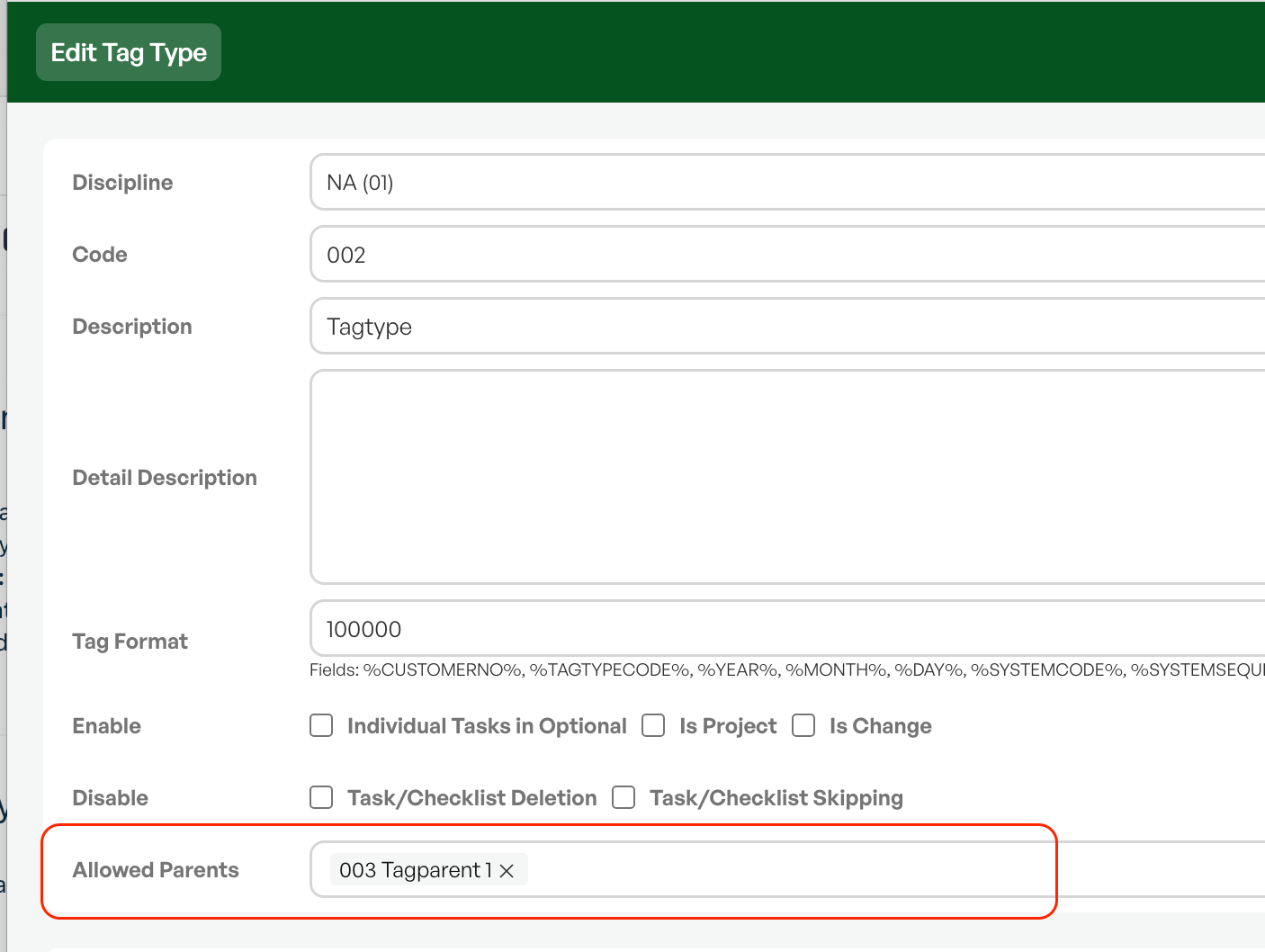
If you create children that in turn should only be able to be specific object types, set 'Allowed parent' to only the desired object types. This way, a child of a child can be linked to specific processes, rather than choosing that new children are placed directly under the top level.
Result and hierarchy
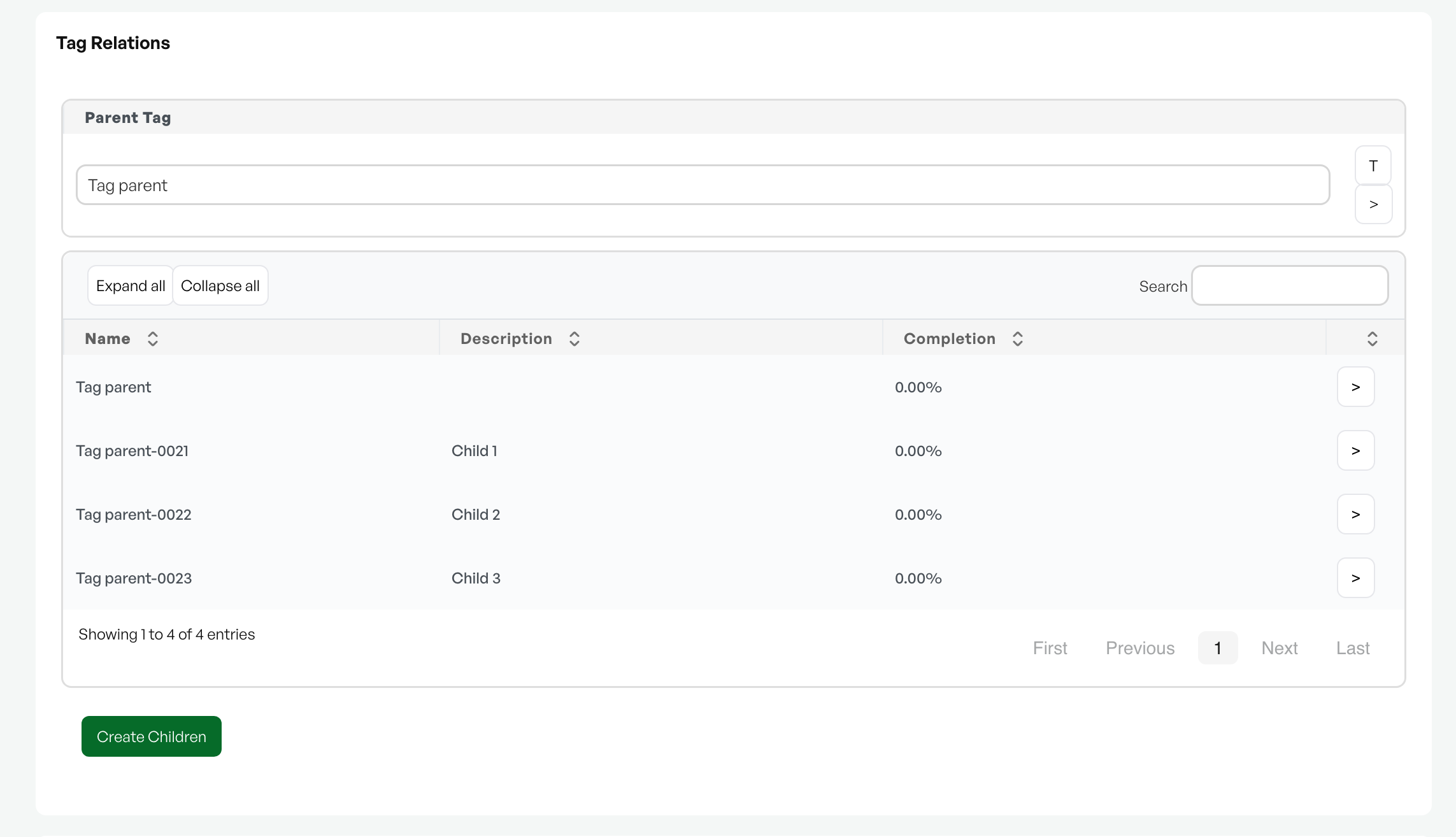
When you click 'Create', the new children are created and shown in the list under 'Parent Tag' in 'Tag Relations'. Each child becomes its own object linked to the parent object. The hierarchy can be explored with 'Expand all' and 'Collapse all'.
If you create children that in turn should only be able to be specific object types
It is also possible to create a child of a child further down in the hierarchy.
Tip: If you chose to create orders, the orders are generated from the chosen order template for each child.
Note: Create children is a setting that must be enabled by Telaris if it is not already shown.

Was this article helpful?
That’s Great!
Thank you for your feedback
Sorry! We couldn't be helpful
Thank you for your feedback
Feedback sent
We appreciate your effort and will try to fix the article