Creating warehouse locations
Guide for creating new warehouse locations
TABLE OF CONTENTS
Guide
Go to 'Settings > Warehouse > Locations >'.
Filter by which warehouse you want to create locations under -
'Add new'
You then get a dialog where you can set the desired values for the location.
Either by adding S1, S2 and S3. Many choose to fill in all the information in 'S1'.
Fill in the desired information and click 'Save'.
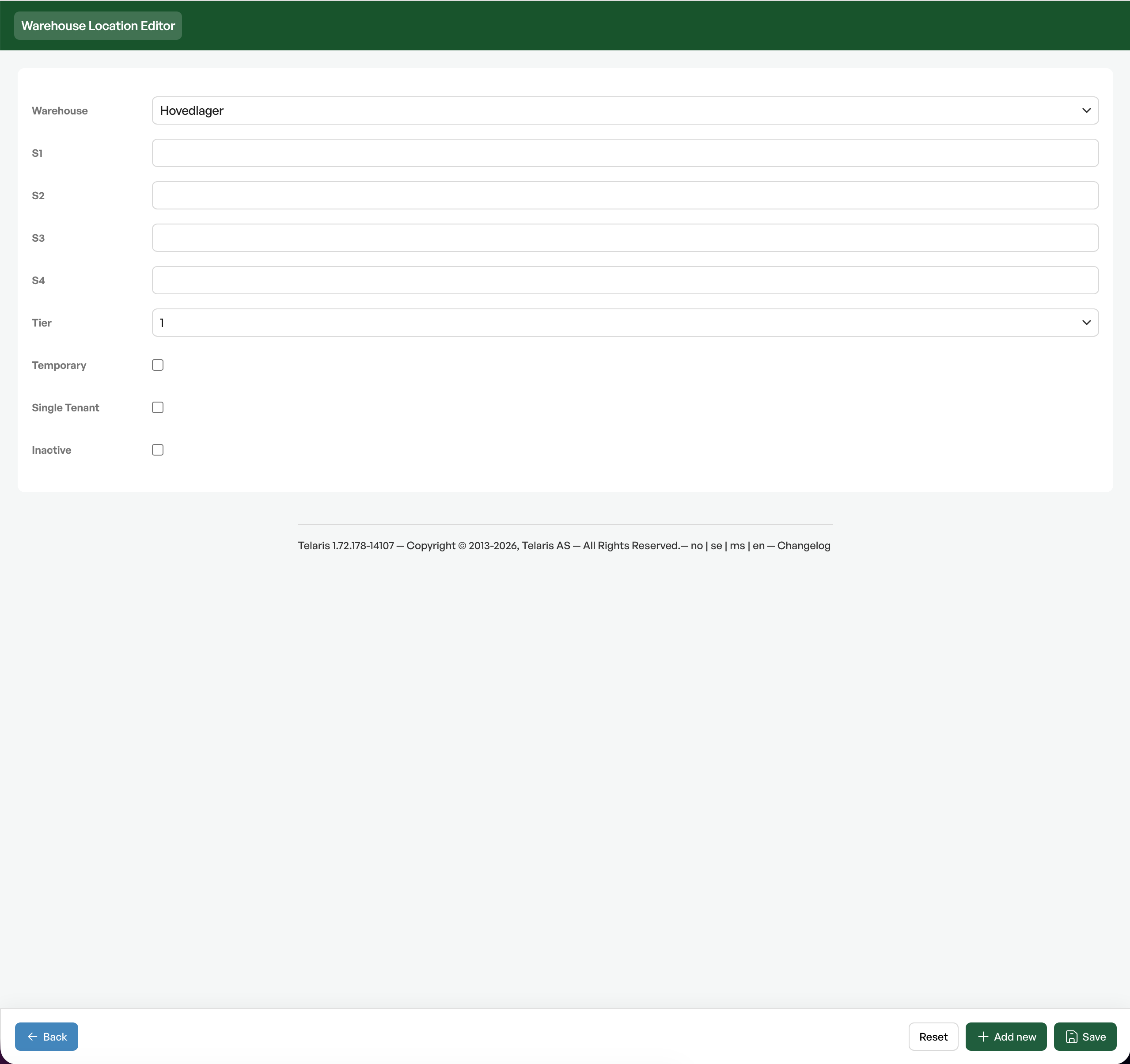
Field explanation
- Tier:Used for levels, to pick goods in smaller/larger packaging.
- Temporary:For temporary locations, used in picking lists to move goods temporarily before picking.
- Single Tenant:Used with Tag/object/item.

Was this article helpful?
That’s Great!
Thank you for your feedback
Sorry! We couldn't be helpful
Thank you for your feedback
Feedback sent
We appreciate your effort and will try to fix the article