2. Report template
The second step in creating checklists
INNHOLDSFORTEGNELSE
- INNHOLDSFORTEGNELSE
Creating new report templates
Via 'Settings -> Report templates' you can create and manage report templates.
Under each report template you can create a checklist.
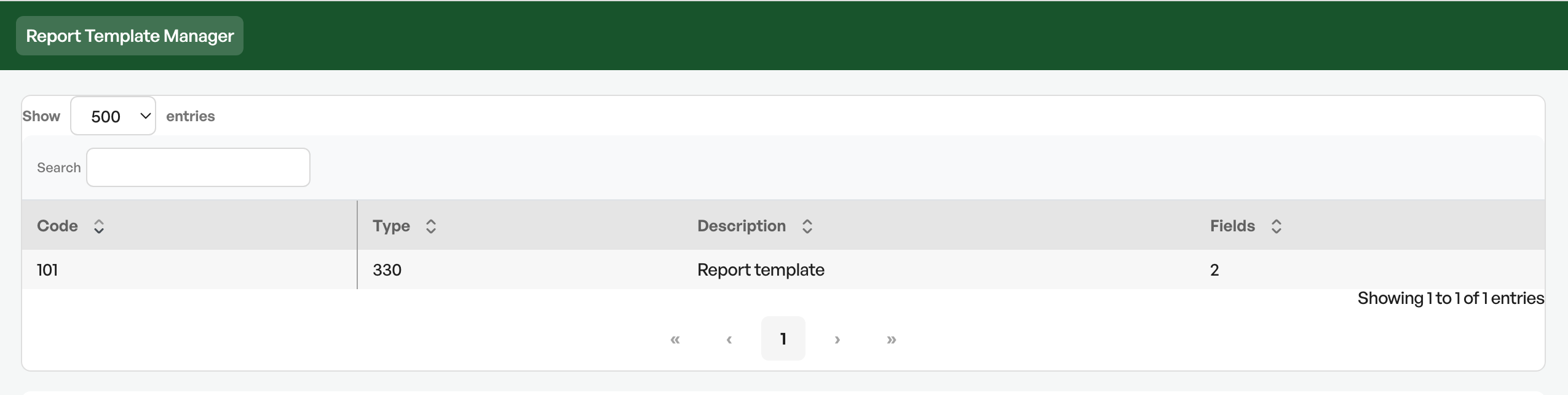
Each report template is the basis for a checklist, and can have its own settings.
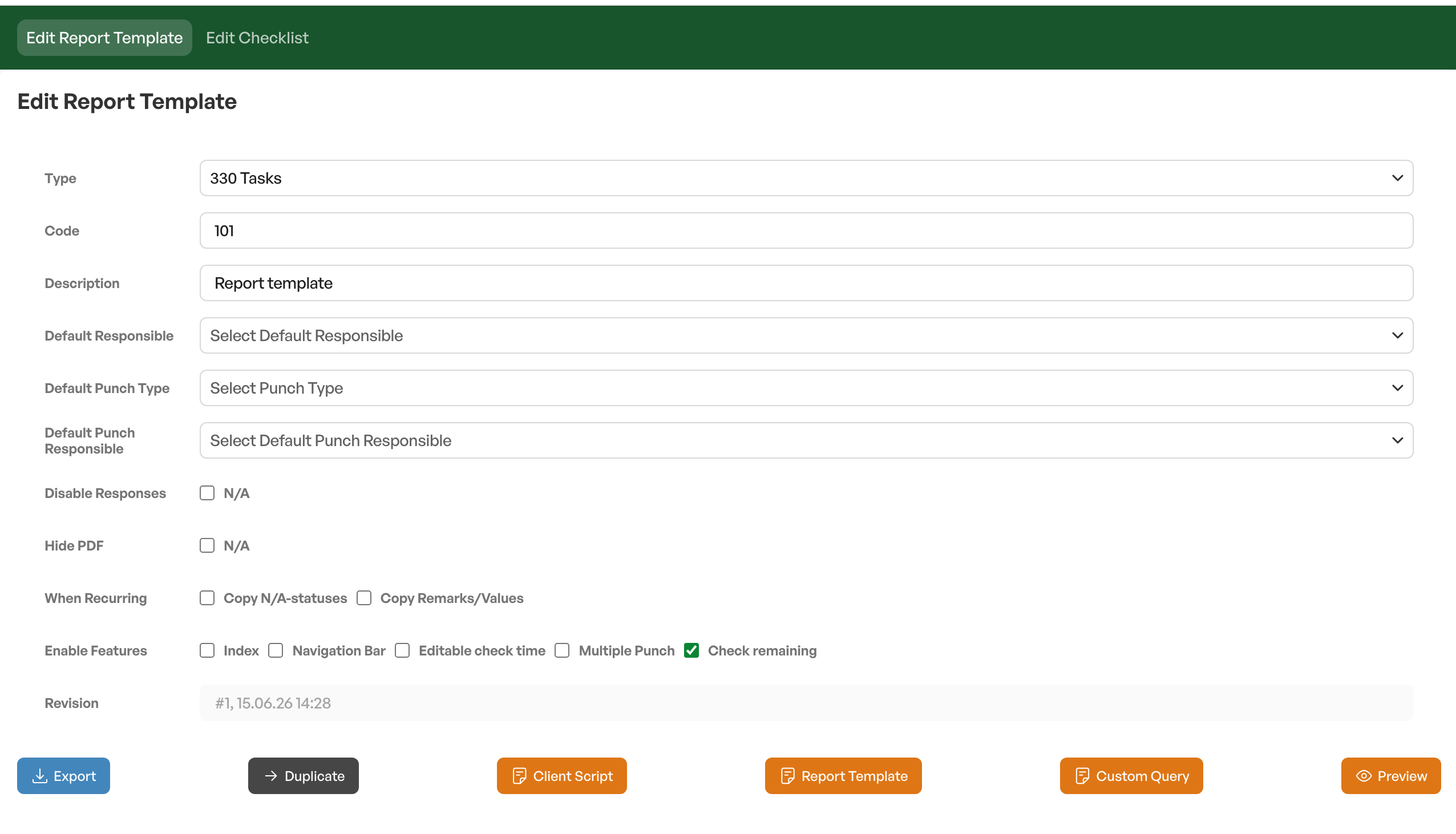
Field explanations report template
Type
Report template type the report template should belong to
Code
Short code used in fields and can be used in reporting
Description
Name of the checklist
Default responsible
Fetches users from the personnel/user list where you can set a default person responsible for the checklist
Default deviation type
If deviations can be created in the checklist, you can set which deviation type should be the default
Default deviation type responsible
Fetches users from the personnel/user list where you can set a default person responsible for the deviation
Hide PDF
Used to hide the PDF in the individual/tag report that extracts all documents from an individual/tag
When recurring
Option to enable that N/A statuses and comments/values are carried over to the new checklist if the checklist belongs to a recurring order/checklist
Enable functions
Navigation bar
Index
Editable control time
Option to set your own time for when a checkpoint in the checklist is done
Multiple deviations
Being able to create deviations several times from the same line in the checklist
Check off remaining
Gives the option to complete or close all fields in the checklist
Revision
Shows the number of the revision, as well as the date of the last revision
Next step: 3. Report template - The checklist's content
Was this article helpful?
That’s Great!
Thank you for your feedback
Sorry! We couldn't be helpful
Thank you for your feedback
Feedback sent
We appreciate your effort and will try to fix the article