Linking a checklist to an order
Guide for linking a checklist to an order
INNHOLDSFORTEGNELSE
From a tag
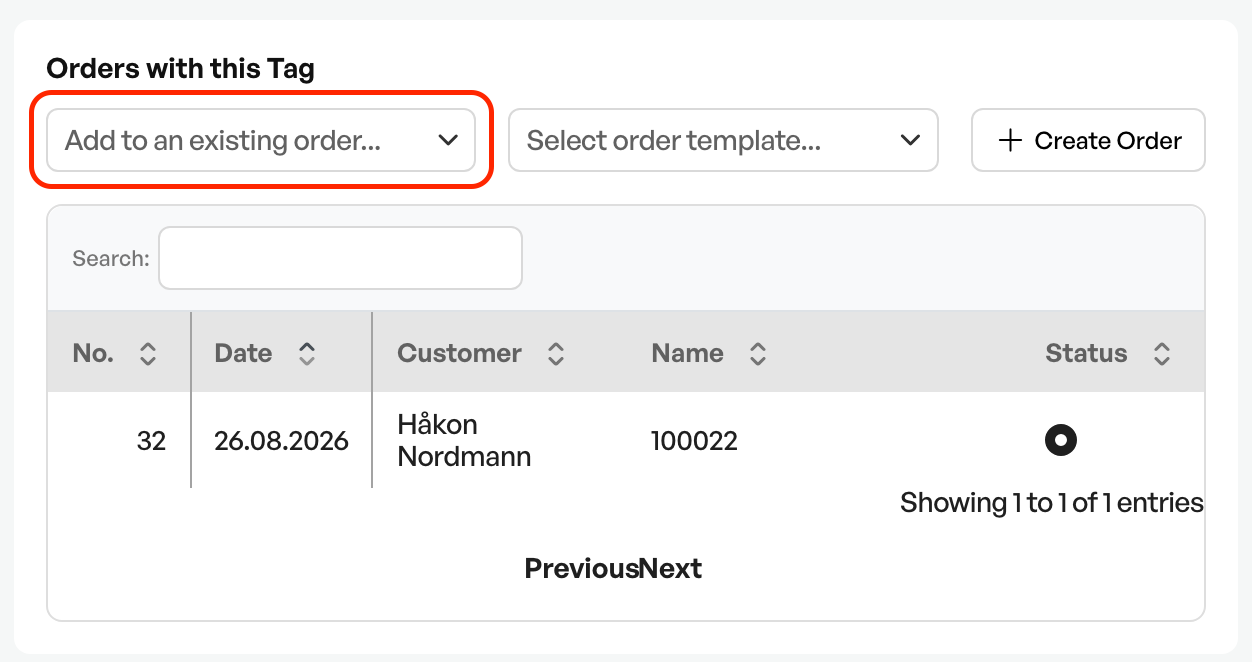
From the tag you can select an open order for the customer from a dropdown. This links the order to the tag
From a checklist
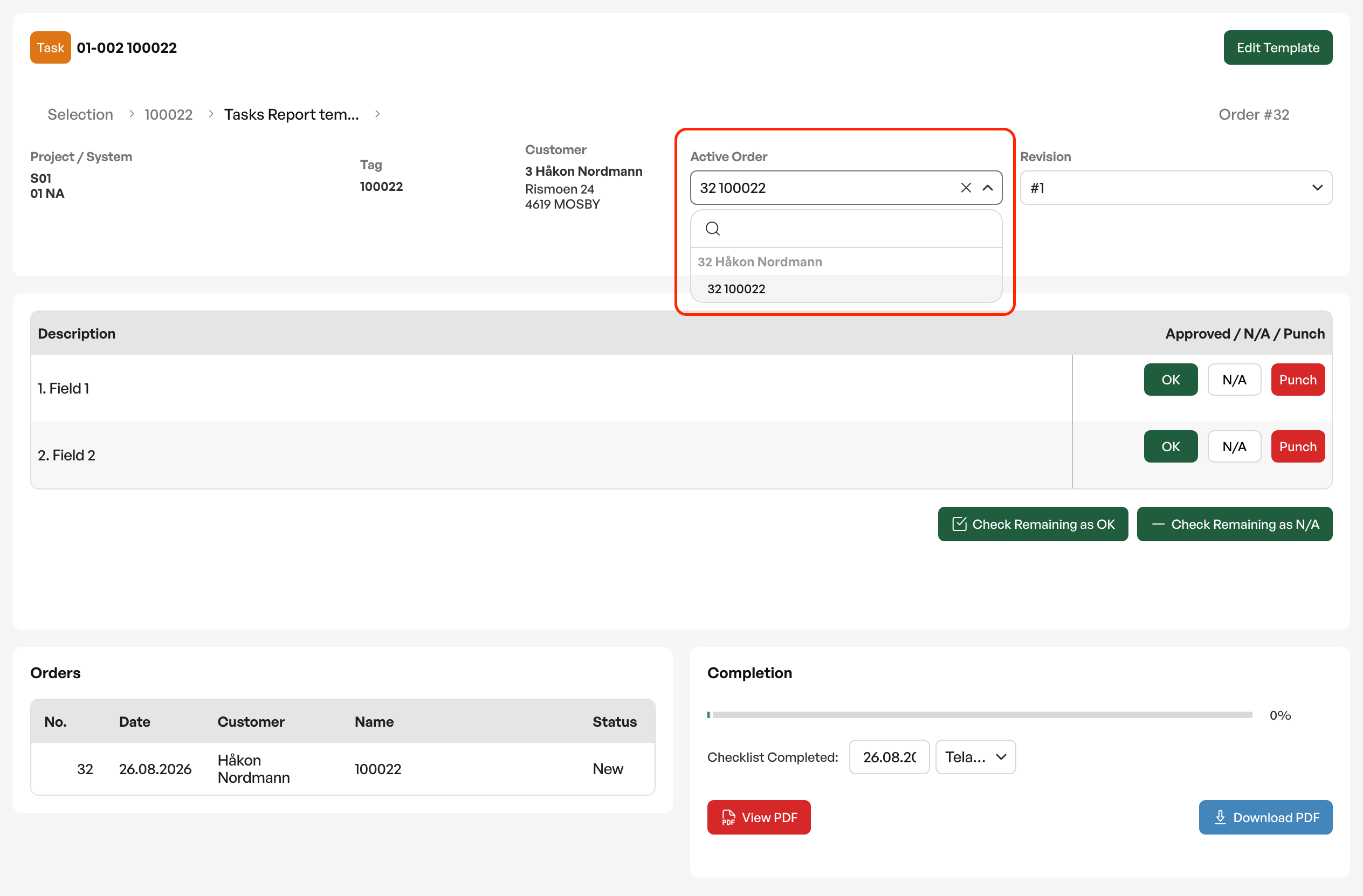
When filling in a checklist, you can link an order for the customer to the checklist.
When a checklist is opened from a tag, Telaris checks whether there are open orders linked to the tag, and automatically links it to the order. If there are several open ones, those linked via an order line are prioritised first, then those linked via the order header. In case of a tie, the most relevant, newest order is chosen.
Telaris does not select orders with the statuses: Invoiced, Template, Closed, or Proposal
Changes
From August 2025, a checklist opened from a tag is checked for open* orders linked to the tag, and automatically links it to the order. If there are several open ones, those linked via an order line are prioritised first, then those linked via the order header. In case of a tie, the most relevant = the latest is chosen.
*Open = Not 'Invoiced', 'Template', 'Closed', 'Proposal'

Was this article helpful?
That’s Great!
Thank you for your feedback
Sorry! We couldn't be helpful
Thank you for your feedback
Feedback sent
We appreciate your effort and will try to fix the article