Credit block
Feature for setting a credit limit on the customer card.
TABLE OF CONTENTS
Purpose
Credit block is a feature that lets you set a credit limit on the customer card. The feature is based on open customer ledger items in the system at the given time, plus the total of uninvoiced order lines incl. VAT.When this limit is reached, the system prevents the order handler from creating new orders/order lines.
Setup
Setting up the credit block starts with choosing which order statuses you want to be affected by the credit block and which order statuses should not be affected.
Order statuses are edited under 'Settings -> Order statuses'
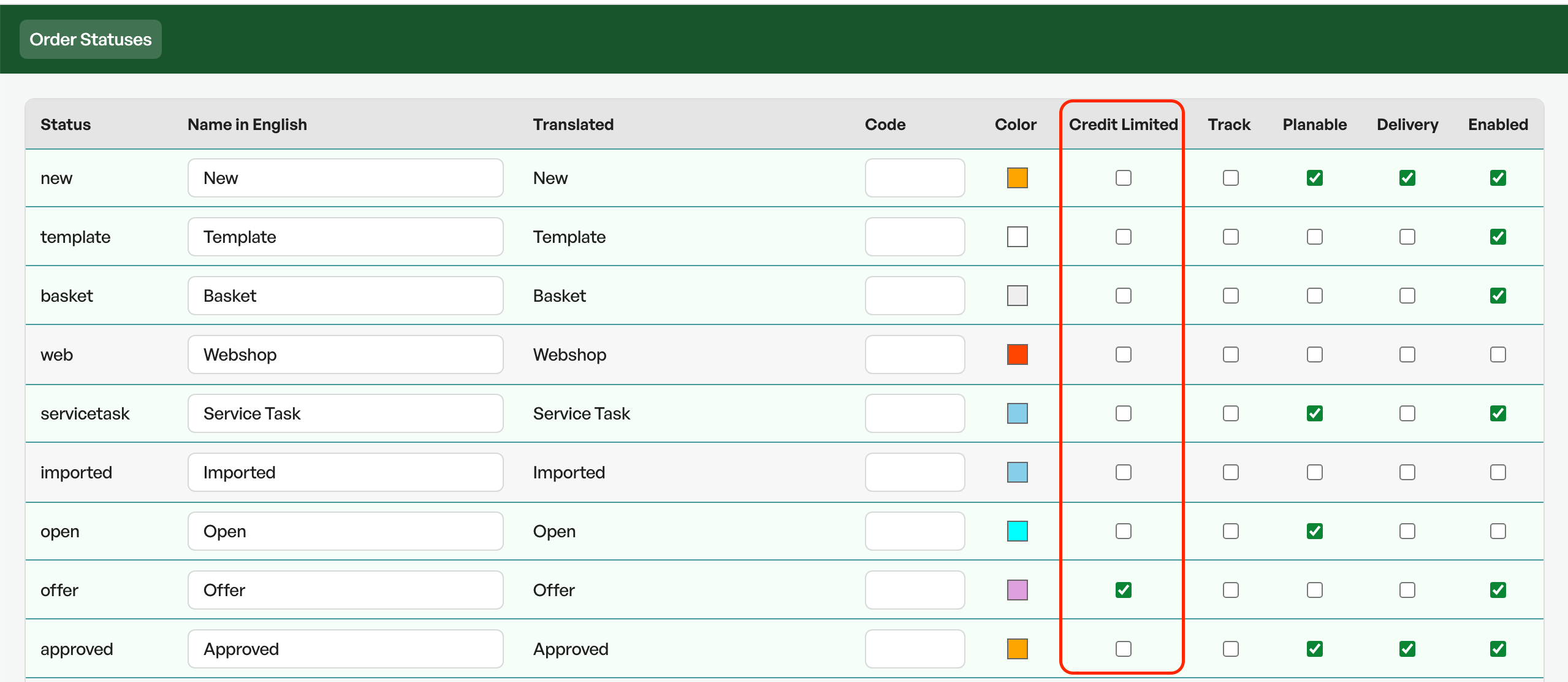
"Quote" can be an example of an order status that you do not want to be affected by the credit limit on the customer card.
With the credit block activated, the fields 'Creditworthy' and 'Credit rating' disappear from the customer card and are replaced with 'Credit limitation'

The default value in the field'Credit limitation' is 'No limitation'.
This means that a blank value is no limitation. If "0" is set as the level, the customer will have no credit
NB: Note that if the credit rating and creditworthy fields are in use, these fields will stop working when activating the credit limitationCredit block in use
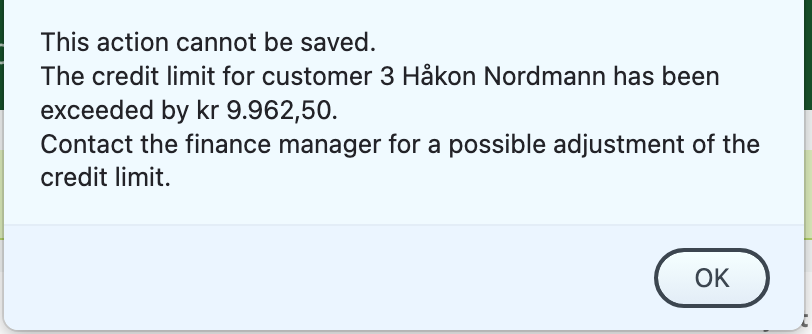
With the credit block active on selected order statuses, an attempt to exceed the selected block by adding more products triggers the following error message:
Existing orders
Existing orders on customers, if a block is set on the customer, will not block the sale, but will show a warning on the order.

Changes to the credit block on a customer
When making changes to the credit block on a customer with an active order, an error message is triggered, but the sale is not blocked.
A change to the credit block is an event the system logs on the timeline, so there is full traceability regarding who, what and when the change was made.
Accounts receivable
Since the credit limit is based on open customer ledger items in the system, it is a prerequisite that invoices are marked as paid, either by OCR import or payment registration. Without an up-to-date accounts receivable, you will not get the intended benefit from the feature.
When using the Tripletex API integration, payments on invoices in Tripletex are automatically synchronised to Telaris.
Limitations and exceptions
- Index adjustment of prices
- Negative lines in orders
- Accounts receivable
- Other dashboards that automatically set order statuses
- Changes to the credit block made by users (logged on the timeline)
- Changes to order statuses
- Updating the price on the order

Was this article helpful?
That’s Great!
Thank you for your feedback
Sorry! We couldn't be helpful
Thank you for your feedback
Feedback sent
We appreciate your effort and will try to fix the article