Sending orders and invoices to the cash register
Orders and invoices can be sent from Telaris to Duell for payment in the cash register. Both are created as locked POS orders in Duell. This guide explains how to send them, what can be sent, how to cancel, and who has access.
TABLE OF CONTENTS
- Sending an order to the cash register
- Cancelling an order in the cash register
- Sending an invoice to the cash register
- Who can send what
Sending an order to the cash register
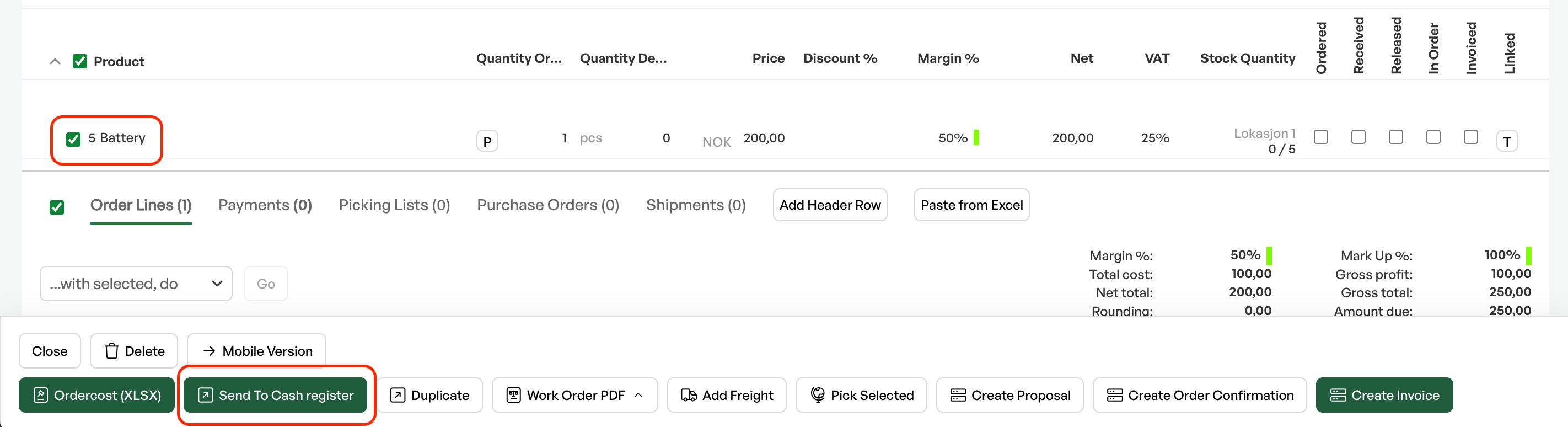
From the order page in Telaris you can select order lines and send them to the cash register using the button Send til kasse. The order is created in Duell as a locked POS order, and the customer can then pay in the cash register.
How to do it:
- Select the order lines to be sent, and click Send til kasse
- The order status is set to «cash register system»
- The customer is exported to Duell if it does not already exist there
- Each product is exported to Duell if it does not already exist there
- The order is created in Duell as a locked order with product lines, prices, discounts and VAT
- The order lines are marked as sent in Telaris with the Duell order ID
What can be sent:
An order line can be sent to the cash register when it has not already been sent, is not a heading line, is not a sub-line, has a price, has a product and has a quantity. Lines that cannot be sent are marked visually on the order page.
Tip: You can send parts of an order. Select the lines you want to send now, and the rest can be sent later or handled in Telaris.
Lines with a quantity of 0 cannot be sent to the cash register
Cancelling an order in the cash register
Orders that have been sent to Duell but not paid can be cancelled. The cancellation deletes the order in Duell and removes the Duell reference from the order lines in Telaris.
This is done by going to the tabs at the bottom of the order screen, finding the tab marked Duell, clicking it and pressing "avbryt" on the line
NOTE: Orders that are already paid in Duell cannot be cancelled.
Sending an invoice to the cash register
Invoices can be sent to Duell for payment in the same way as orders. From the invoice page, click Pay in Cash Register.
When the invoice is paid in Duell, the payment status is updated automatically, and the related accounting transactions are reversed in Telaris.
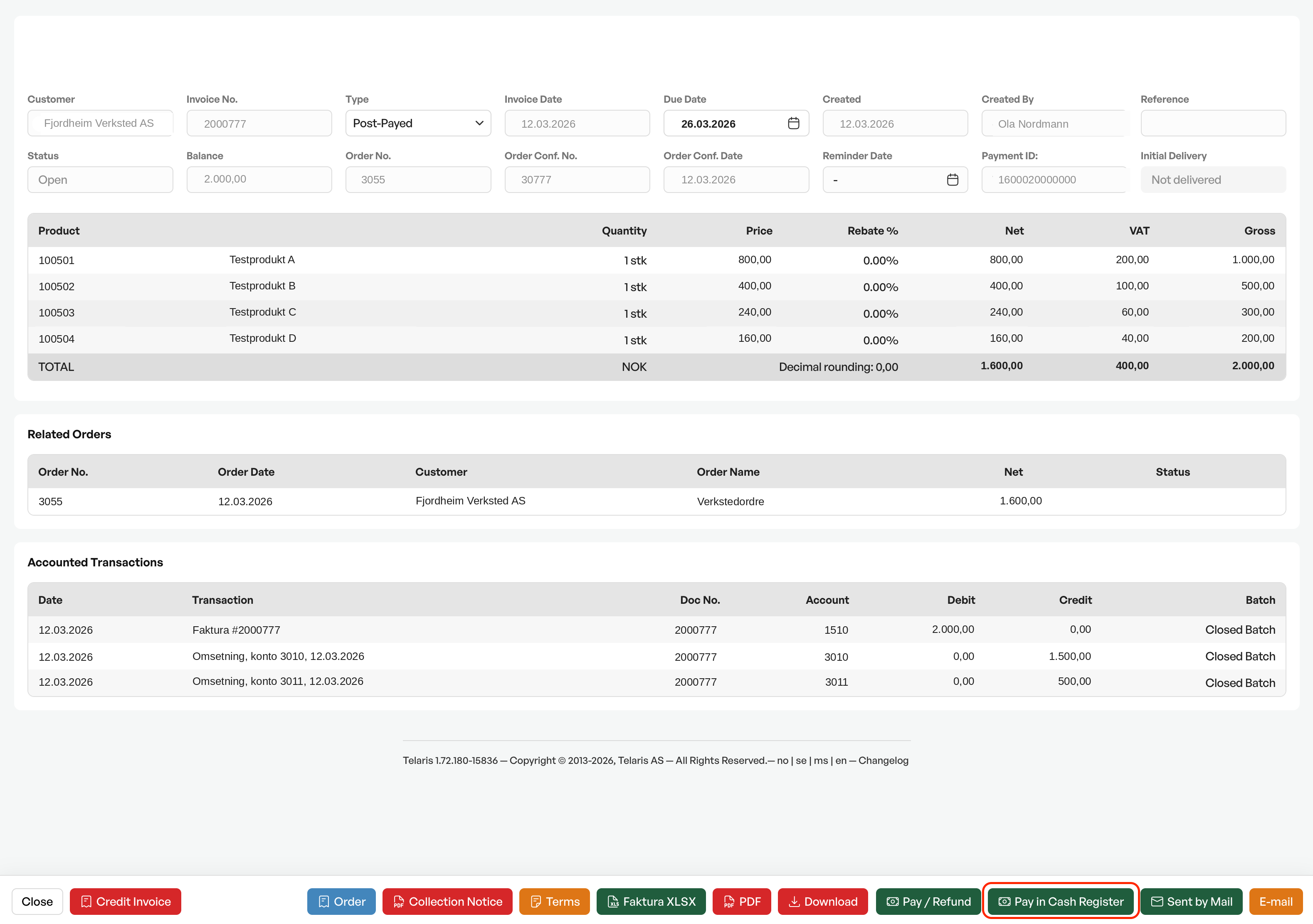
NOTE: If an invoice has been sent to the cash register but should not be paid there after all (for example because it is to be sent electronically), it must first be withdrawn from the cash register. For security reasons, this is done by Telaris support. Contact Telaris support if needed. Invoices that have already been paid in the cash register cannot be withdrawn. An order that has been sent to the cash register, on the other hand, can be cancelled by you, as long as it has not been paid.
Who can send what
| Role | Permissions |
|---|---|
| Administrator | Full access to cash register settings (connection, department linking, employee linking, manual synchronisation). In addition, only administrators can send invoices to the cash register («Pay in Cash Register»). |
| User with order access | Can send orders to the cash register and see synchronisation status on order lines, as long as the cash register licence is active. Requires no administrator role. |
There is no separate «cash register» permission beyond the licence. The distinction is between order and invoice: sending an order is available to ordinary users with order access, while sending an invoice is reserved for administrators.

Was this article helpful?
That’s Great!
Thank you for your feedback
Sorry! We couldn't be helpful
Thank you for your feedback
Feedback sent
We appreciate your effort and will try to fix the article