Linking Order Lines to an Existing Purchase
Guide on how to link existing order lines to active purchases
TABLE OF CONTENTS
Purpose
To link existing order lines to manual purchases in Telaris in order to connect the need with the sale.
Procedure
To link order lines to an existing purchase, you must first have an open purchase for the same supplier as the product in the order line is to be linked to.
When such a purchase exists, a plus value for incoming goods will be shown.
You then click the number with the '+'.
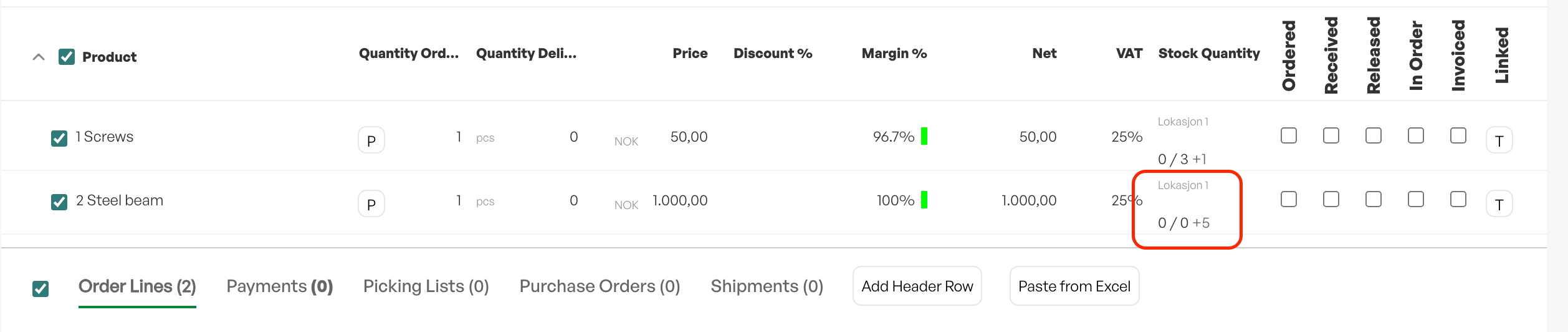
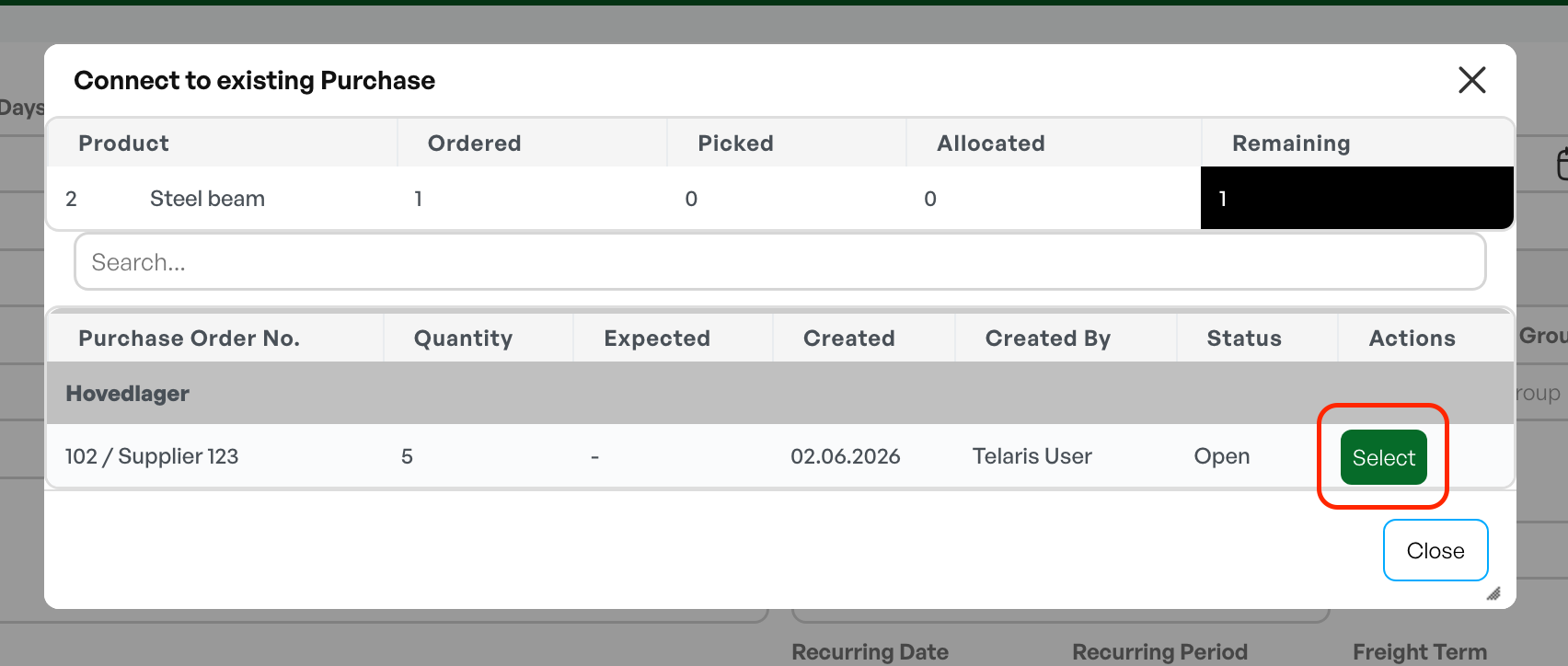
A dialog box then appears showing all active purchases that contain the order line you want to link to the purchase.
To choose which purchase to link to, click 'Select'.
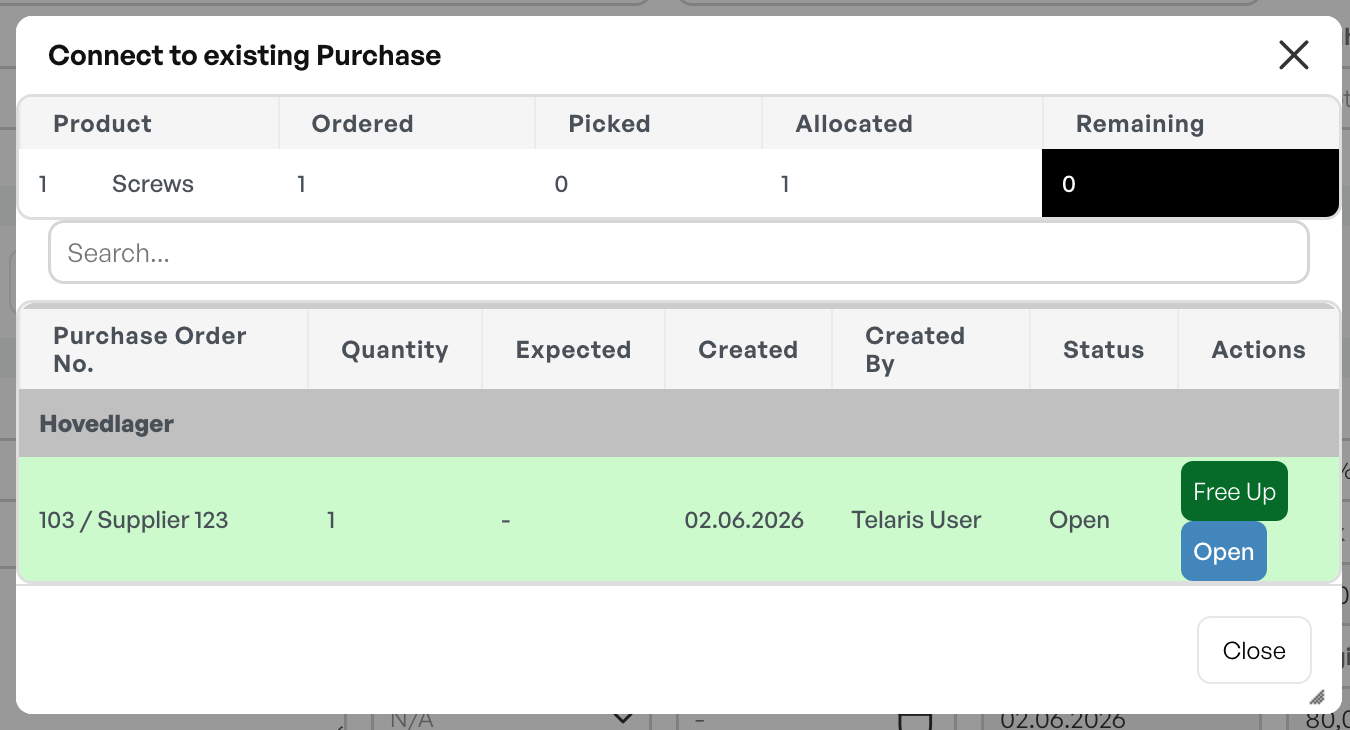
Part two of the dialog box is then shown, and the order line is linked to the purchase you selected in the image above. To view the purchase you have linked to, click 'Open'.
Releasing the Link from the Order
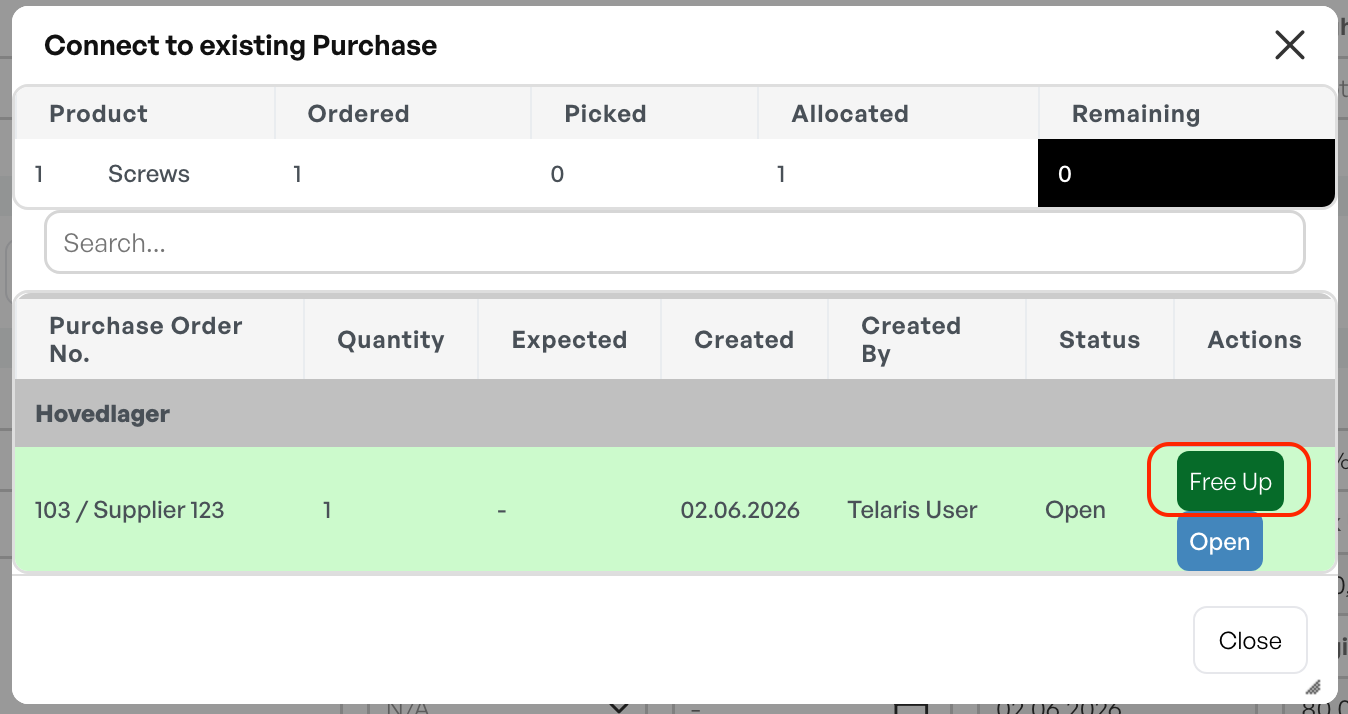
To release the link between the order and the purchase, click the 'Free up' button.
This unlinks the order line and the purchase, and you can choose a new purchase or cancel the whole process of linking the order line to a purchase.

Was this article helpful?
That’s Great!
Thank you for your feedback
Sorry! We couldn't be helpful
Thank you for your feedback
Feedback sent
We appreciate your effort and will try to fix the article