Creating a Purchase from the Purchase Planner
Purchase via the Purchase Planner
The purchase planner is an inventory monitor that uses product settings to identify purchasing needs.
The purchase planner is explained in a separate article, see the link below.
From the purchase planner, you first go to the desired supplier. You can filter by warehouse, supplier, and product class if needed.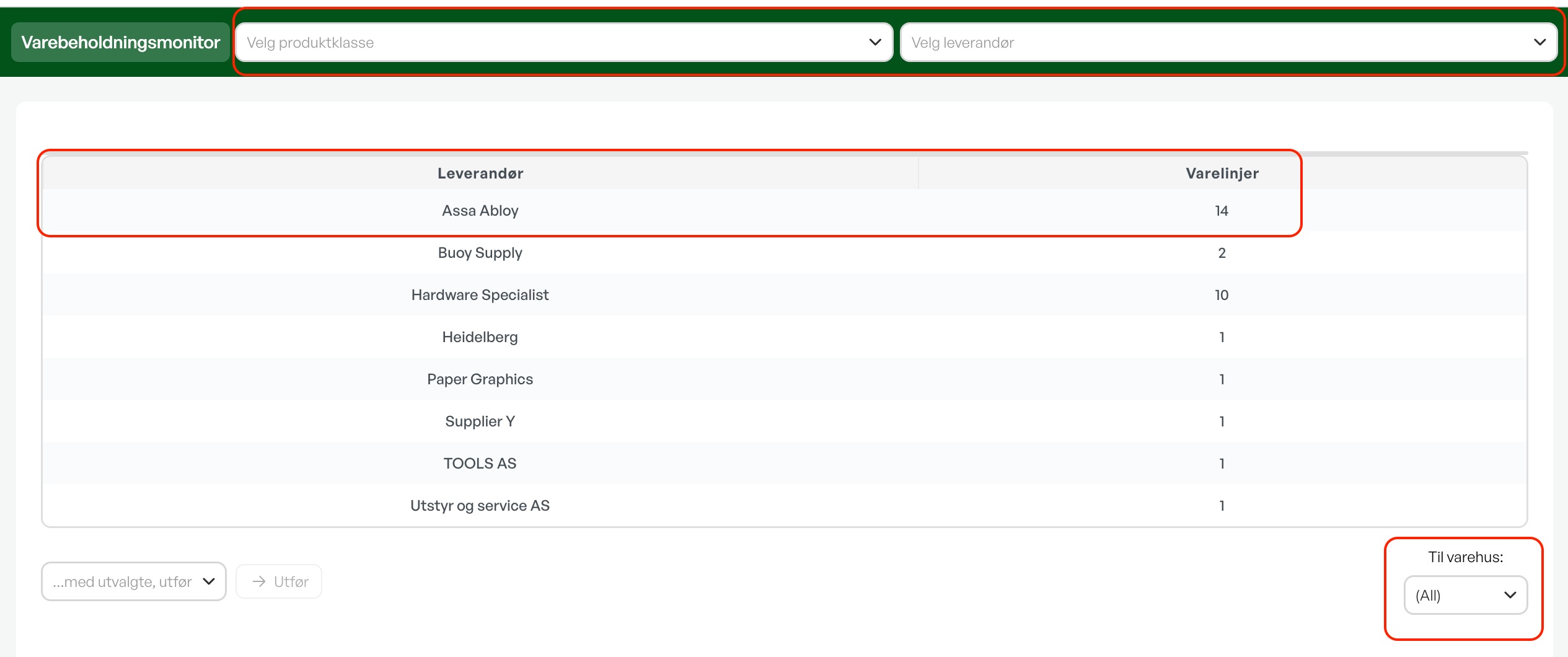
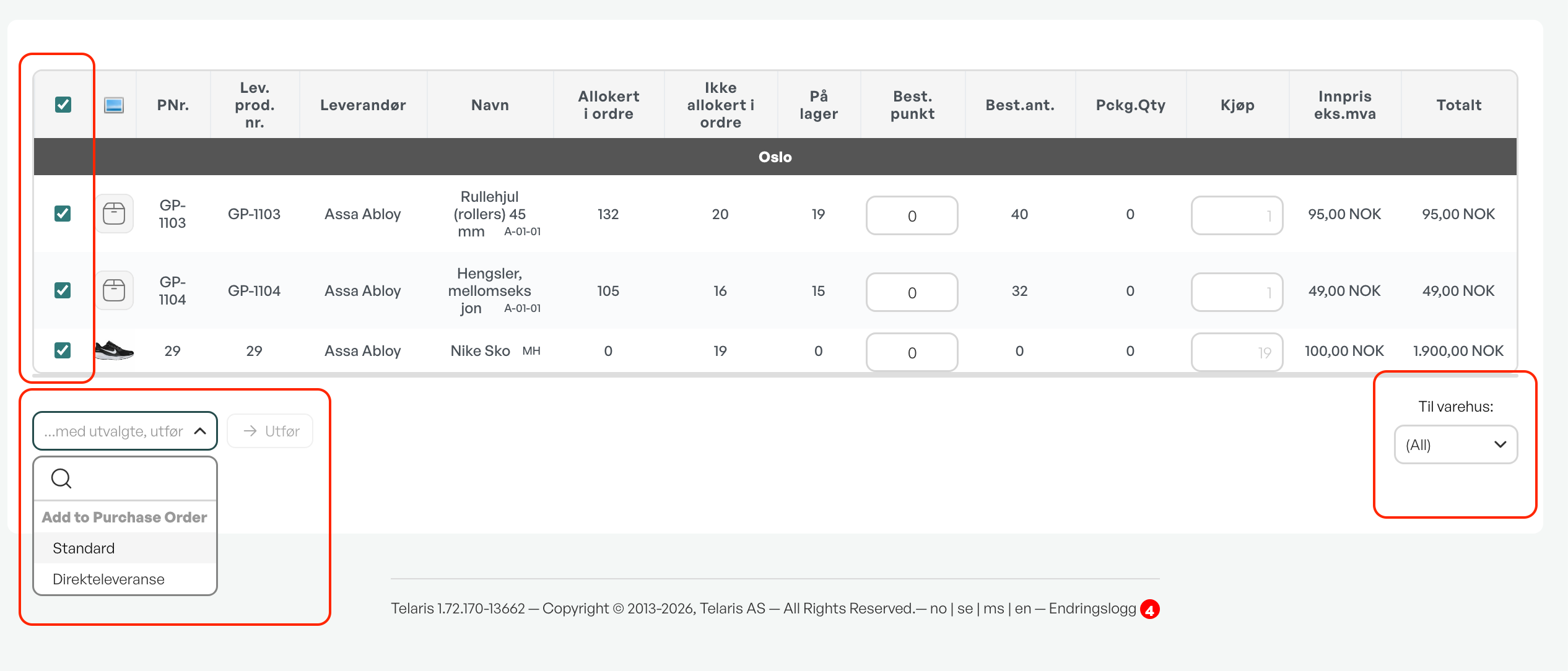
By marking the desired products you want to purchase and using "..With selected, perform", you create a purchase in the same way as from an order.
Guide: Purchase planner

Was this article helpful?
That’s Great!
Thank you for your feedback
Sorry! We couldn't be helpful
Thank you for your feedback
Feedback sent
We appreciate your effort and will try to fix the article