Purchases from the purchase planner
Guide to creating purchases from the purchase planner
TABLE OF CONTENTS
Creating a purchase from the purchase planner
In the purchase planner, purchase suggestions are listed per supplier. The number of products suggested for purchase is shown next to each supplier.
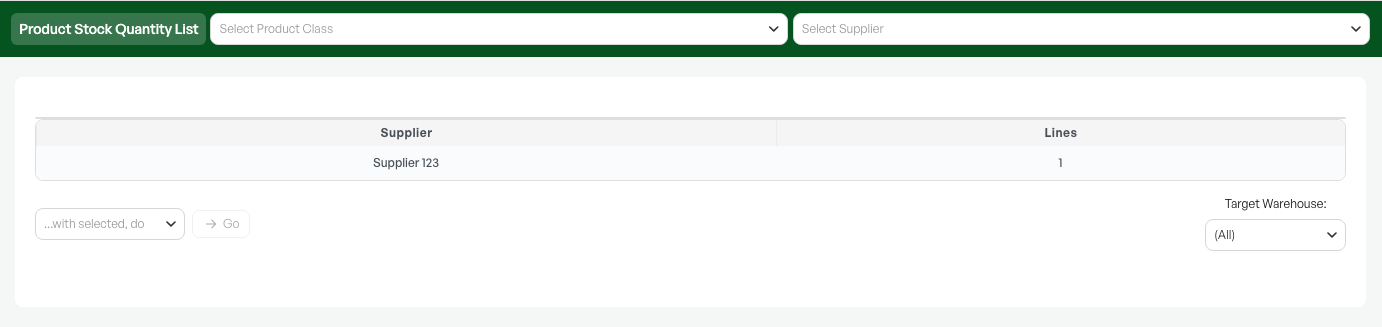
Select products
When you click a specific supplier, you see all the products linked to that supplier that are suggested for purchase.
Then you select the desired products, use the "With selected, do" menu, create a purchase of the desired type, and complete it as normal.
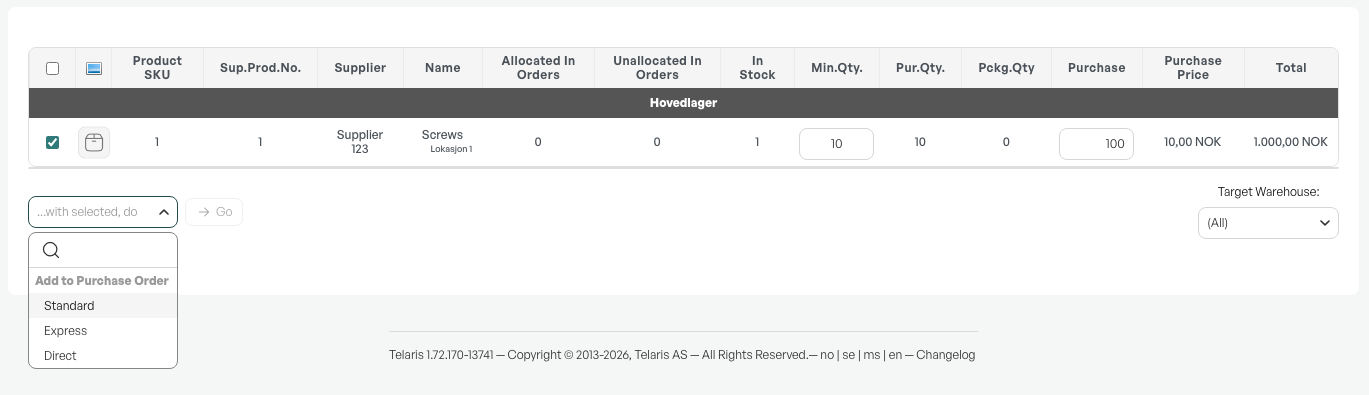
Note: If you have an open purchase for the supplier, the products are added to that open purchase.
Guide: Purchasing

Was this article helpful?
That’s Great!
Thank you for your feedback
Sorry! We couldn't be helpful
Thank you for your feedback
Feedback sent
We appreciate your effort and will try to fix the article