Warehouses and locations
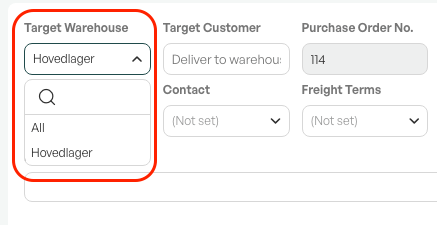
When creating, or in a purchase, you can choose which warehouse the purchase should go to. You can also choose "All", and then the purchase applies across all warehouses if there are several.
Locations
Products with a location are placed in stock at the location set as default on the product. If you override the storage location in the purchase, you can choose yourself which location the product is placed at during goods receipt.
Note: All products must have a default location set on the product card.

Was this article helpful?
That’s Great!
Thank you for your feedback
Sorry! We couldn't be helpful
Thank you for your feedback
Feedback sent
We appreciate your effort and will try to fix the article