Purchasing serial numbers
Guide to purchasing serial numbers
TABLE OF CONTENTS
Serial numbers
1. Activate serial number management
Make sure to make a product serial-number managed by checking the checkbox at the bottom of the product card.

This activates new functionality in the purchase of the product.
2. Completing the purchase
Purchasing a serial-number managed product gives extra functionality at goods receipt.
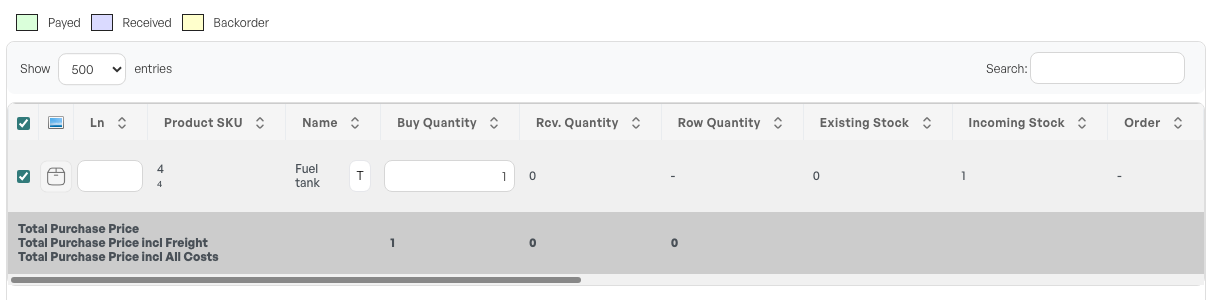
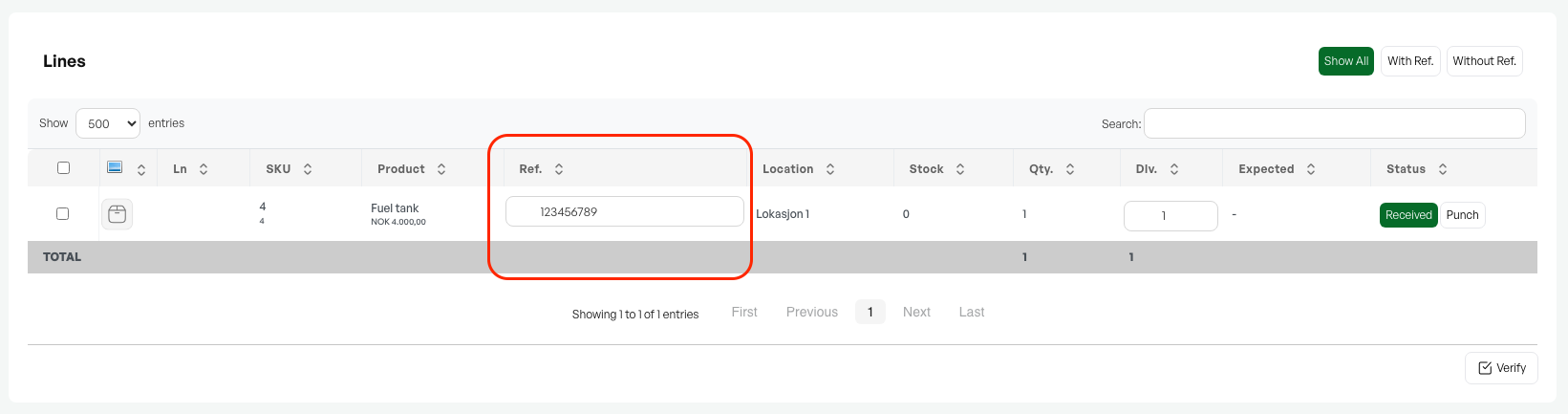
At goods receipt, you get a field to add serial numbers. If you have more than 1 in quantity, the lines are split so that you can add a serial number per product.
Complete goods receipt as normal.
3. Serial numbers in stock
On the product's stock tab, all serial numbers are shown under "Stock details".

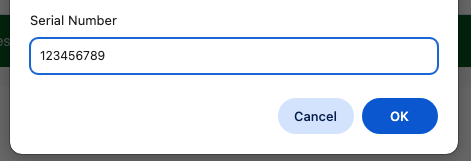
If you need to edit the serial number, you can click the number to bring up a dialog for editing it.
Guide: Selling serial numbers

Was this article helpful?
That’s Great!
Thank you for your feedback
Sorry! We couldn't be helpful
Thank you for your feedback
Feedback sent
We appreciate your effort and will try to fix the article