Counting serial numbers
This help article only applies to products that have stock-managed serial numbers in the system.
For our customers who actively keep serial numbers in stock by having the checkbox "Require serial number" active on the product card, and have completed purchasing of these products and set serial numbers on goods receipt, this instruction must be followed to count these products.

INNHOLDSFORTEGNELSE
Procedure
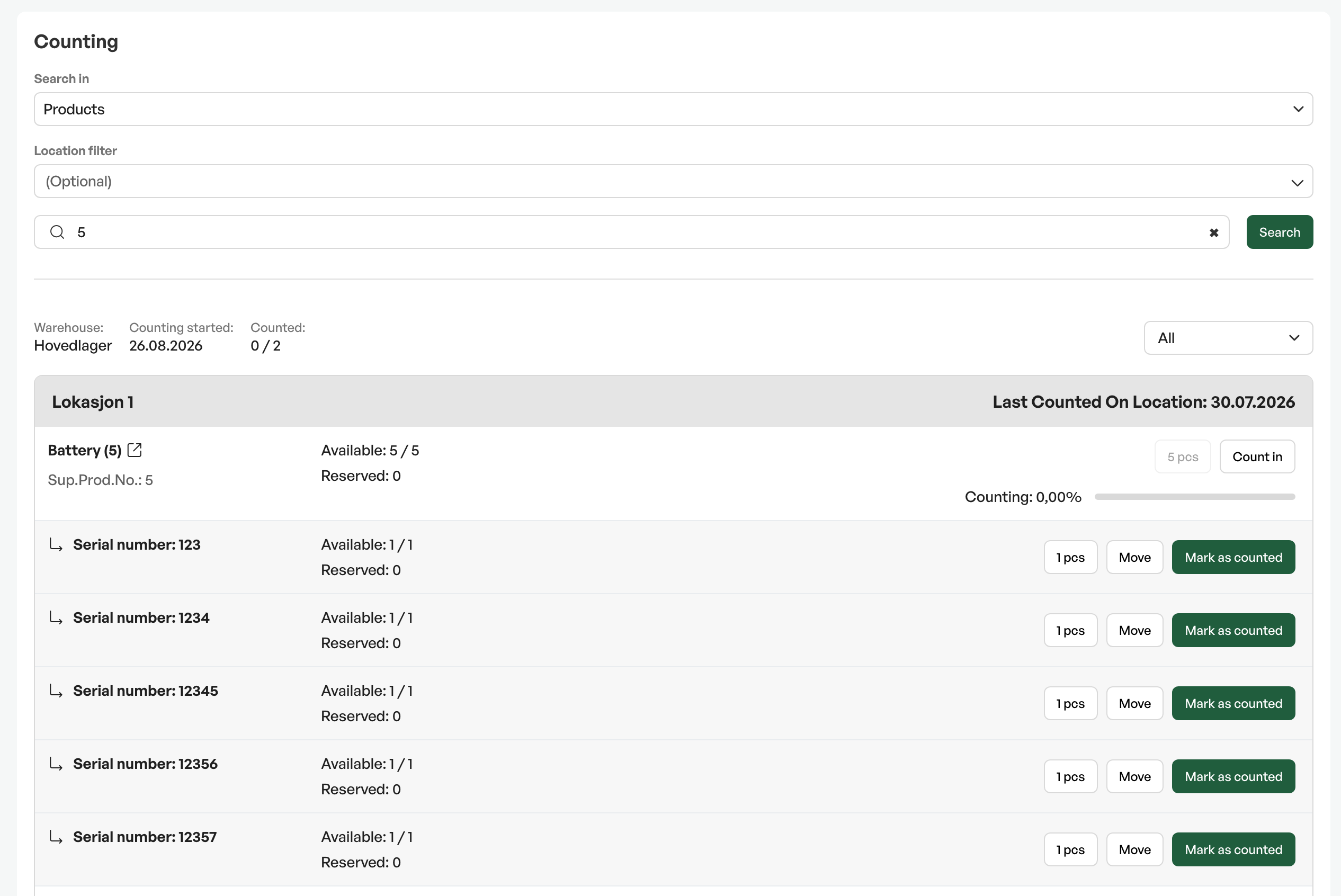
In the stocktaking dialog you can choose to see only serial-number-controlled products, or search for serial-number-controlled products normally from the product list.
Serial numbers are shown with the parent product, plus one serial number per line. A total progress of the counting of the product with serial numbers is also shown.
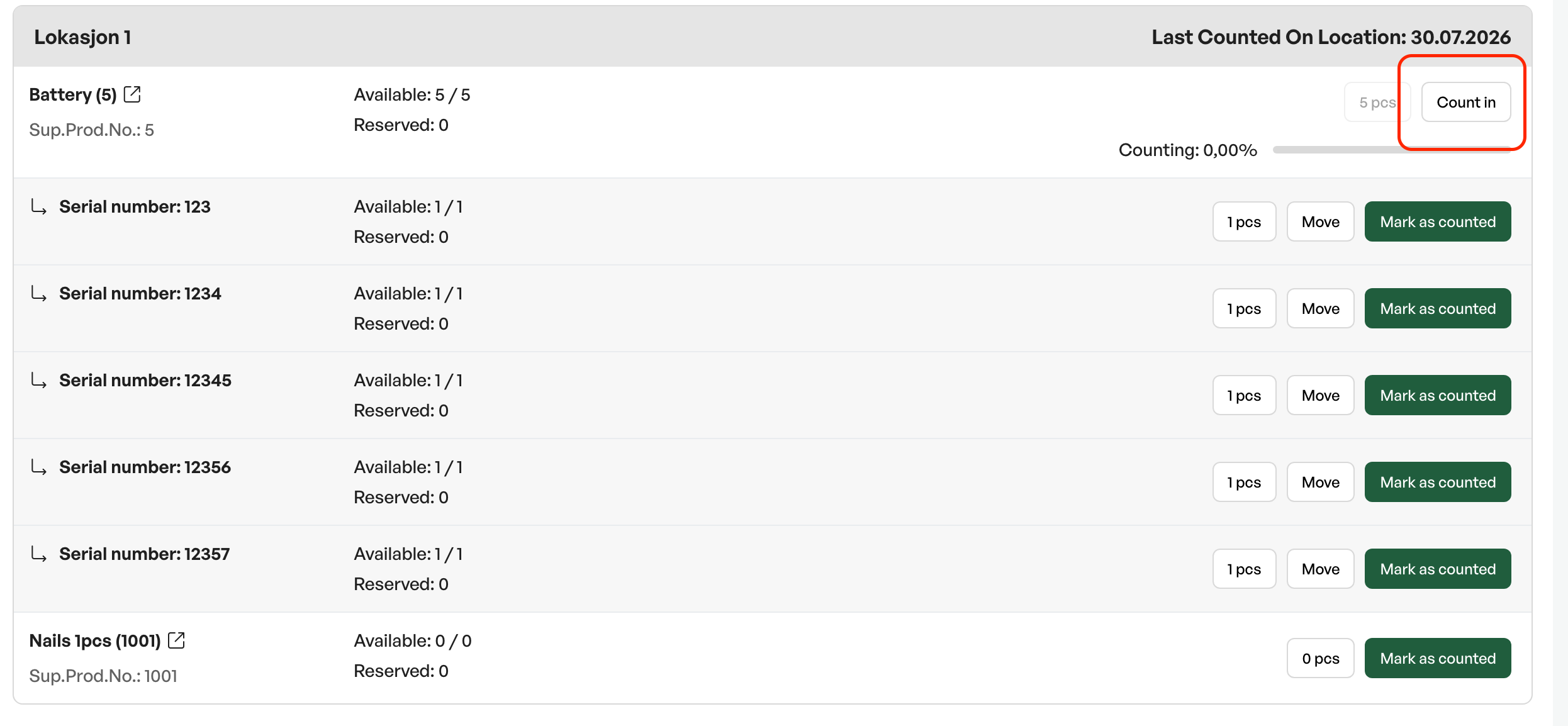
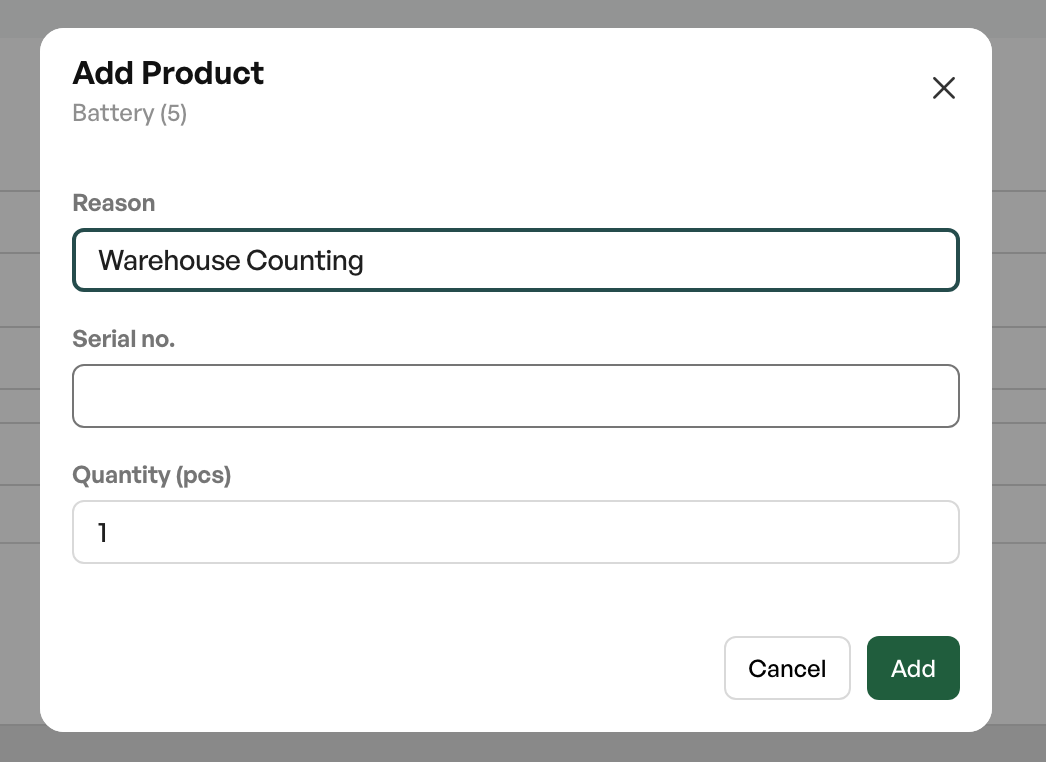
If you find serial numbers that are not already registered in Telaris, you can count them in directly during counting, done via the "count in" button. You then enter the serial number and quantity in the dialog box that appears.
Reporting
In the control report for stocktaking there is a separate heading for serial numbers, so that these are easily included in the ordinary stocktaking.


Was this article helpful?
That’s Great!
Thank you for your feedback
Sorry! We couldn't be helpful
Thank you for your feedback
Feedback sent
We appreciate your effort and will try to fix the article