Select allocation of products
Guide showing how to select which products to allocate in an order.
Purpose
Being able to select the products to allocate makes it possible to choose which products in stock to sell in a specific order.
This function is often used in the sale of products with serial or batch numbers.
Selecting allocation allows you to view the cost price of products and sell what you want in a specific order.
Select allocation
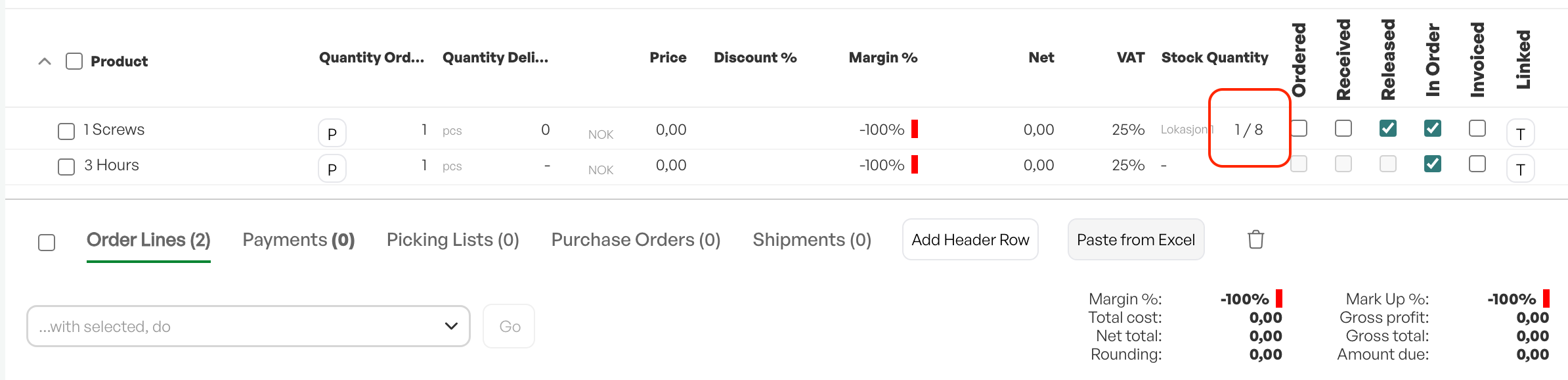
To select products in stock, click on the numbers under 'In stock' on the order lines.
You will then be able to choose which warehouse and location you want to allocate the product from.
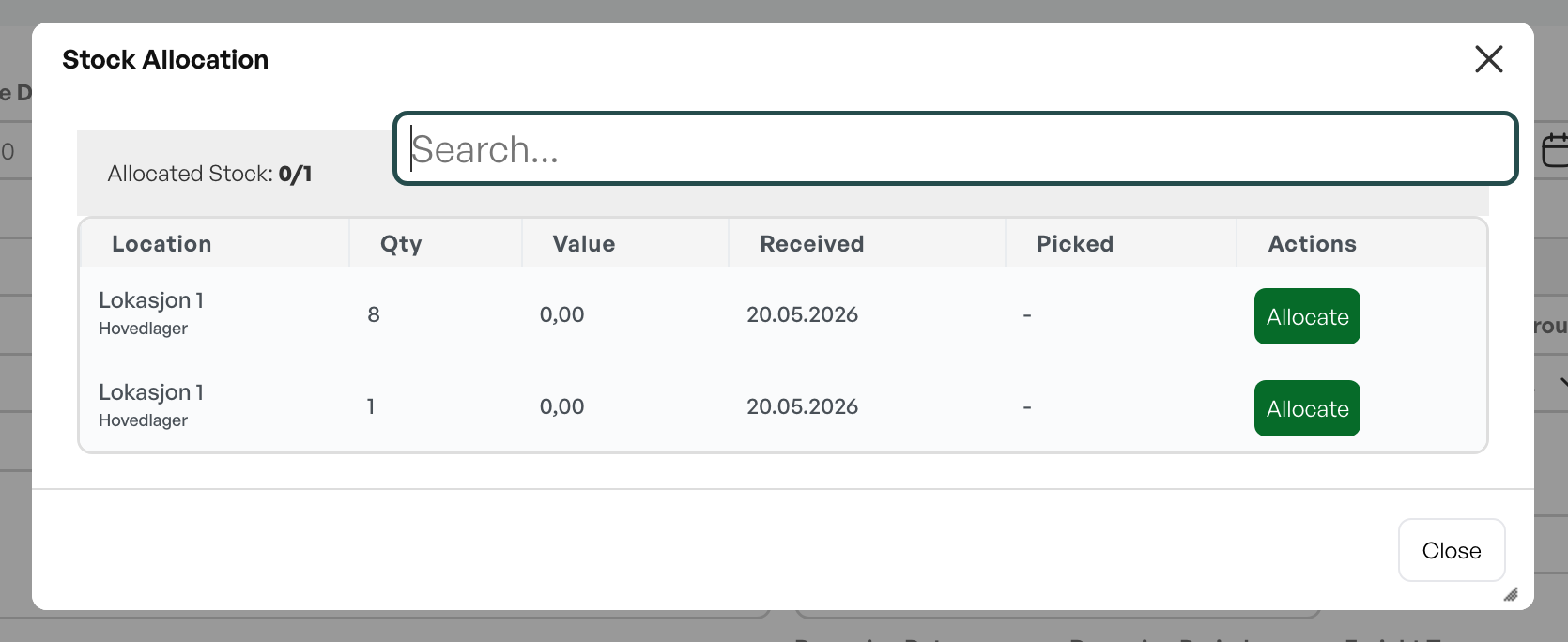
When allocating from specific batches, the batch number follows the order line.
Release allocation
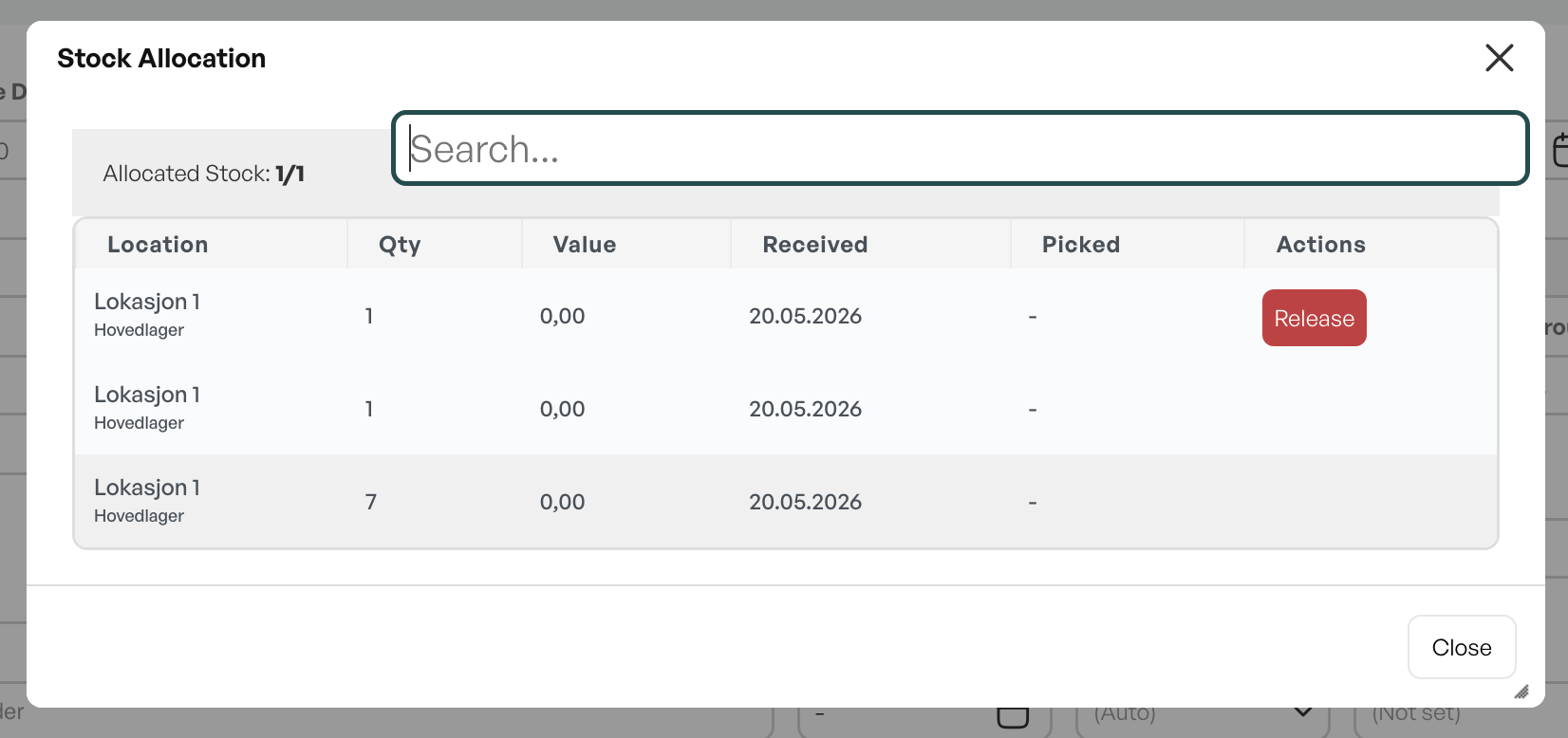
To release an allocation, click on the numbers under 'In stock' on the order line where the product is allocated, and click 'Release' to free it. The product is returned to stock where it was.
All cost prices of the product will be shown here.

Was this article helpful?
That’s Great!
Thank you for your feedback
Sorry! We couldn't be helpful
Thank you for your feedback
Feedback sent
We appreciate your effort and will try to fix the article