Catalog: Dealer package - Distribution package
The option to import the package size and price for a package, and get the price per unit.
TABLE OF CONTENTS
Guide
For importing a file where you have package size/metered goods etc. and a price per package.
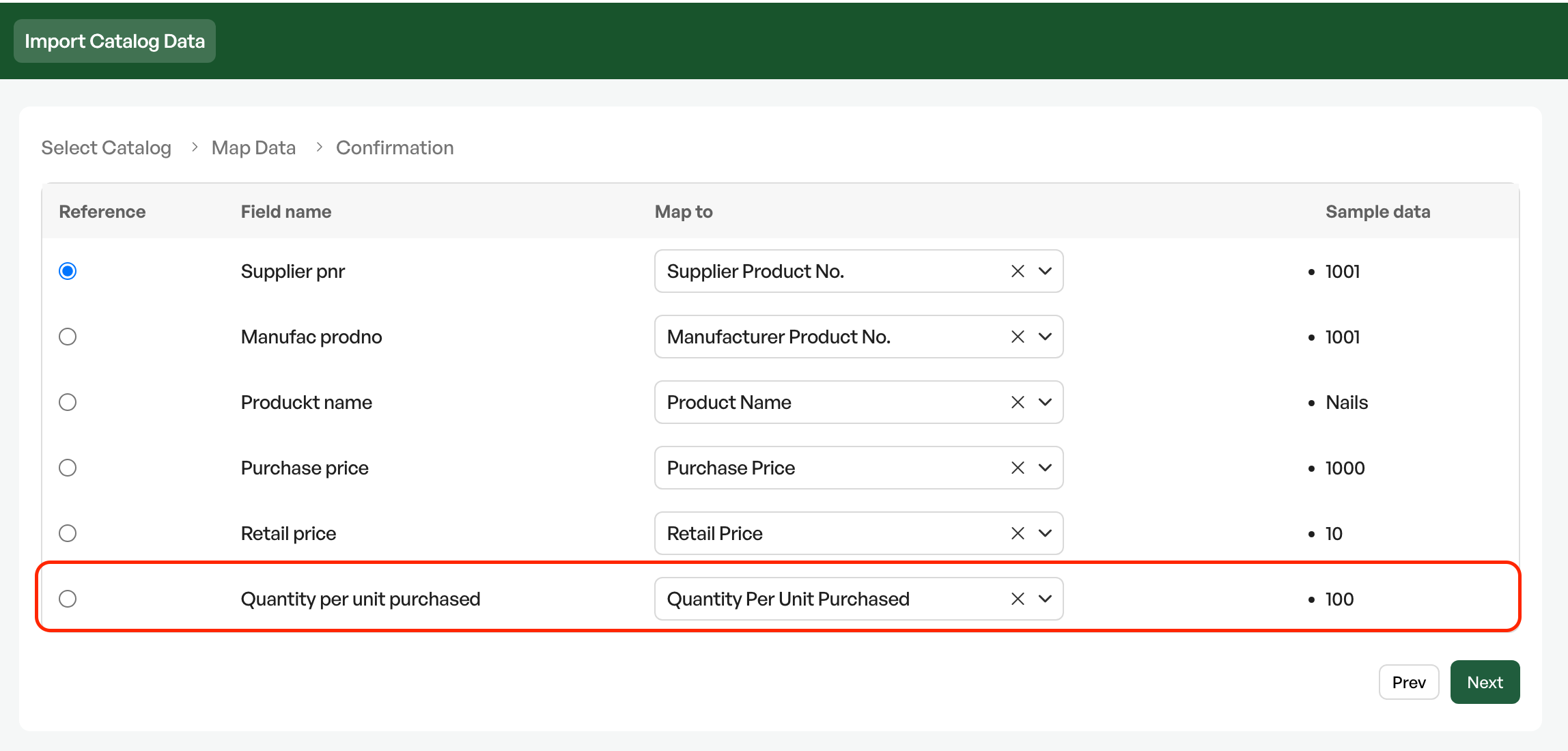
To enter the package size, you map the package size to the field"Quantity per unit purchased"
Note that the purchase price of the product that will use the "Quantity per unit purchased" function must have the price for the whole package/roll.
Import
Excel file structure

In the mapping you choose the field "Quantity per unit purchased"
Product information
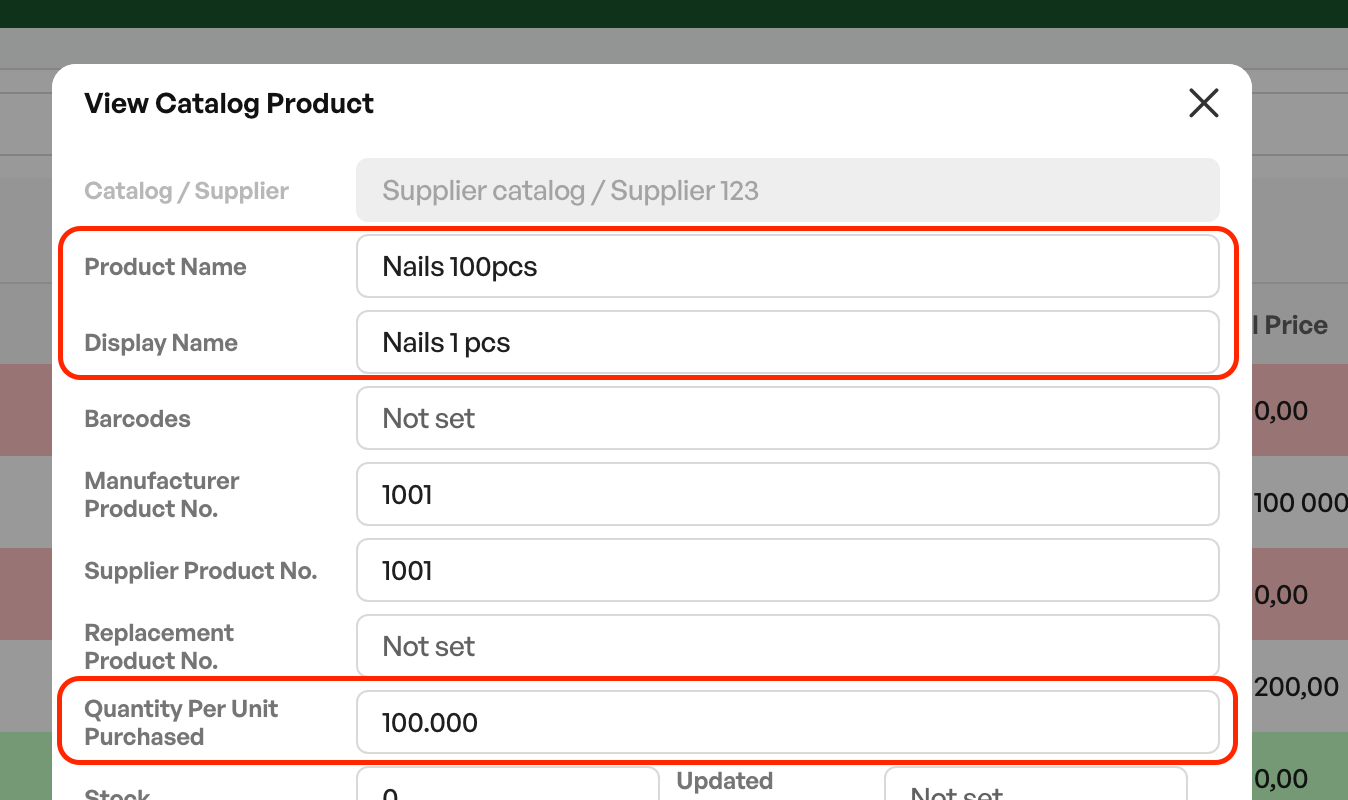
On the catalog product you can also set "Display name" - which will be the name shown on the product card and in orders.
On the catalog product card, the function for dividing by package is shown as"Quantity per unit purchased"
Pricing
Imported products using F-pak/D-pak will have a display on the product showing the purchase price divided by the quantity.
In the example image below it is shown as 1000(x100). This is the package divided by the quantity in the package.
The sales price is set per unit as normal.
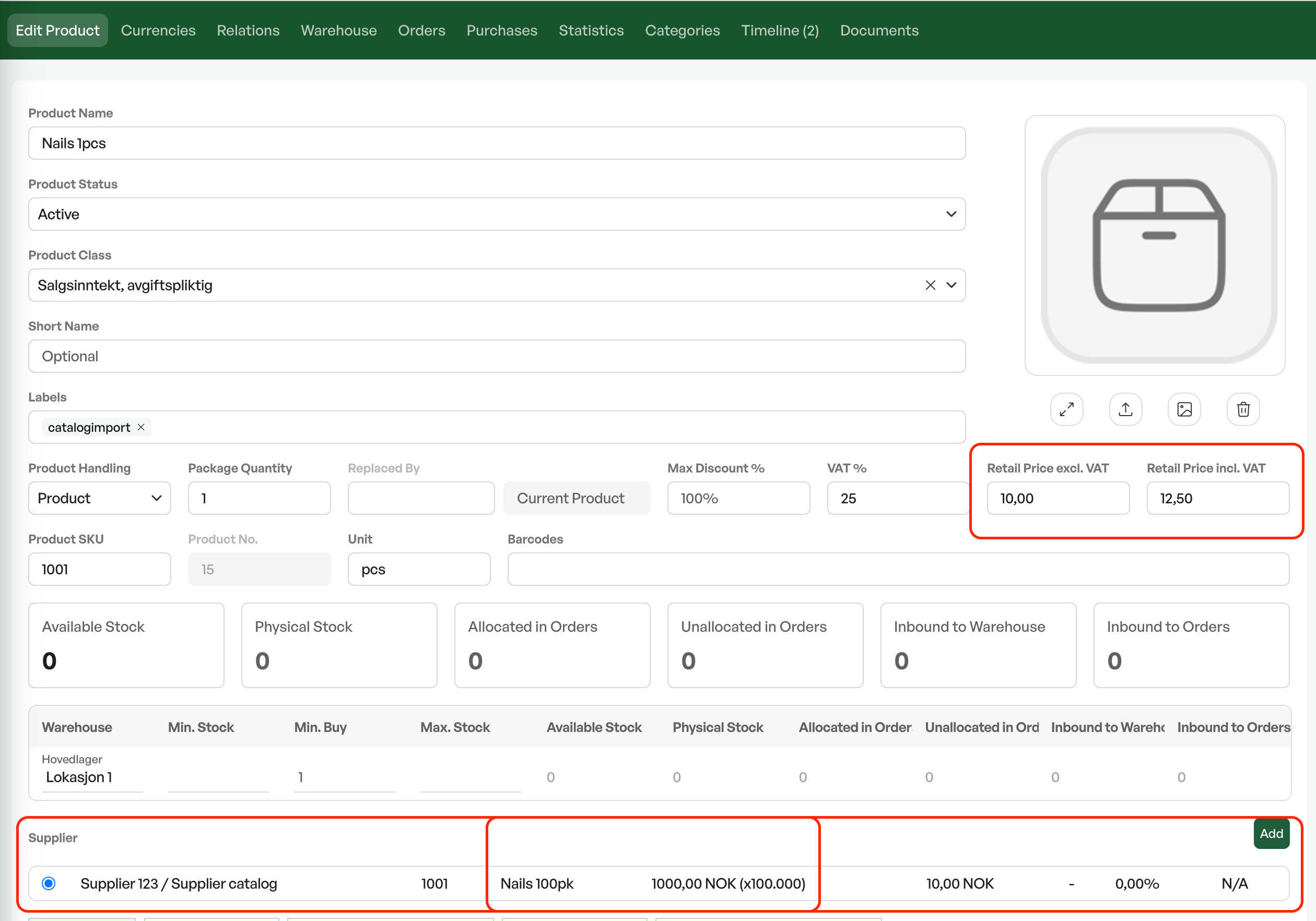
This calculates the cost price and sales price based on the package size.
Example Dealer package pricePackage price: 1000,- Quantity: 100 = Cost price 1000 / 100 = 10,- = Sales price set per unit: 10,- excl. VAT
NB: The price of the products mapped to F-pak/D-pak must have the purchase price for the whole package/roll.

Was this article helpful?
That’s Great!
Thank you for your feedback
Sorry! We couldn't be helpful
Thank you for your feedback
Feedback sent
We appreciate your effort and will try to fix the article