Discount groups
In the button row on catalogs is the button 'Edit discounts'. Here you can create and edit discount groups.
Used, for example, when suppliers send out catalogs where you only get a price and a discount.
Discount groups can then be used to create the purchase price.
TABLE OF CONTENTS
Setup
Discount groups are used to set a discount on purchase prices.
On the catalog card, the button 'Edit discounts' is shown.
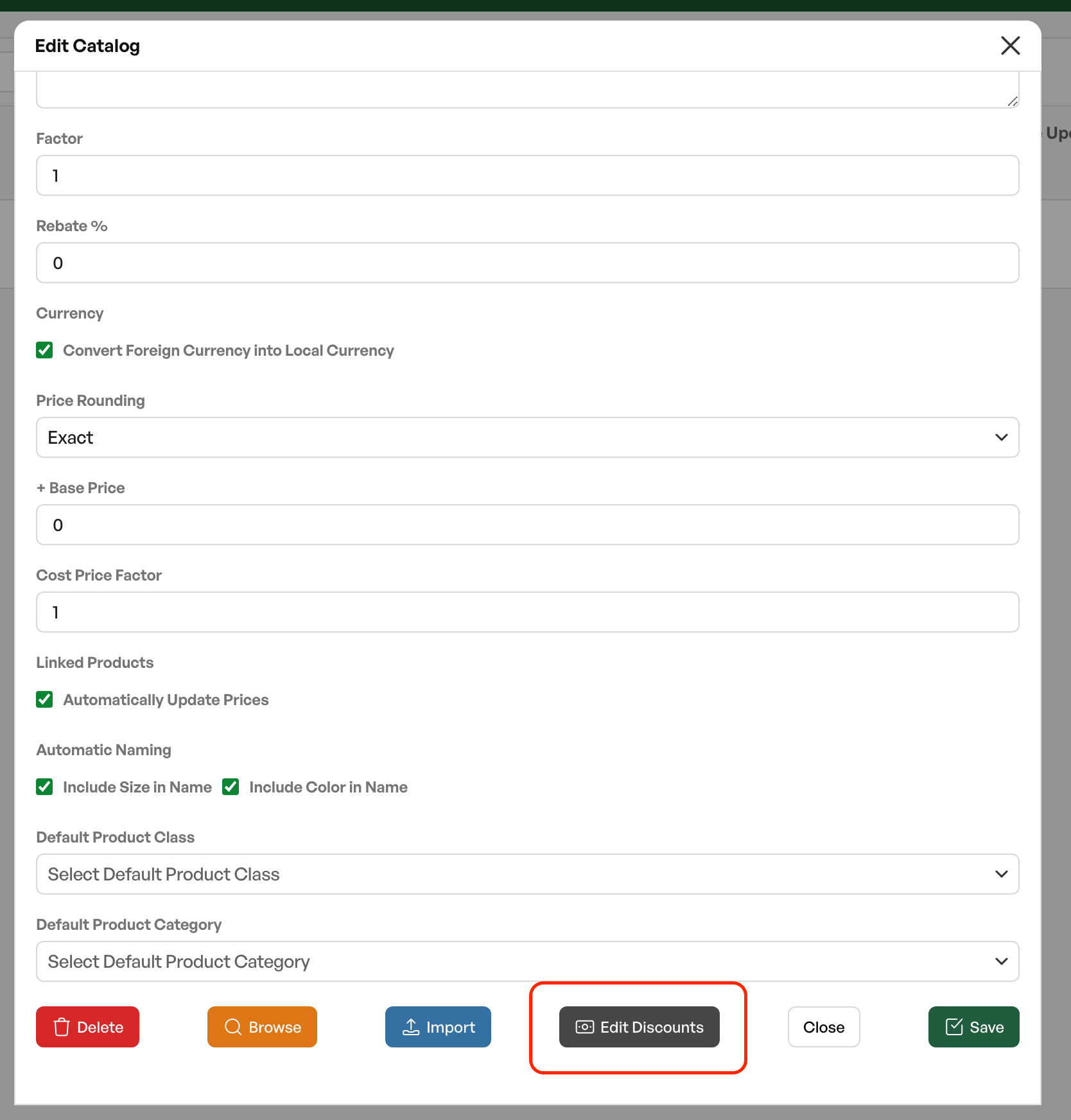
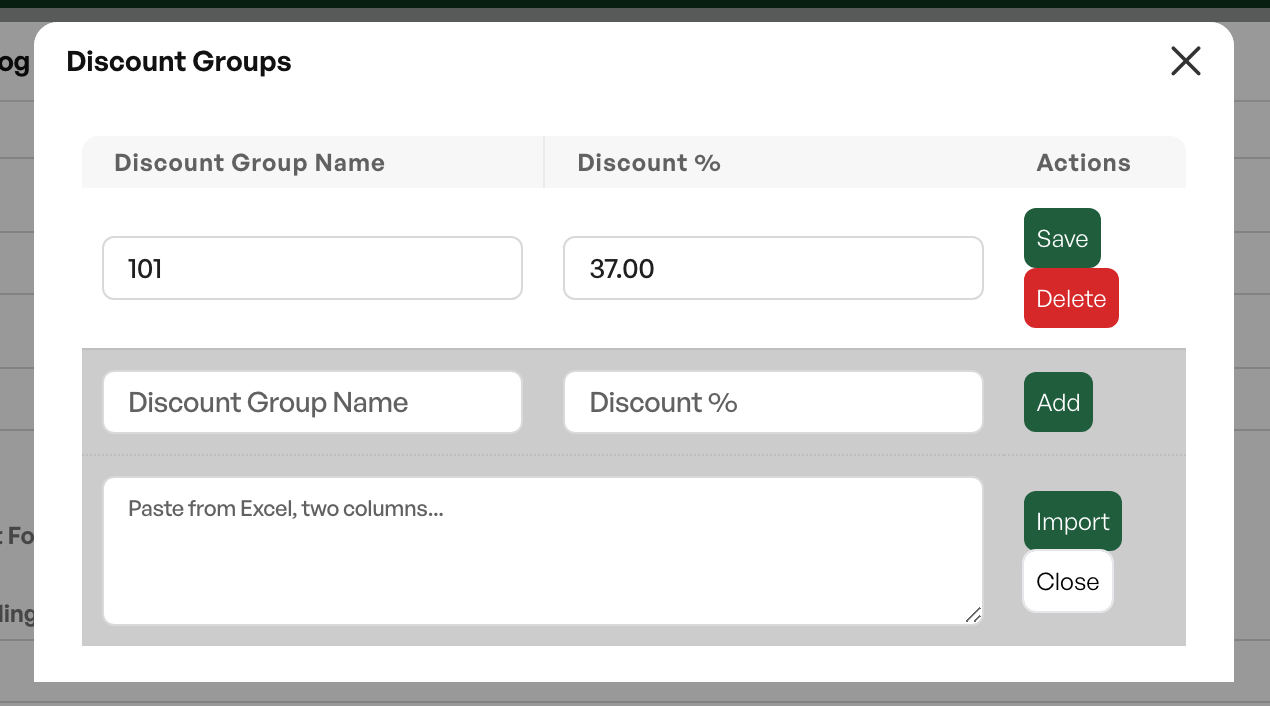
The procedure for setting discount groups is either by adding a group name and discount percentage and saving per line, or by pasting several discount groups and percentages from Excel. Paste without headers.
| Discount group name | Discount percentage |
| 101 | 37 |
Use
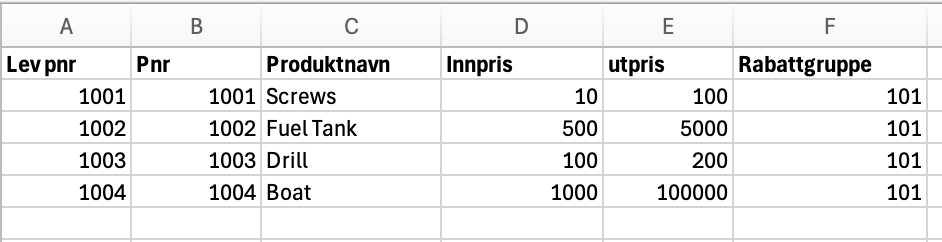
When importing a catalog from a file, discount groups are set up as a separate column. The discount group has a name, for example "101" as in the image below.
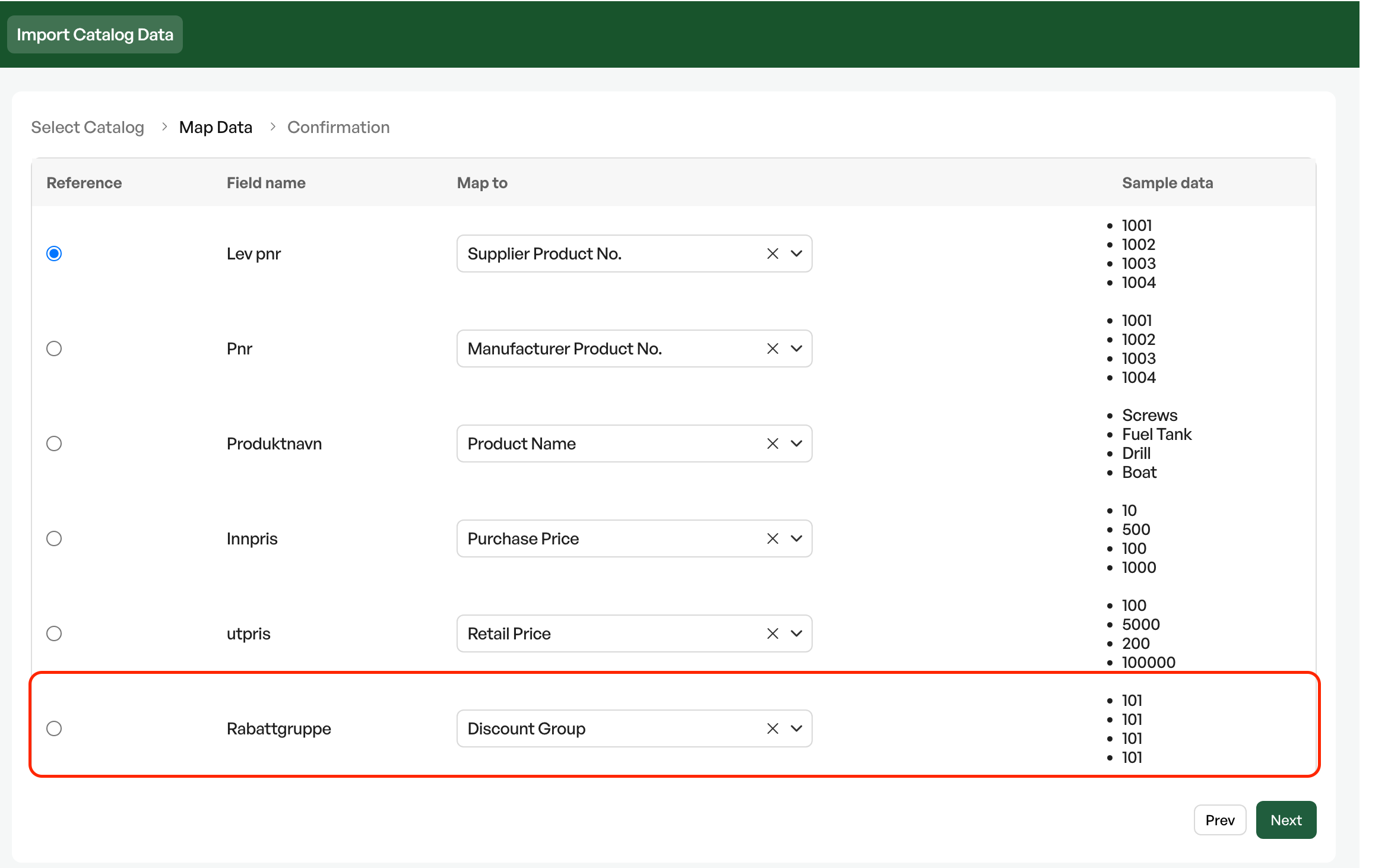
In the mapping process, you choose the discount group as a separate field in the mapping.
When discount groups are in use, they are shown with the discount percentage chosen for the discount group on the catalog product, and are reflected on the product.

See the article on pricing methods to see how to create purchase and sales prices with discount groups.

Was this article helpful?
That’s Great!
Thank you for your feedback
Sorry! We couldn't be helpful
Thank you for your feedback
Feedback sent
We appreciate your effort and will try to fix the article