Vacation and flex balance
Guide for how to configure and adjust the vacation and flex balance in Telaris, including hour types and individual settings.
TABLE OF CONTENTS
NB: To enable Work plan, contact Telaris.
Settings, overall setup
To set the standard working hours before the system counts hours towards the flex account, a work plan must be created. Example: 7.5 hours on weekdays. Hours beyond this count as flextime, unless the hour type is excluded (e.g. paid overtime).
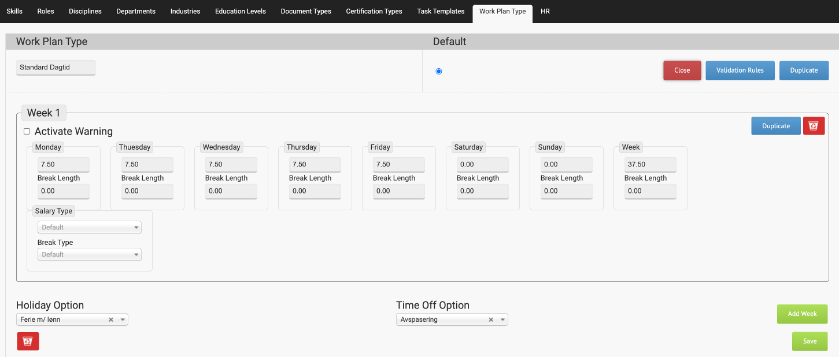
Validation rules
In this example we set the same rules to apply around the clock, from 00:00 to 23:59.
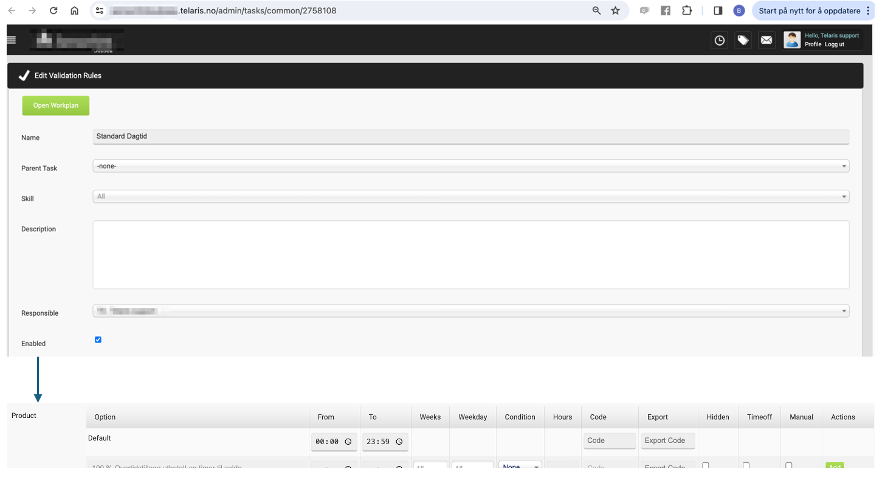
Validation rules can be set for the whole day or customised as needed.
Linking employees to a work plan
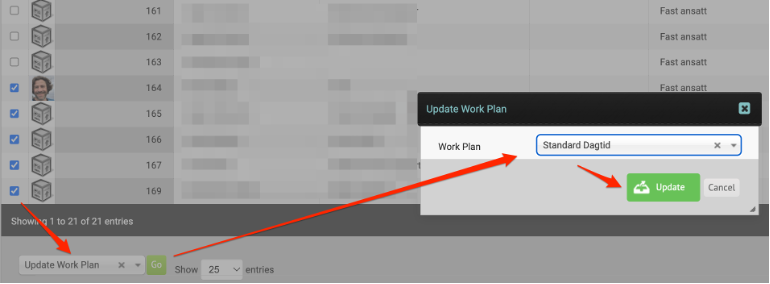
Employees can be linked to the work plan either via mass update from the personnel search or directly in the personnel card.
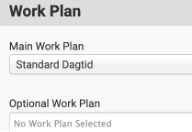
Can also be changed directly from the employee's personnel card, one employee at a time.
Permissions for HR functions
Via '/admin/personnel#hr' the system administrator can choose who is allowed to adjust the vacation and flextime balance.

System date/cutoff for calculating the vacation and flex balance
In the fields 'Remaining vacation...' and 'Remaining Flexible...' you enter the desired 'cutoff' dates for calculating the vacation and flex balance.
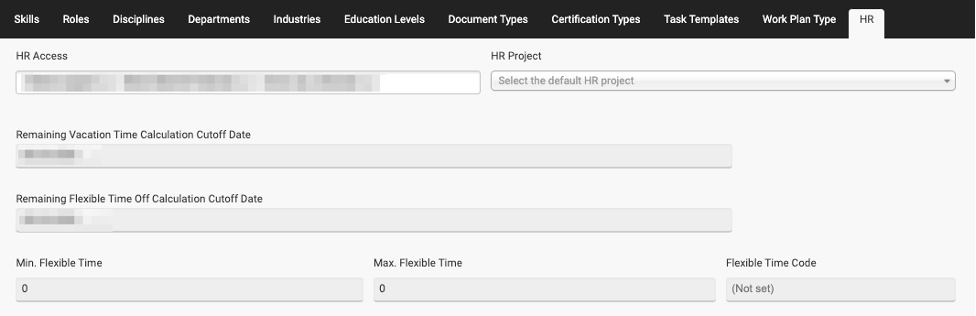
The section below, which shows minimum flextime and codes, is only relevant if you have set up
advanced setup in connection with the work plan.
Settings on hour types
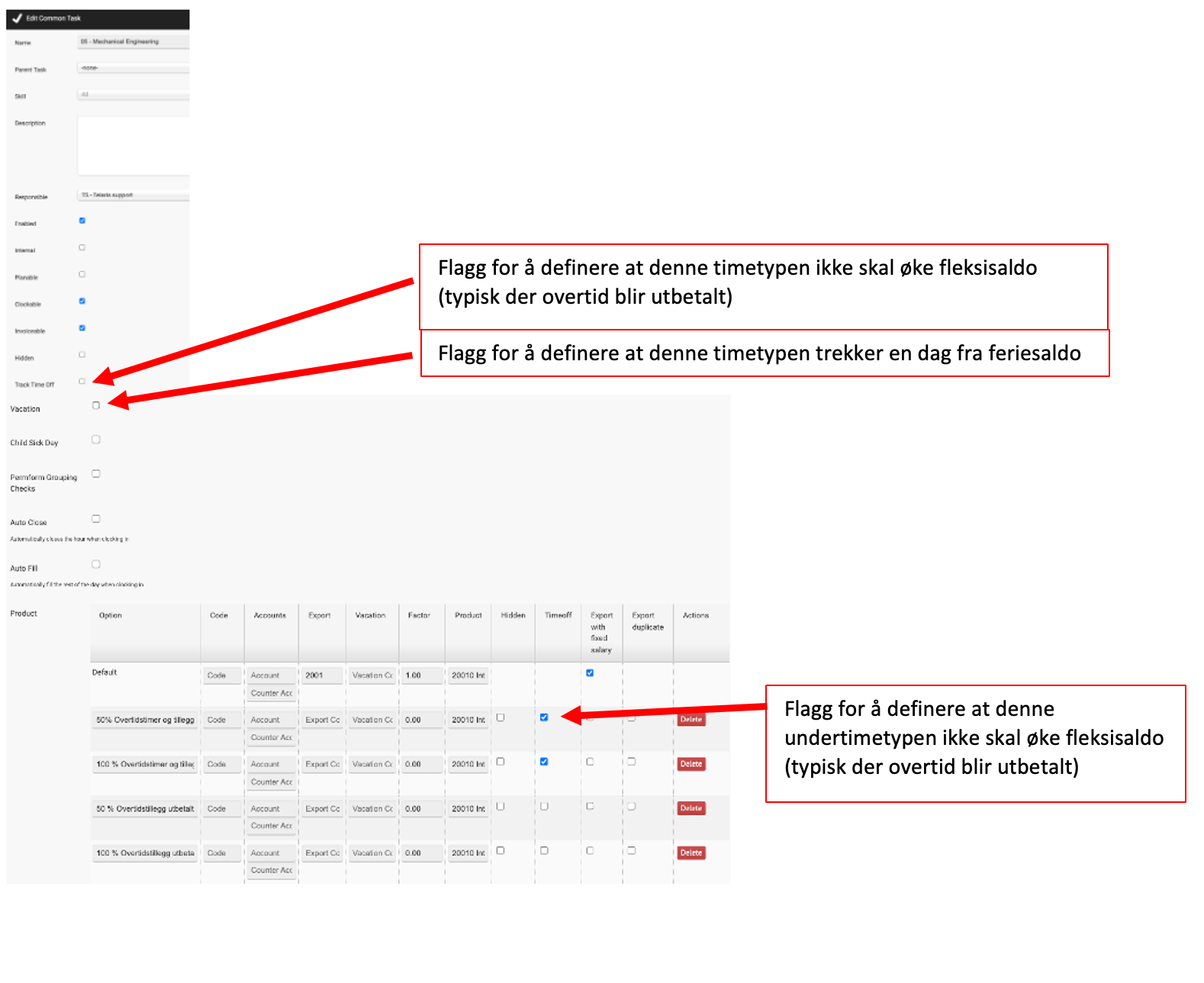
From/admin/tasks/commonyou can specify:
- Hour types that should not increase the flex balance (e.g. paid overtime)
- Hour subtypes that should not increase the flex balance
- Hour types that deduct a day from the vacation balance
Settings per person
From/personnel/searchor directly via the personnel card you can adjust vacation and flextime.
Individual change from the personnel card. Here you choose the date from which the change applies.

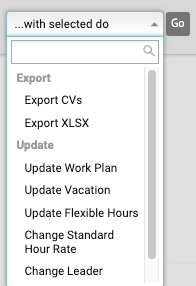
Mass update via the personnel search using 'Update vacation' or 'Update flexible hours'.

Was this article helpful?
That’s Great!
Thank you for your feedback
Sorry! We couldn't be helpful
Thank you for your feedback
Feedback sent
We appreciate your effort and will try to fix the article