Crediting an Invoice with Payment in Telaris
Introduction
An invoice with a payment must be credited using counter-entries to account for the payment made against the original invoice.
TABLE OF CONTENTS
Guide
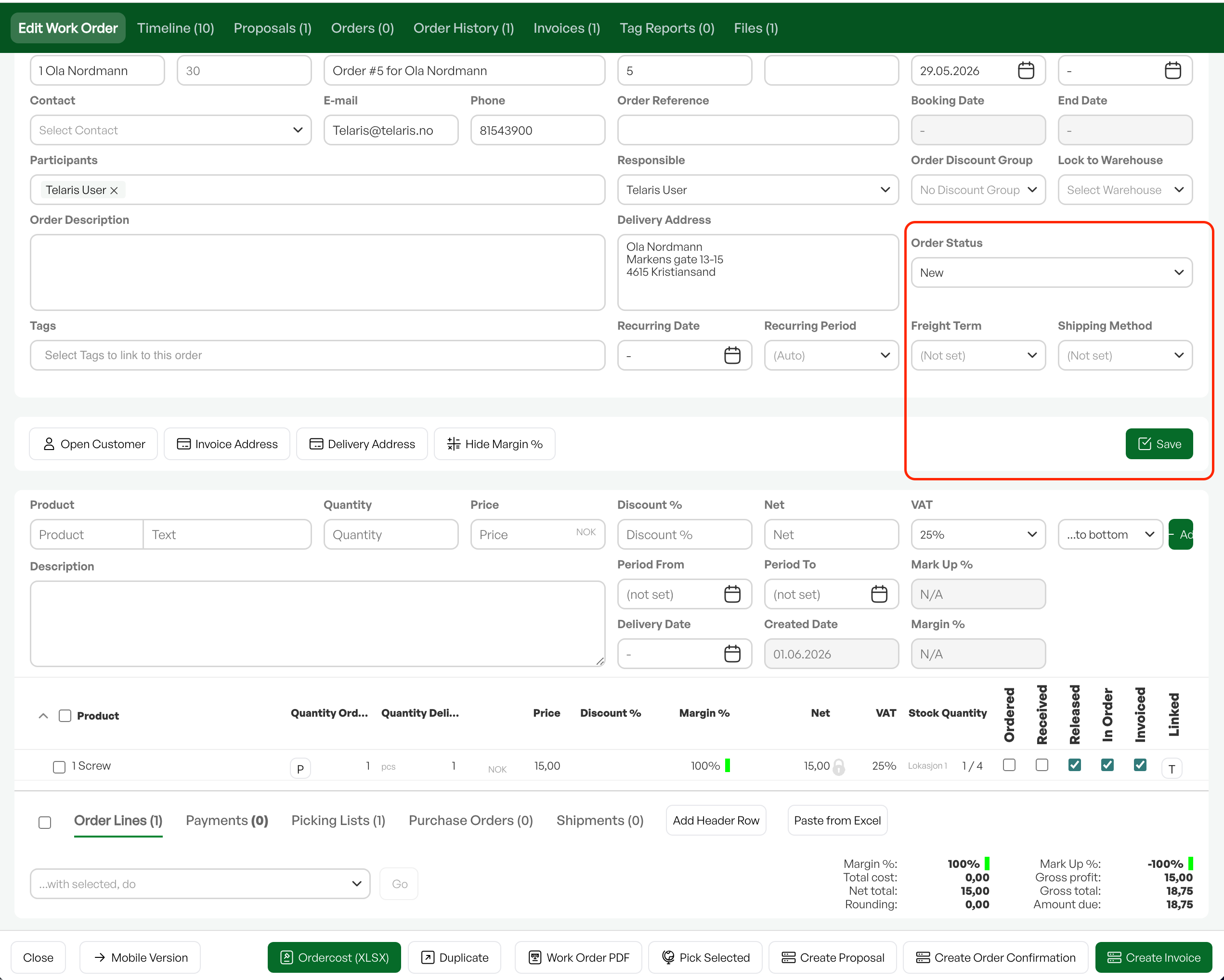
Open the order for the paid invoice and change the order status to 'New', then click 'Save'.
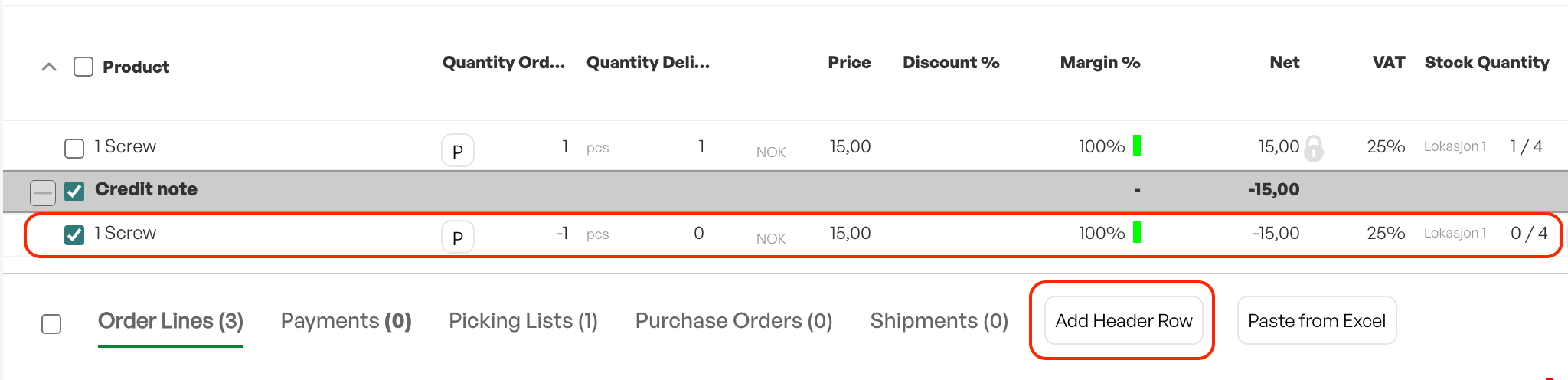
Add a new section, which can be named 'Credit note'. Click 'OK'.
Add the same products that have already been invoiced back to the order.
This time they should be entered with a negative quantity. This is done by placing a minus sign before the quantity when adding the product to the order. Make sure you enter the same quantity as before.
When all lines have been added correctly, the order total will be NOK 0.
Select the 'Credit note' section and invoice these lines in the same way as you would invoice a regular order – this creates a credit note.
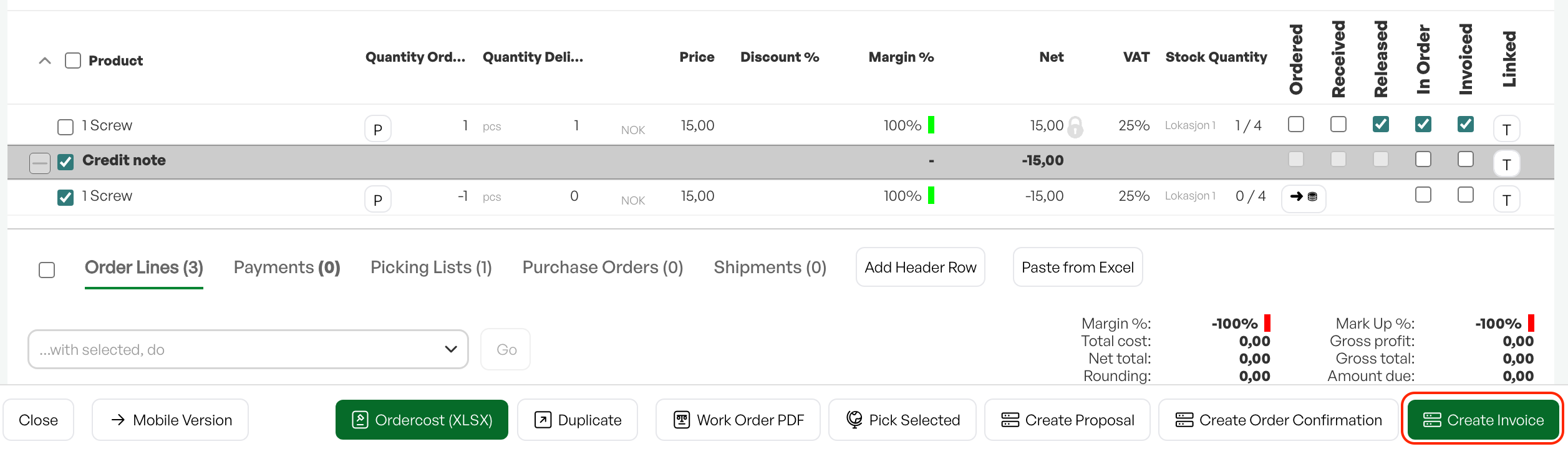
The created invoice will then be a credit note. Note that the refund of the payment upon crediting must be handled in the accounting system.

Was this article helpful?
That’s Great!
Thank you for your feedback
Sorry! We couldn't be helpful
Thank you for your feedback
Feedback sent
We appreciate your effort and will try to fix the article