EHF Invoices from Telaris
In Telaris, you can send an invoice to the recipient via EHF.
A business registered in ELMA/PEPPOL can receive invoices via EHF from Telaris.
TABLE OF CONTENTS
Lookup and Sending
Telaris automatically looks up the organisation number against ELMA/PEPPOL to check whether a customer can receive EHF, and marks this in the invoice information on the customer card by adding the following note to the delivery method for invoices:
'(Found in ELMA, UBL through PEPPOL)'
From the customer card invoice information:
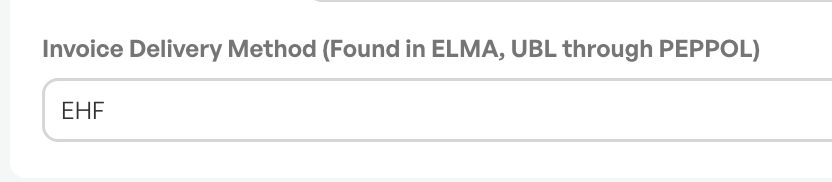
This means the customer can receive EHF, and the option to send EHF becomes visible from the invoice screen in Telaris.
Sending
After creating an invoice, you get delivery options. If the customer is found in ELMA and can receive EHF, the EHF button becomes visible in the invoice screen.
To send EHF, you simply click 'Send via EHF'
From the invoice screen:

Guide: How to create an invoice
After Sending
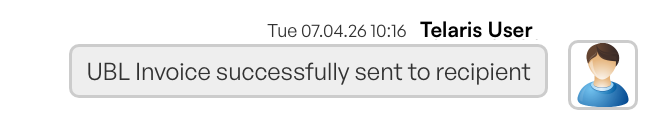
After you have sent EHF, this is shown in the timeline on the invoice as well as in the invoice screen.
The invoice screen:
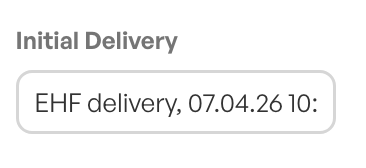
Timeline, confirmed sending:
Troubleshooting Delivery Method
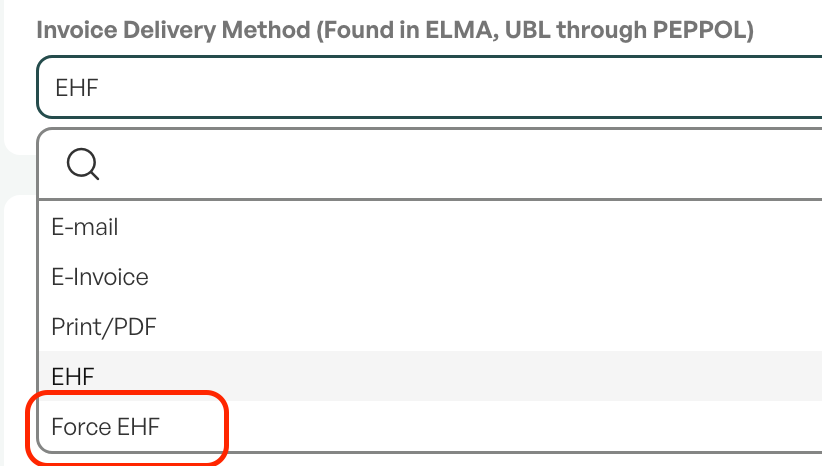
A common problem when sending EHF is the marking 'Force EHF' that is set on the invoice information on the customer card.
The marking 'Force EHF' is used in cases where the recipient is not registered in ELMA, but only in PEPPOL. The function exists to force EHF out via PEPPOL, but also makes it possible to attempt to send EHF to a customer who cannot receive EHF.
NOTE: It is recommended to leave the Delivery method for invoices set to 'Automatisk' (Automatic). If the customer can receive EHF, this will be shown in the invoice screen when sending.

Was this article helpful?
That’s Great!
Thank you for your feedback
Sorry! We couldn't be helpful
Thank you for your feedback
Feedback sent
We appreciate your effort and will try to fix the article