Setting up factoring
Factoring requires the factoring module and an agreement with a factoring partner. This guide describes what must be in place, and how a factoring partner is set up.
TABLE OF CONTENTS
- Prerequisites
- Setting up a factoring partner
- Default factoring partner
- Delivery settings
- Access and permissions
Prerequisites
The following must be in place:
- The factoring module must be activated in Telaris. (Contact Telaris support)
- An agreement with a factoring partner must be in place.
- The factoring partner must be set up in the system.
- Administrator access.
Setting up a factoring partner
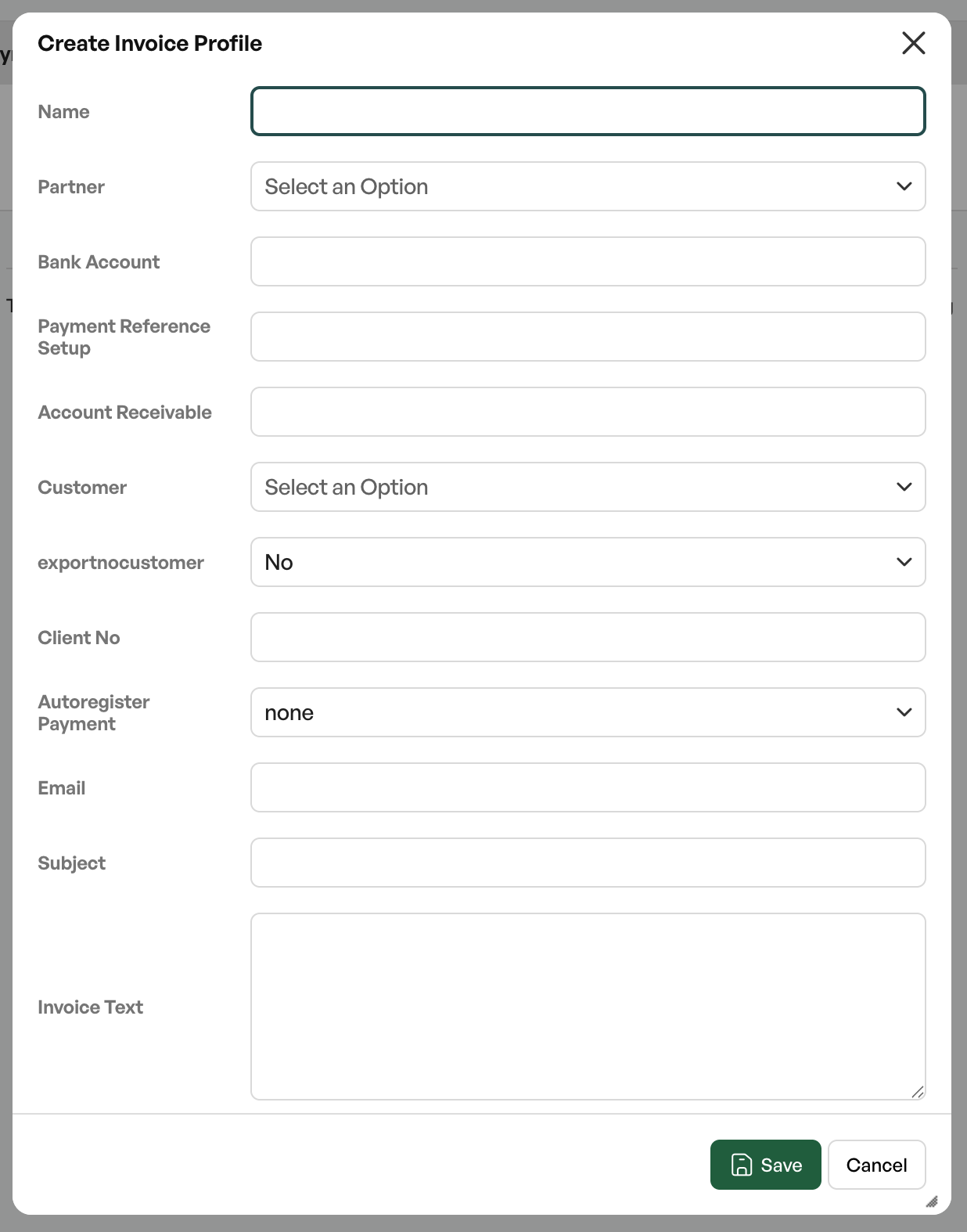
En faktoringpartner settes opp i invoice profiles med blant annet:
- Partner type (DNB, Svea, Nordea, Nordea2 or custom)
- Bank account
- KID format
- Accounts receivable account
- Client reference
- Email address and subject (for delivery by email)
- Invoice text
- Whether payment should be registered automatically
Guide: The partner type must match the agreement with the partner, since it determines the file format that is generated.
Default factoring partner
A default factoring partner can be preselected, so that new invoices get this partner automatically.
Delivery settings
How batches are generated and delivered is controlled by the settings for factoring and export batches. Among other things, report export mode can be activated, where a batch is marked as sent without a file being generated.
Access and permissions
| Role | Permissions |
|---|---|
| Administrator | Set up partners, collect batches and send to factoring. |
| Regular user | Normally has no access; controlled by menu access. |
The function requires the factoring module.

Was this article helpful?
That’s Great!
Thank you for your feedback
Sorry! We couldn't be helpful
Thank you for your feedback
Feedback sent
We appreciate your effort and will try to fix the article