Task in the order calendar
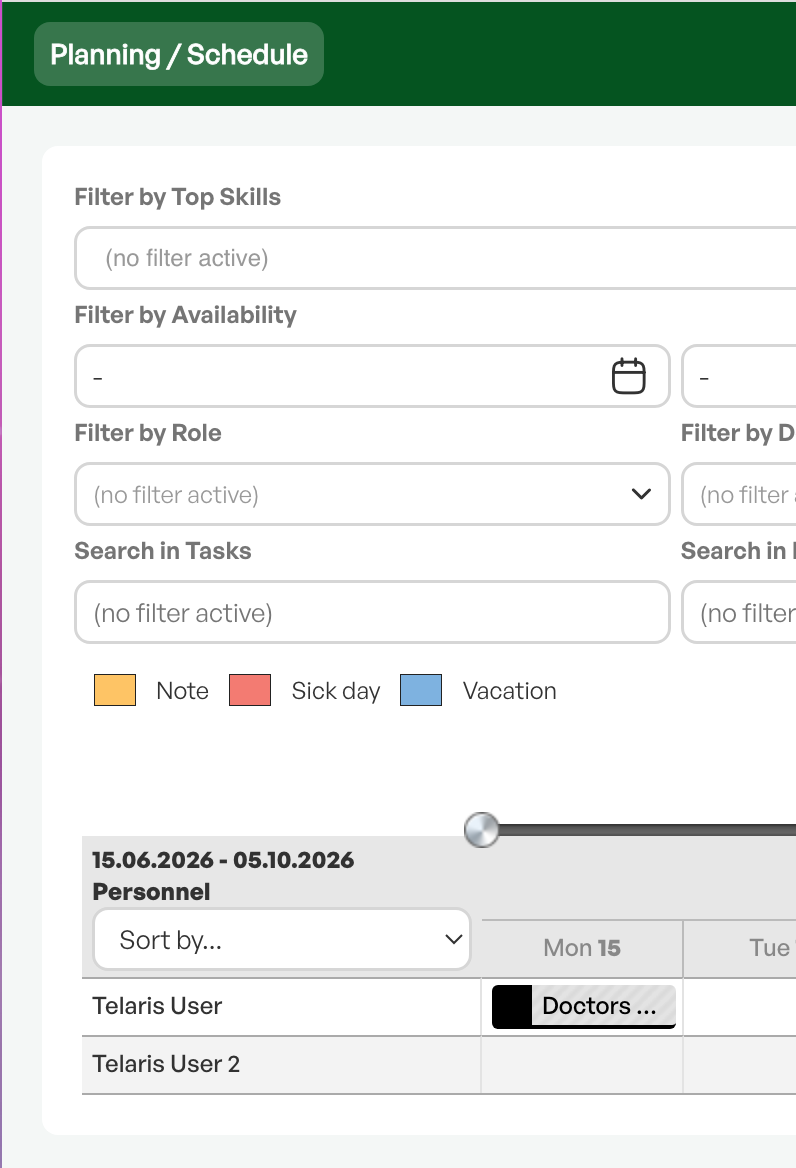
In the order planner you can create tasks directly from the calendar. The tasks are taken from personnel tasks, and when you choose a task it is also shown in HR's resource calendar.
TABLE OF CONTENTS
Creating a task in the calendar
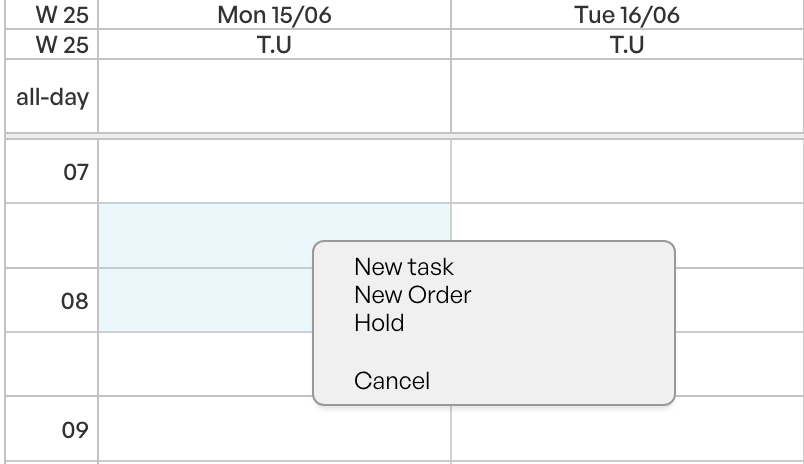
In the planner, mark the desired time period in the calendar field, right-click, and choose 'New task'.
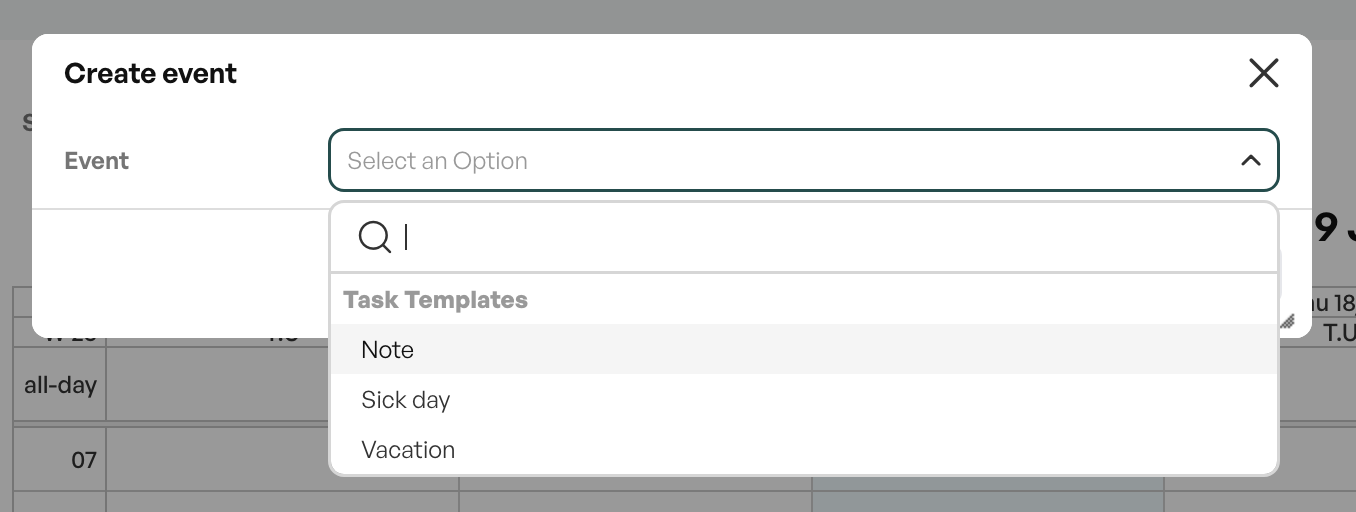
Choosing a task
The tasks come in a dropdown and are taken from personnel tasks.
Choose the desired task from the dropdown menu.
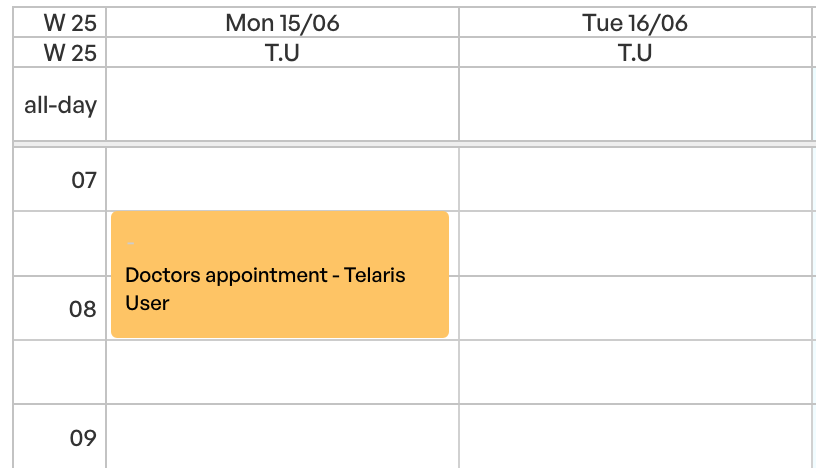
The tasks you choose are placed in the order calendar, so that the time is blocked for orders.
Just like orders, you can change the times of the task in the order calendar, and right-click to choose to change the text.
Creating new tasks
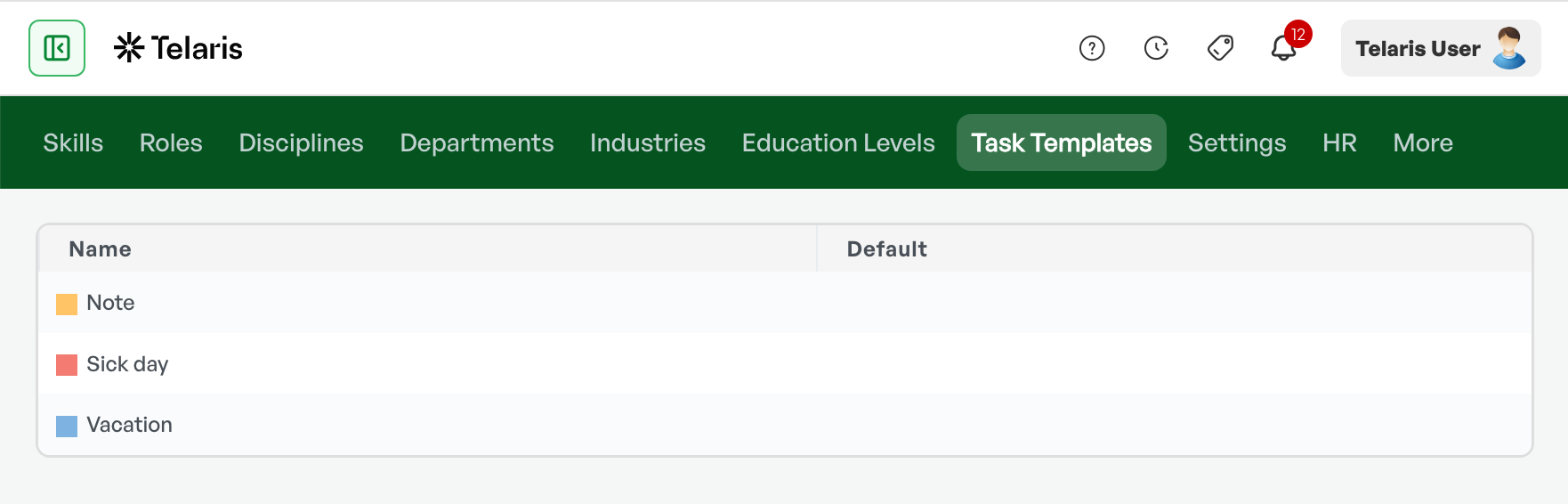
To create tasks, go toSettings- Personnel
/admin/personnel -> Task templates -> Add new
Display in the resource calendar
When you have chosen a task, it is also shown in HR's resource calendar. This way, HR sees the planned task on the correct resource.
Tip: The tasks available in the dropdown are controlled by the personnel tasks set up in the system.

Was this article helpful?
That’s Great!
Thank you for your feedback
Sorry! We couldn't be helpful
Thank you for your feedback
Feedback sent
We appreciate your effort and will try to fix the article