How does newsletter sign-up work in the webshop?
This article explains how customers and visitors can sign up for newsletters in the Telaris webshop, and what happens when a sign-up is sent to Mailchimp.
TABLE OF CONTENTS
- How does newsletter sign-up work in the webshop?
- Where can customers sign up?
- What happens when someone subscribes?
- Logged-in customer vs guest customer
- Consent and eAccept
- What the customer sees
- Important limitations
Where can customers sign up?
There are two sign-up points in the webshop:
A newsletter field in the footer
A checkbox at checkout
Both options send the email address to the same Mailchimp audience.
Sign-up in footer
When the Mailchimp integration is configured, a newsletter field appears at the bottom of the webshop.
Visitors can enter their email address and click Subscribe.
No login is required.
If the email address is valid, it is sent directly to Mailchimp.

Sign-up at checkout
At checkout a checkbox is shown with the text Subscribe to newsletter.
The customer can choose to subscribe at the same time as completing the order.
If the customer has already registered consent previously, the checkbox may be pre-selected.
What happens when someone subscribes?
When a sign-up is submitted:
Telaris validates the email address
The email address is sent to Mailchimp via API
The contact is added to the selected audience with status subscribed
If the address already exists, it is updated
The contact then becomes available in Mailchimp for campaigns and newsletters.
Logged-in customer vs guest customer
User type | How email is retrieved | Consent recorded? |
Logged-in customer | From contact person or main customer card | Yes |
Guest customer | From checkout information | No |
Logged-in customers have consent recorded in Telaris when they sign up via checkout.
Guest customers are only added to Mailchimp.
Consent and eAccept
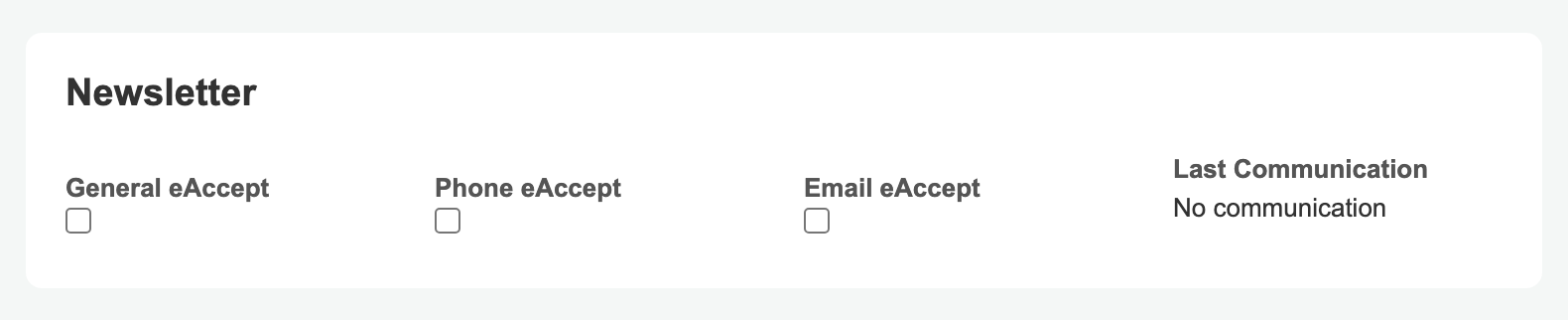
When a logged-in customer signs up at checkout, consent (eAccept) is recorded on the main customer card in Telaris.
The consent is not recorded for:
Footer sign-ups (no login required)
Guest customers
NOTE: Footer sign-up does not record eAccept in Telaris.
What the customer sees
The customer sees:
A newsletter field at the bottom of the webshop
A checkbox at checkout
A confirmation when the sign-up has been sent
The texts can be translated or customised via translations in Telaris.
Mailchimp integration – overview and what the module does
Troubleshooting: Mailchimp sign-up not working
Important limitations
Only one Mailchimp audience is supported per webshop
Only the email address is sent to Mailchimp
No purchase history or product data is synchronised
Unsubscribing is handled via Mailchimp's own links

Was this article helpful?
That’s Great!
Thank you for your feedback
Sorry! We couldn't be helpful
Thank you for your feedback
Feedback sent
We appreciate your effort and will try to fix the article