Time tracking on mobile - manually against an order
Guide for time tracking on mobile with a manual link to an order
Manual time tracking against an order on mobile
Time can be tracked manually against an order.
The animation below shows the method for manually linking time tracking to an order.
First, choose the desired order by searching, then choose the task in the order that the time product has been added to.
Then choose the time type, which is set up by the system administrator.
Choose the number of hours and save.
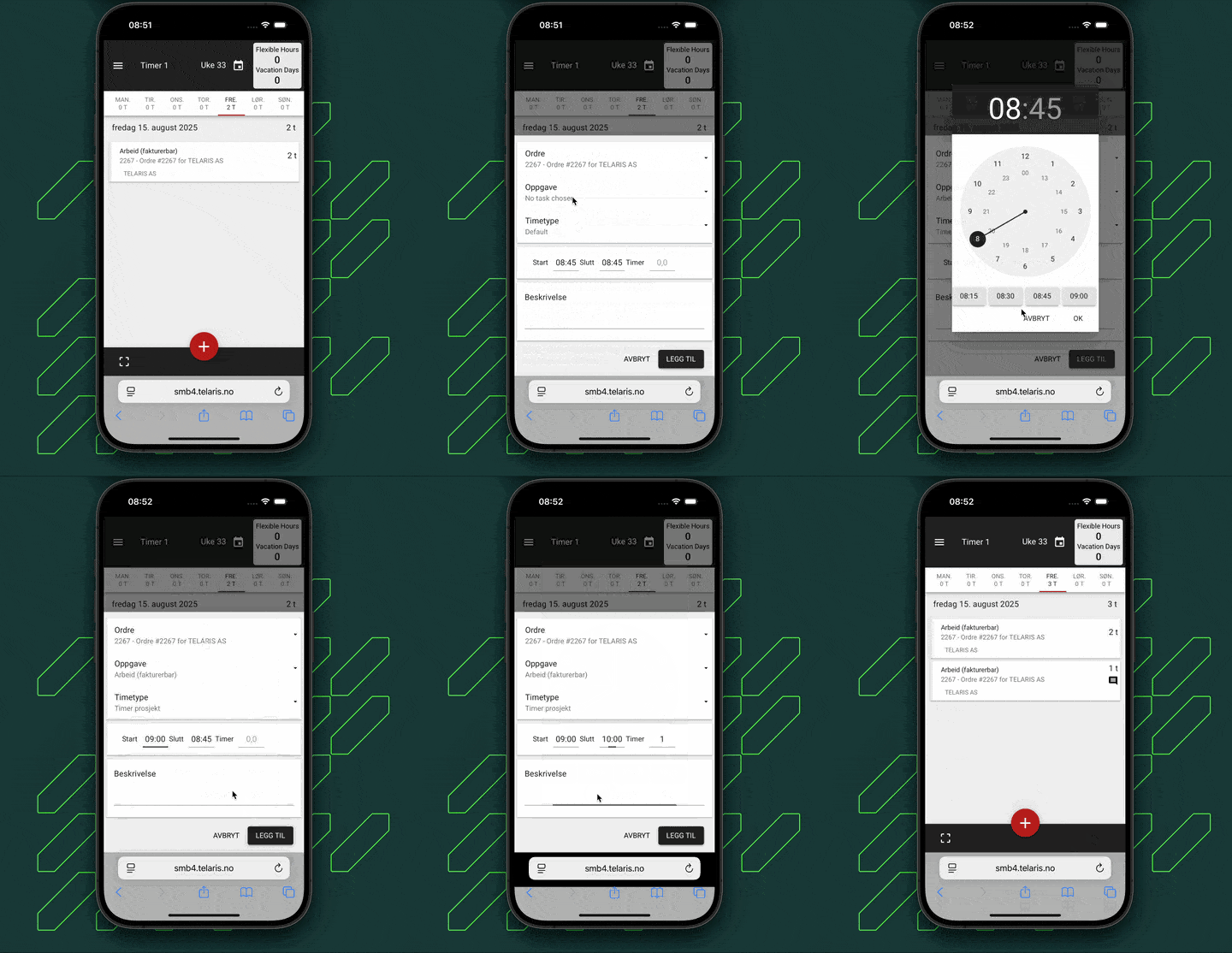
Tip: You can also click the predefined times below the clock.

Was this article helpful?
That’s Great!
Thank you for your feedback
Sorry! We couldn't be helpful
Thank you for your feedback
Feedback sent
We appreciate your effort and will try to fix the article