Time tracking on mobile - deleting an hour record
Guide for deleting an hour record
Deletion
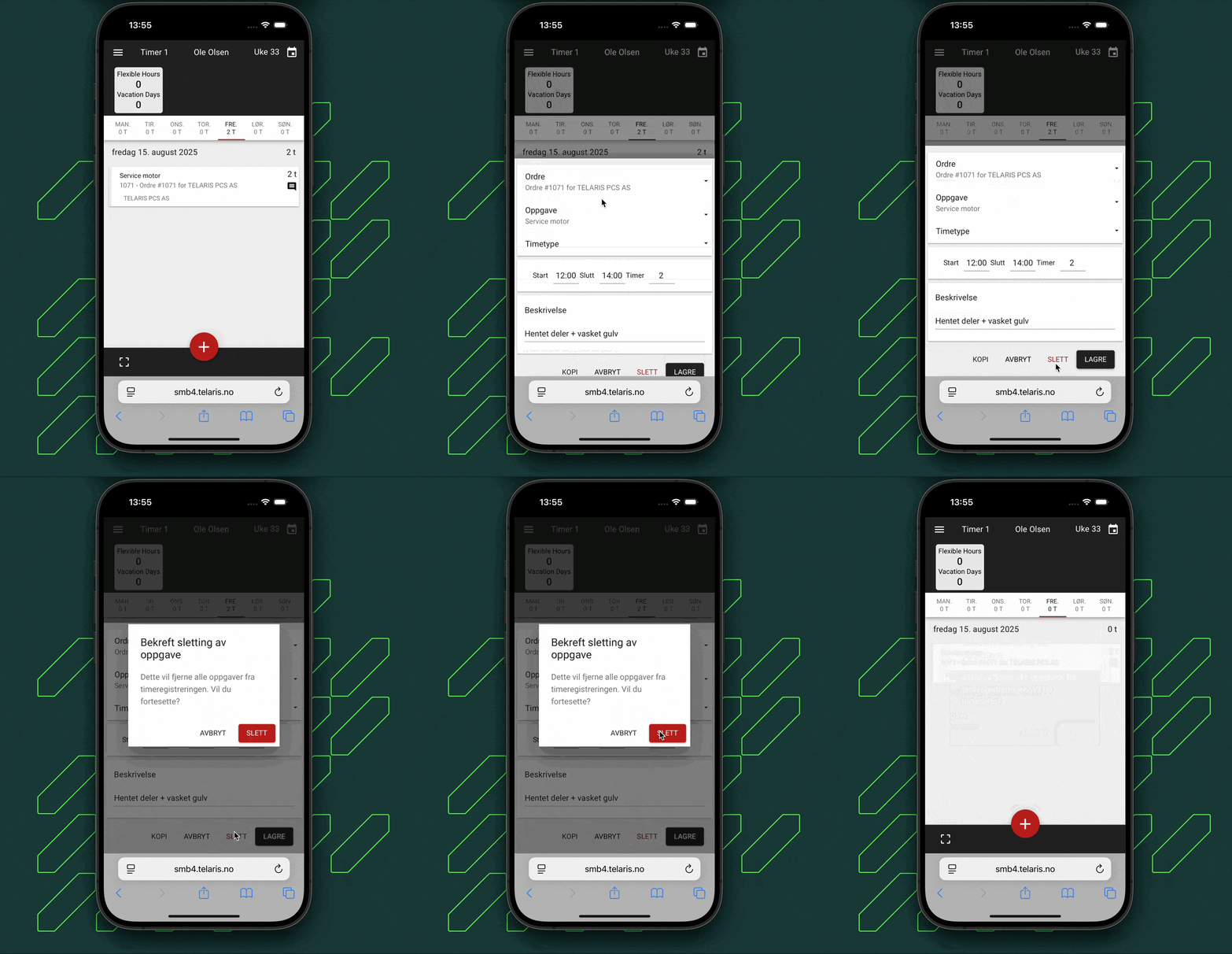
If a hour record has been created incorrectly, it can be deleted.
Click the desired hour, then click delete and save.
The animation below shows how to delete an hour record in Telaris.
NOTE: Approved hours cannot be deleted. Contact your immediate manager for help changing approved hours.

Was this article helpful?
That’s Great!
Thank you for your feedback
Sorry! We couldn't be helpful
Thank you for your feedback
Feedback sent
We appreciate your effort and will try to fix the article