Time tracking on mobile - editing a time entry
Guide for editing a time entry from mobile
Editing
After an hour is registered, there may sometimes be a need to adjust it.
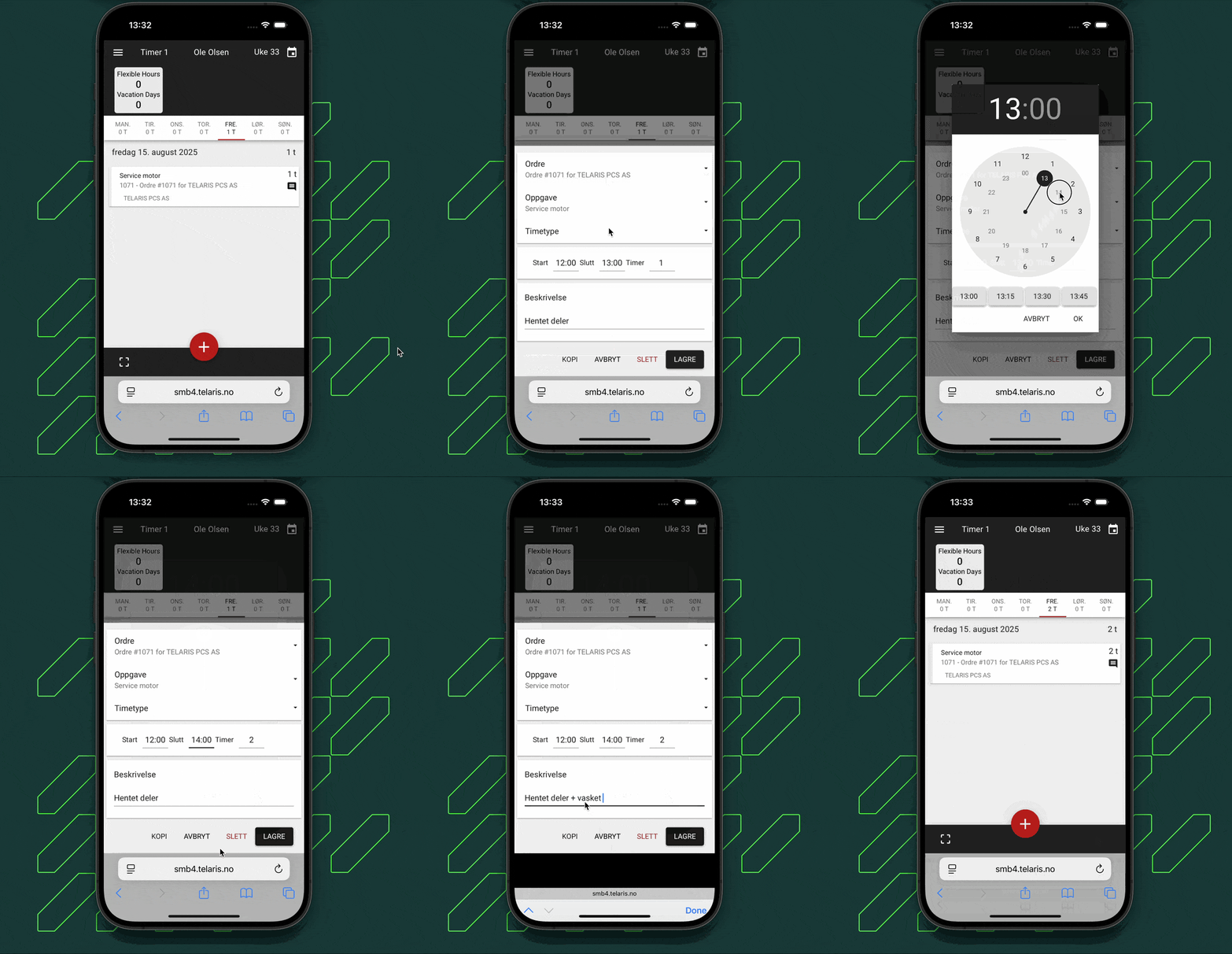
To adjust existing hours, click the relevant time entry, adjust the time or number of hours, and save.
You can also update or adjust the description as needed.
The animation below shows how to make a change.
Note: Approved hours cannot be changed. Contact your system administrator for help changing approved hours.

Was this article helpful?
That’s Great!
Thank you for your feedback
Sorry! We couldn't be helpful
Thank you for your feedback
Feedback sent
We appreciate your effort and will try to fix the article