Purchase Order - Purchase Price
The system retrieves the cost price of purchased/stocked items from the purchase price in the purchase order.
TABLE OF CONTENTS
- Purchase Order - Purchase Price
- Finding the Registered Purchase Price
- Updating the Purchase Price on the Purchase Order
- Updating the Catalogue Price from the Purchase Order
- Common Pitfalls
Finding the Registered Purchase Price
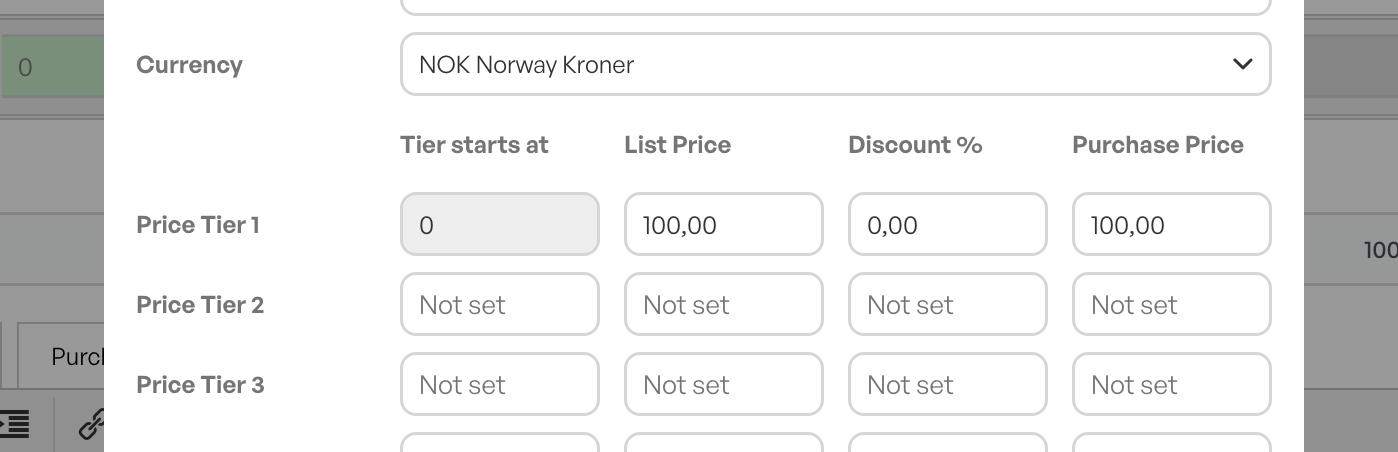
On the product card, in the middle of the page, there is a link to the supplier. Clicking the line brings up a pop-up showing list price and purchase price.
List price can be the supplier's standard price, while purchase price can be the company's own purchase price.
Between list price and purchase price is the discount field, which is in percent.
When you use a percentage discount, list price will have the original price and purchase price will have the amount with the percentage discount deducted.
Purchase price is the price shown in the purchase order. This can be changed manually from here.
Updating the Purchase Price on the Purchase Order
In the purchase order, there is a field called "innpris eks. mva" (purchase price excl. VAT). This field must match the actual purchase price on the received incoming invoice, or another document that gives you the actual cost you have to pay for the purchased items.
By default, the system retrieves the suggested purchase price in the purchase order from the supplier catalogue on the product card. It is this field that must be correct. If you do not operate with updated supplier catalogues that give you the correct suggested cost price for the product, you must take an active role in maintaining the purchase with correct prices.

When you receive an incoming invoice, or another document, reconcile the price against the purchase price in the purchase order.
This can also be done after you have received the goods.
Updating the Catalogue Price from the Purchase Order
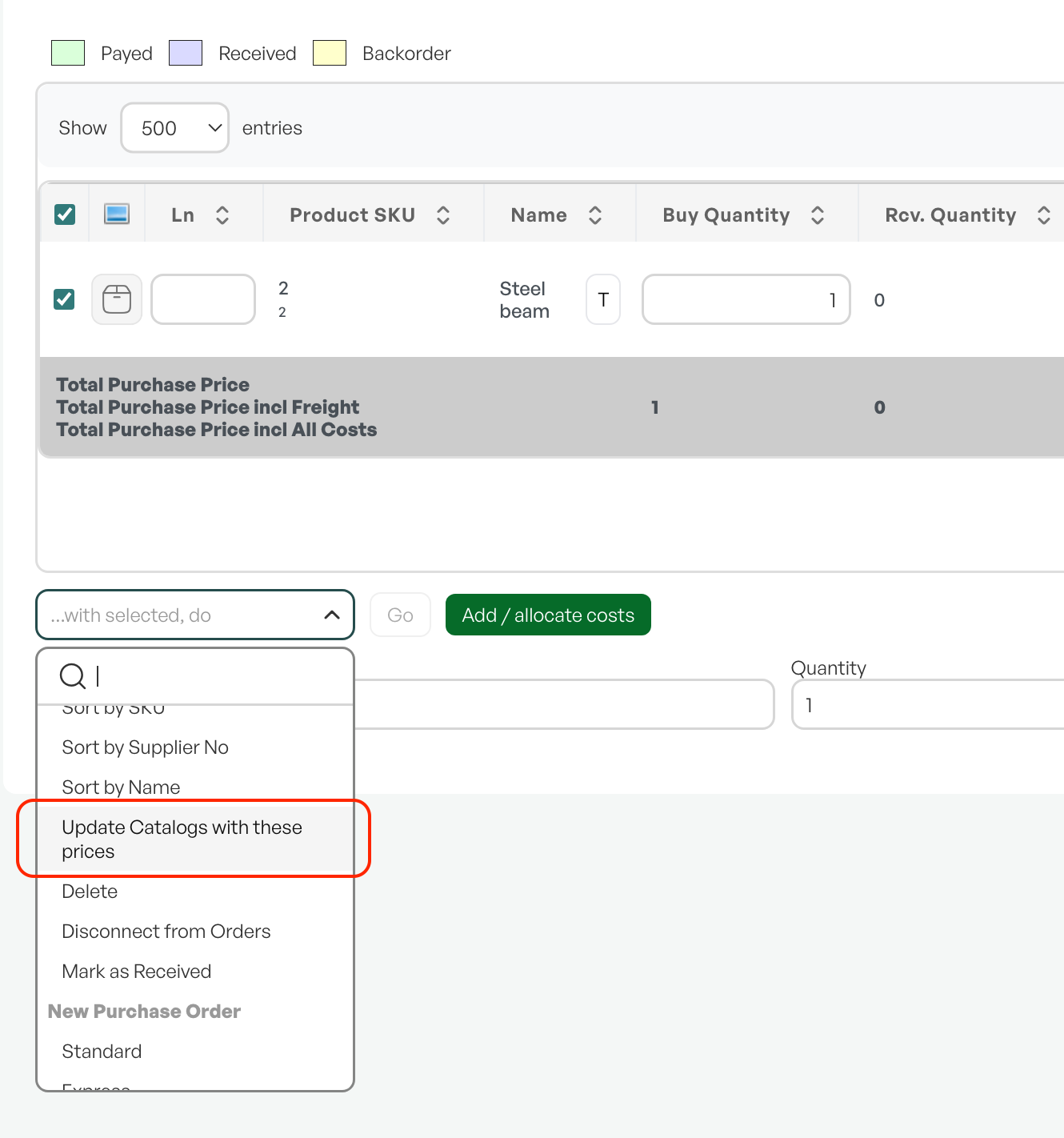
It is possible to update the catalogue price from the purchase order. This way you ensure that the latest purchase price you have received from the supplier is updated in the supplier catalogue.
You mark the relevant items/purchase lines you want to update, "... med utvalgte, utfør" (... with selected, perform) and choose "oppdater kataloger med disse prisene" (update catalogues with these prices).
Common Pitfalls
A missing or incorrect catalogue price can be examples of the purchase price in the purchase order being wrong. The consequence of this is that the stock cost of the relevant items also becomes wrong.

Was this article helpful?
That’s Great!
Thank you for your feedback
Sorry! We couldn't be helpful
Thank you for your feedback
Feedback sent
We appreciate your effort and will try to fix the article